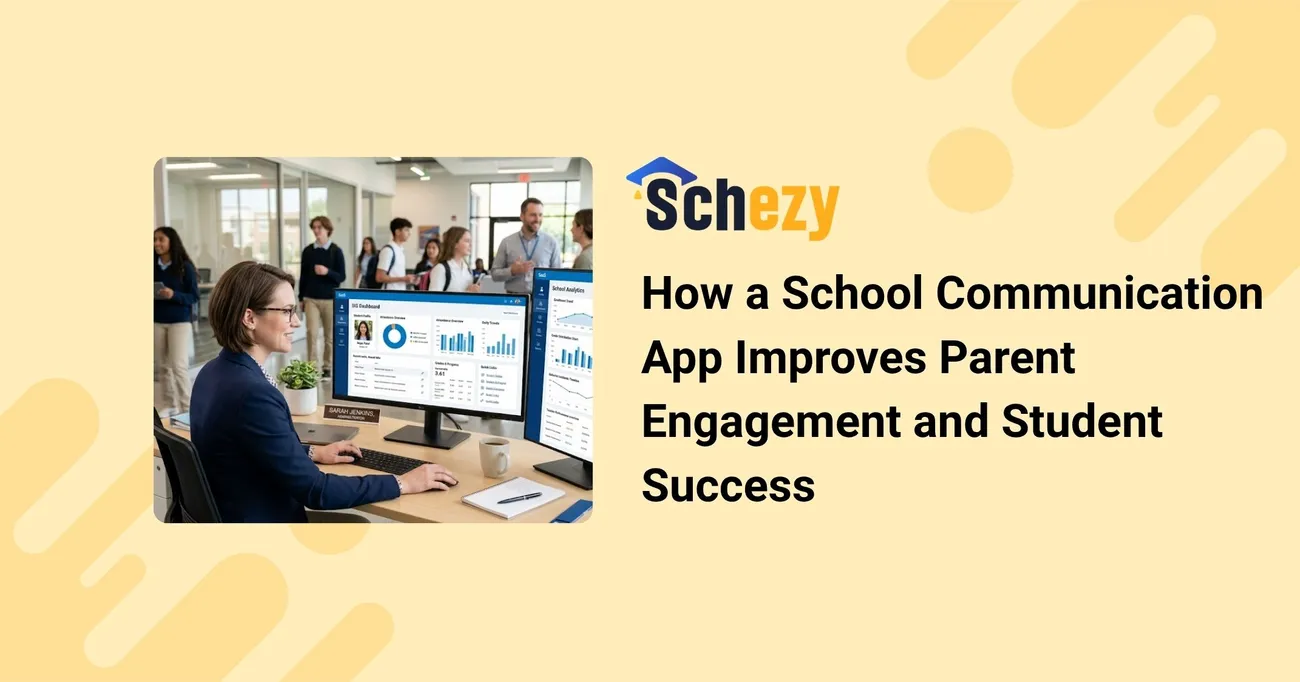
How a School Communication App Improves Parent Engagement and Student Success
Measuring the link between parent engagement and student outcomes requires more than anecdotes. This guide explains how a School Communication App can generate measurable engagement signals and how administrators and data teams can correlate those signals with attendance, grades, and behavior. It supplies practical KPIs, data-collection templates, analytic methods, and two short case-study examples to demonstrate ROI and continuous improvement strategies plus privacy, integration, and parental-control considerations.
A school communication app for parents helps schools maintain seamless communication with families through instant messaging, attendance updates, homework notifications, event reminders, report cards, and emergency alerts. As schools adopt digital transformation, parent communication apps have become essential tools for improving parent engagement, student performance, and school-parent collaboration. The right communication platform enables schools to keep parents informed in real time while reducing administrative workload.
Why measure engagement from a School Communication App?
School communication platforms centralize messages, permission slips, attendance alerts, and behavior updates. For administrators and policymakers, the critical question is whether these platforms improve outcomes: higher attendance, fewer behavior incidents, and better academic performance. Measuring impact demonstrates ROI, supports funding requests, and guides continuous improvement.
Step 1 — Define objectives and target outcomes
Start with clear goals tied to student success. Examples:
- Increase daily attendance average by X% over the school year
- Reduce unexcused absences within high-risk cohorts by Y
- Improve average math scores for targeted grades by Z points
- Decrease repeat behavior incidents for students identified as at-risk
Map each objective to measurable indicators that the app can influence (notifications opened, replies, sign-offs on permission forms, attendance confirmations).
Step 2 — Select KPIs to track
Choose KPIs that are actionable and link directly to your objectives. Sample KPIs:
- Message Delivery Rate = messages delivered / messages sent
- Open Rate = messages opened / messages delivered
- Response Rate = replies received / messages delivered
- Timely Response Rate = replies within 24 hours / replies received
- Permission Completion Rate = forms completed / forms sent
- Attendance Alert Acknowledgment Rate = alerts acknowledged / alerts sent
- Attendance Change = average daily attendance (post-implementation) − average daily attendance (pre-implementation)
- Grade Change (cohort) = average grade (post) − average grade (pre)
- Behavior Incident Rate = incidents per 100 students per month
Include denominators and time windows so KPIs remain consistent (e.g., weekly open rate, monthly attendance change).
Step 3 — Build simple data-collection templates
Collect raw signals from the School Communication App and join them to student and family data. Essential fields to capture:
- student_id
- family_id
- date
- message_id
- message_type (announcement, attendance_alert, permission_form, behavior_alert)
- delivery_status (delivered, bounced)
- opened_timestamp
- response_timestamp
- form_completed (yes/no)
- attendance_status (present/absent/tardy)
- grade_snapshot (course, grade, assessment_date)
- behavior_incident_flag (yes/no)
Example CSV header (single-line for export): student_id,family_id,date,message_id,message_type,delivery_status,opened_timestamp,response_timestamp,form_completed,attendance_status,grade_snapshot,behavior_incident_flag
Step 4 — Analysis methods to link engagement to outcomes
Use a mix of descriptive and inferential methods:
- Descriptive dashboards: show trends in open/response rates alongside attendance and grade averages by cohort.
- Cohort analysis: compare students whose families had high app engagement vs. low engagement over time.
- Difference-in-differences: when rolling out the app by grade or school, compare changes in outcomes between early and late adopters.
- Regression models: control for confounders (socioeconomic status, prior attendance, special education status) to estimate the independent effect of parental engagement signals.
- A/B testing: test message formats, timing, and channels to optimize response rates.
Basic regression example
Outcome: attendance_rate_it = β0 + β1 * parent_open_rate_it + β2 * prior_attendance_i + β3 * SES_i + ε_it. A statistically significant positive β1 suggests higher parent engagement predicts better attendance.
Step 5 — Address parental-control issues and delivery friction
Real-world engagement can be hampered by parental block settings or third-party parental control apps. Consider:
- Communicating to families about notification settings and why the school app should be whitelisted.
- Providing simple troubleshooting guides for common parental control apps and Android notification permissions (including steps for parental control app for android and best app for parental control on android contexts).
- Tracking delivery bounces and 'blocked' statuses to quantify how many households are unreachable due to parental block or device settings.
- Offering alternative channels (SMS, automated voice, paper notices) for households with persistent delivery issues.
Step 6 — Dashboards and reporting
Create role-based dashboards:
- Executive dashboard: high-level KPIs—school-wide attendance trend, average open rate, ROI indicators.
- Operational dashboard for principals: message performance, top parents not receiving messages, daily attendance correlations.
- Teacher-level reports: class-level permission completion and response times.
Dashboard features to include: filters by grade, subgroup, and timeframe; drill-down to family-level records for outreach; export functions for audits.
Sample ROI and impact calculation
ROI can pair time savings and outcome gains. Example approach:
- Estimate time saved in office/admin hours from automated communication (hours_saved * hourly_rate).
- Estimate financial benefit from reduced chronic absenteeism: if improved attendance prevents loss of per-pupil funding or reduces interventions, quantify that saving.
- Combine measurable student outcome gains (e.g., improved average grade leading to reduced remediation) into conservative financial equivalents where appropriate.
- ROI = (Annualized benefits − Annualized costs) / Annualized costs.
Case studies (short)
Case study A — Urban middle school
Context: A middle school with 18% chronic absenteeism implemented a School Communication App focused on daily attendance alerts and permission form automation. After six months, families with >70% open rate showed a 6-percentage-point attendance improvement vs. households with <30% open rate. Regression controlling for prior attendance and grade level estimated a 3.5pp attendance uplift attributable to engagement signals. Administrative time spent on manual attendance calls dropped by 40%, freeing staff to do targeted outreach.
Case study B — Suburban elementary
Context: An elementary district used the app to drive permission form completion for field trips and to send targeted behavior notifications. Permission completion rose from 62% paper-based to 91% via the app. The school saw a 12% reduction in repeated behavior incidents in the cohort where families acknowledged behavior alerts within 24 hours. Cost savings from reduced paperwork and substitute teacher days produced an estimated payback within 14 months.
Privacy, equity, and compliance considerations
Data-driven programs must respect privacy and equity:
- Only collect what you need and document retention policies.
- Ensure family consent and an opt-out process that does not penalize students.
- Monitor for digital equity gaps, lower engagement can reflect limited device access or language barriers, not lack of parental interest.
- Securely join app logs with student data in a protected environment; follow FERPA and local regulations.
Putting it into practice: a 90-day pilot plan
- Week 1–2: Define objectives and KPIs; ensure data feeds from the app to your analytics environment.
- Week 3–4: Baseline measurement (attendance, grades, behavior) and sample family outreach about notification settings and parental control troubleshooting.
- Week 5–8: Run targeted messages and A/B tests on timing/content. Monitor open/response rates and forms completion.
- Week 9–12: Analyze correlations and run preliminary regressions. Prepare dashboards and a brief impact memo for stakeholders.
Recommendations and next steps
To make evidence based decisions, schools should:
- Integrate communication app logs with SIS and LMS data for joined analysis.
- Include parental-control and device-delivery variables in audits to understand reach limitations (parential block and parental control apps can reduce reach).
- Use both quantitative and qualitative feedback from families to refine message tone and timing.
- Report impact in terms administrators care about attendance, grades, behavior and include efficiency gains in ROI communication.
When thoughtfully implemented and measured, a School Communication App becomes more than a messaging tool it is an evidence-generating system that connects families and schools to improve student success.
FAQ Section (AEO + GEO)
1.What is a school communication app for parents?
A school communication app for parents is a mobile or web-based platform that allows schools to share announcements, attendance updates, homework, report cards, event reminders, and emergency notifications with parents in real time.
2.Why do schools need a parent communication app?
Schools need parent communication apps to improve engagement, streamline communication, reduce paperwork, and ensure parents stay informed about their child's academic progress and school activities.
3.What features should a school communication app include?
Key features include instant messaging, attendance tracking, homework updates, push notifications, event calendars, report card access, fee reminders, and multilingual communication support.
4.How does a parent communication app improve student performance?
When parents receive timely updates about attendance, assignments, and academic progress, they can provide better support at home, leading to improved student outcomes.
5.Can parents communicate directly with teachers through a school communication app?
Yes. Most modern school communication apps provide secure messaging features that enable parents and teachers to communicate efficiently without sharing personal contact information.