School ERP Software: Features, Modules & Benefits
This guide explains school ERP (education management) software, why schools need it, core modules, key features, selection and implementation tips, common mistakes, costs, security, and trends for 2026. It argues integrated, cloud-based ERPs save time, reduce errors, improve parent engagement, and enable data-driven decisions. The post lists essential modules (SIS, admissions, attendance, fees, exams, HR, library, transport, portals), prioritizes mobile, role-based access, integrations, custom workflows, and dashboards, and recommends pilots, training, champions, and careful data migration. Practical checklists, vendor questions, ROI examples, deployment pitfalls, and change-management advice help schools choose and successfully roll out a system, and practical examples included.
If you manage a school or help choose technology for one, you already know how quickly things can get chaotic. Admissions pile up, fee records become difficult to track, teachers juggle multiple spreadsheets, and parents keep calling the office for updates. With Schezy, many of these manual challenges can be streamlined helping schools save hours that would otherwise be lost to repetitive administrative tasks.
This guide walks you through school ERP software in plain language. I’ll cover what an education ERP system is, the core modules you should expect, the features that actually matter, and how to pick the right school management system for your campus. I’ll also point out common mistakes I’ve noticed and share practical tips to make implementation smoother.
If you’re short on time, think of this as a playbook for bringing order to school administration. Whether you’re shopping for cloud-based school ERP or upgrading an old student information system, these points will help you decide faster and avoid the usual traps.
What is School ERP Software?
School ERP software, or education ERP system, is a central platform that brings together all administrative and academic processes. Instead of separate systems for attendance, fees, exams, and HR, you get one integrated school management ERP that stores data, automates workflows, and gives real-time visibility.
Call it a digital headquarters for your school. At its core, it’s a student information system, but a good one expands to cover finance, HR, Communications, learning, and reporting. In my experience, the best systems reduce double entry, speed up approvals, and make the office less chaotic.
Everything You Need to Know About School Management Software in 2026
Discover how modern School Management Software simplifies daily operations, from attendance and fees to communication and reporting. This in-depth guide covers essential features, real-world use cases, and how platforms like Schezy help schools save time, reduce errors, and improve overall efficiency.
Why Schools Need an ERP
Why bother? Because manual processes cost time, money, and accuracy. You probably know someone who still reconciles fees on paper or relies on a teacher’s notebook for attendance. That works for a while, but it breaks down as the school grows.
- Automation saves time. A few clicks can replace hours of administrative work.
- Data accuracy improves. One source of truth means fewer mistakes and fewer angry parents.
- Transparency increases. Staff, students, and parents see the same data in real time.
- Compliance gets easier. Report generation becomes faster during inspections or audits.
- Decision-making improves. Dashboards and analytics help leaders spot trends and act earlier.
I've seen principals make better decisions simply because they had clean data and a dashboard that told them what to monitor each month. That’s powerful.
Core School ERP Modules
Not all ERP systems offer the same modules. Here’s the list I recommend you compare when evaluating school automation software. Each module solves a specific problem and together they cover most school needs.
Admissions and Enquiry Management
This module manages leads, applications, document uploads, and seat allocation. It should let you create custom admission forms, track applicant status, and send SMS or email confirmations automatically.
Quick example: Set up a multi-stage application flow with automated reminders. That reduces lost documents and follow-up calls.
Student Information System
The student information system is central. It stores profiles, family contacts, admission history, medical records, and academic details. Good SIS lets you pull a student’s full record in seconds.
Attendance Management
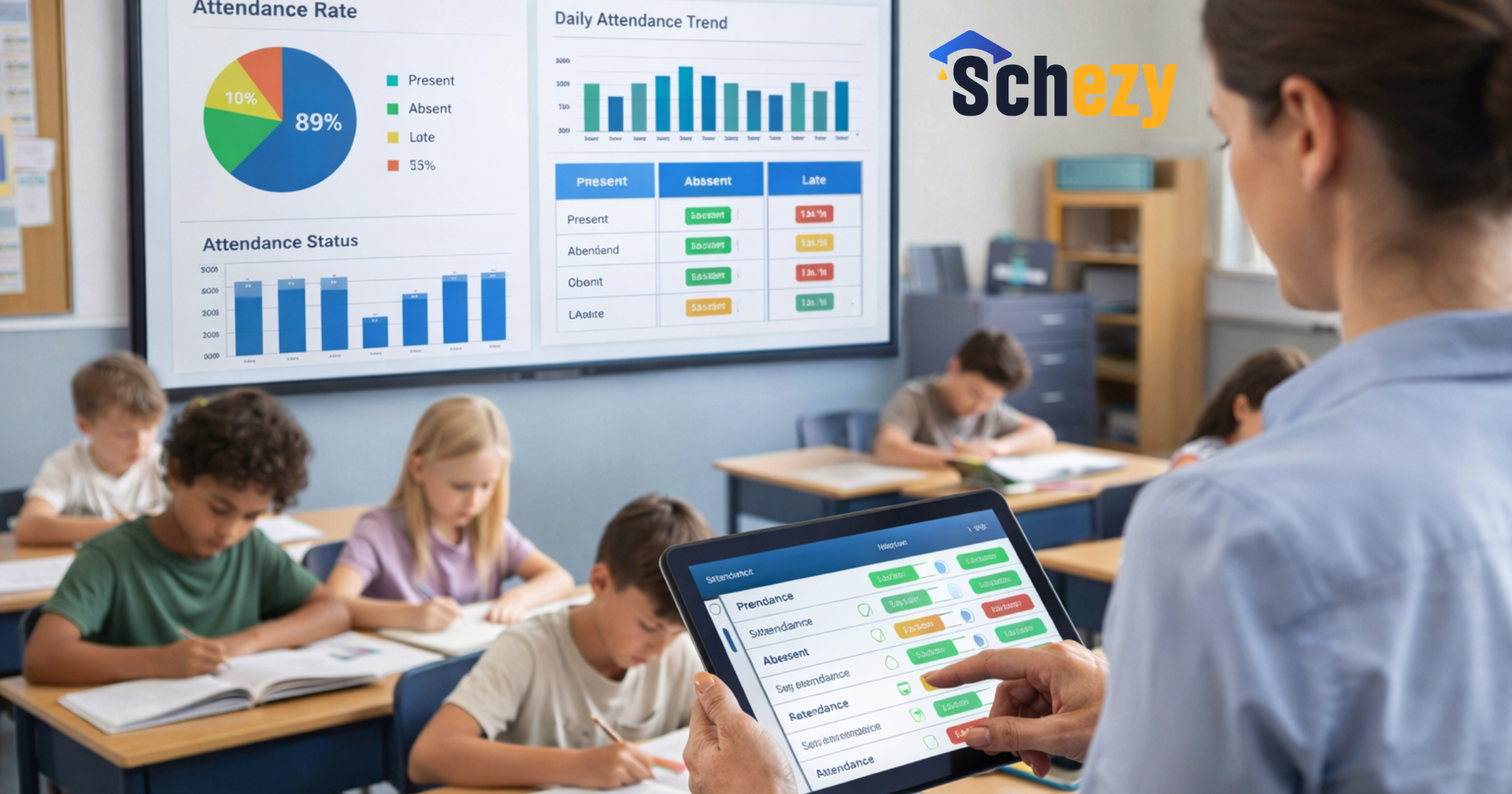
Attendance should be simple. Look for RFID, biometric, or mobile app options, plus automatic absence alerts to parents. Teachers should take attendance in under a minute per class.
Fee Management and Finance
Fee management handles invoicing, concessions, scholarships, online payments, and receipts. For accounting, check for general ledger, chart of accounts, and exportable reports. Automating fee reminders saves the accounts office a lot of time.
Timetable and Exam Management
Timetable modules should build schedules that avoid clashes and handle teacher assignments and room allocation. Exam modules need to manage question banks, grade entry, marksheets, and report cards.
Human Resources and Payroll
HR should manage staff profiles, attendance, leave, performance, and payroll. Payroll needs to calculate deductions, generate payslips, and support compliance with local tax laws.
Library and Inventory
Library modules track catalogues, issue returns, late fines, and borrower records. Inventory tracks assets, purchases, consumables, and maintenance schedules.
Transport Management
Transport modules manage routes, vehicle tracking, driver info, seating, and pick-up/drop schedules. GPS integration and parent alerts are big pluses here.
Parent and Student Portals
Parent and student portals give real-time access to grades, attendance, fee status, homework, and school updates. Make sure the portal is mobile friendly. Parents will use it on their phones, not just desktops.
Communication and CRM
Built-in communication tools help send bulk SMS, emails, and notifications, while cloud telephony enables cloud calling and IVR-based routing for handling parent and student enquiries. A CRM for schools can help with marketing, inquiries, and enrollment campaigns.
Analytics and Reporting
Dashboards and reports turn raw data into decisions. Look for trend charts, customizable reports, export options, and role-based views so principals, accountants, and teachers see what matters to them.
Key Features to Prioritize
Features can be a checklist that confuses more than it helps. Focus on capabilities that directly reduce work or increase accuracy. Here are the features that actually matter in day-to-day operations.
Cloud-Based Access
Cloud-based school ERP systems reduce hardware costs and let staff and parents access information anywhere. They also simplify backups and software updates. If your school has multiple branches, cloud is a no-brainer.
Role-Based Access Control
Security matters. A role-based system ensures teachers can’t access financial data and accounts staff can’t edit grades. It also makes audits cleaner because actions are logged by user.
Mobile Apps
Many users rely on phones. A responsive parent app, a teacher app for attendance and marks, and an admin app for approvals make life easier. In my experience, adoption improves dramatically with a good mobile experience.
Integrations and APIs
Integration with payment gateways, learning management systems, biometric devices, and single sign-on providers smooths workflows. If you plan to keep your LMS or accounting package, check for API support.
Custom Workflows
Every school has slightly different processes. Choose a system that lets you create or tweak approval workflows, fee structures, and report templates without coding.
Automated Notifications
Automated SMS and emails for fees, attendance, exams, and events cut down on repetitive calls. Set up templates and schedules so the system does the follow-up for you.
Real-Time Dashboards
Principals and administrators need quick snapshots: current attendance, fee arrears, enrollment trends, and staff availability. Real-time dashboards help with daily decisions.
Data Security and Backups
Ensure the system uses encryption, regular backups, and secure hosting. Ask about data retention policies and how the vendor handles breach notifications.
Benefits of School ERP Software
When implemented well, school automation software brings benefits you notice every day. Here are the gains schools actually report after switching to a good school management ERP.
Time Savings
Administrative tasks that used to take hours become minutes. For example, fee reconciliation that once took a week can be done in a day with automated reports and online payment reconciliation.
Improved Accuracy
Less manual entry means fewer errors. I’ve seen marksheet mistakes that took a week to fix disappear after teachers started using a central exam module.
Better Parent Engagement
Parents appreciate timely updates on attendance, homework, and payments. When communication becomes predictable, trust improves and complaints drop.
Cost Efficiency
Lower printing costs, fewer phone calls, and reduced overtime add up. Over a couple of years, the software often pays for itself when you factor in staff time saved.
Regulatory Compliance and Reporting
Generate inspection-ready reports fast. Whether it’s statutory returns, board reports, or internal audits, having clean data simplifies compliance.
Data-Driven Decisions
Dashboards help you spot enrollment trends, academic performance issues, or classes with high absenteeism. Acting on those insights is what separates reactive schools from proactive ones.
How to Choose the Right School ERP
Choosing an ERP can feel overwhelming. Here’s a step-by-step approach I use when advising schools.
- List your must-haves. Start with the hallmarks: SIS, fee management, attendance, and parent portal.
- Prioritize user experience. Teachers and parents should find the system intuitive. If it needs extensive training, factor that in.
- Check for cloud deployment and mobile apps. Those increase adoption and reduce IT headaches.
- Ask about integrations. Confirm if the vendor can integrate with your payment gateway, LMS, or biometric devices.
- Request references. Talk to similar sized schools and ask specific questions about adoption and support.
- Run a pilot. Test with one branch or a few grades before full roll-out.
- Evaluate pricing and total cost of ownership. Look beyond license fees. Include implementation, training, support, and data migration costs.
If you want a checklist you can use during vendor demos, here it is. Ask them to show:
- How a teacher takes attendance and uploads marks.
- How the accounts team creates an invoice and reconciles payments.
- How parents receive notifications and view reports on mobile.
- How administrators build a timetable and handle exam schedules.
- How the system exports data for audits or integration.
Common Mistakes Schools Make
I’ve seen the same mistakes over and over. You can avoid them by planning and asking the right questions.
Choosing by Price Alone
Discounts are tempting but low-cost options often lack needed features, scalability, or support. Think long term.
Ignoring User Training
No matter how good the software, people need time and training to adopt it. Budget for hands-on sessions and refresher courses. Don’t expect everyone to learn from a manual.
Over-customizing Too Early
Customize only when you have proven needs. Heavy early customization can make upgrades painful and expensive.
Not Planning Data Migration
Underestimating the effort to clean and migrate legacy data is a common pitfall. Allocate time and resources for data cleansing and validation.
Failing to Run a Pilot
A pilot highlights issues you didn’t anticipate. It also builds champions among teachers who can then help during full rollout.
Overlooking Mobile Usability
If the parent or teacher app is clunky, adoption will stall. Test the app on typical devices your community uses.
Implementation Tips and Change Management
Rolling out a school management system is as much about people as technology. Good change management increases adoption and reduces resistance.
Start Small
Begin with high-impact modules like attendance and fee management. Once staff see benefits, they are more open to other modules.
Identify Champions
Find teachers and admin staff who are enthusiastic and tech-savvy. They’ll help others and provide real-time feedback to the vendor.
Communicate Clearly
Tell staff and parents what to expect, when to expect it, and how they’ll get help. Regular updates reduce confusion.
Provide Hands-On Training
Group workshops, short micro-training sessions, and quick reference guides work better than long manuals. I recommend 30 minute sessions for specific tasks like entering marks or raising invoices.
Plan for Support
Agree with the vendor on SLAs for bug fixes and feature requests. Keep an internal help channel so staff can ask quick questions without escalating every issue.
Integration with Learning and Assessment
ERP systems are stronger when they work with your LMS and assessment tools. Integrations reduce duplicate work and improve feedback loops between teaching and administration.
Example: When an LMS sends assignment grades to the ERP, the exam module can include those scores in term reports automatically. That saves teachers from double entry and ensures consistent reporting.
If you use third-party edtech tools, check whether the ERP supports LTI or standard APIs. Ask the vendor for examples of existing integrations so you know what’s possible.
Security, Privacy, and Compliance
Schools handle sensitive data. Student records, staff payroll, and parent contact details need protection. Take security seriously during vendor evaluation.
- Encryption at rest and in transit is a must.
- Multi-factor authentication protects accounts.
- Role-based access limits who can see sensitive fields.
- Audit logs help track changes and support investigations.
- Know where data is hosted and how backups are handled.
Also, check local data protection and education regulations. Does the vendor comply with regional laws? Do they provide the legal assurances you need?
Costs and ROI
Price is important, but assess total cost of ownership. Include the initial license, implementation fees, data migration, training, and annual support. If you have multiple branches, ask about multi-branch pricing.
To calculate ROI, quantify time savings and cost reductions over a 12 to 36 month period. Typical savings come from reduced paper use, fewer overtime hours, lower parent query volume, and faster reporting for audit compliance.
Example ROI calculation: If your accounts team saves 10 hours a week and staff cost averages the equivalent of 10 currency units per hour, that’s 5200 currency units a year. Add savings from reduced printing and improved fee collection to get a clearer picture.
Real-World Example
Let’s say Greenfield Academy implemented a cloud-based school ERP. They started with fee management, attendance, and parent portal modules. Within six months they cut queries about fee receipts by 70 percent and reduced manual attendance reconciliation from three days to a few hours each month.
Teachers reported that entering marks directly into the exam module saved them time on report card generation. The principal used the dashboards to identify a drop in attendance in one grade and arranged counseling before it affected exam performance.
That’s not magic. It’s basic automation plus timely data, used consistently.
Questions to Ask Vendors
When you chat with vendors, bring these questions. They’ll reveal capability and support levels quickly.
- Is your solution cloud-based? Where are servers hosted?
- Do you offer a mobile app for parents and teachers?
- Can the system integrate with our payment gateway, LMS, or biometric devices?
- What are your data backup and disaster recovery procedures?
- How long does a typical implementation take for a school our size?
- What training and on-site support do you provide?
- Can we run a pilot? What are the pilot terms?
- How do you handle upgrades and custom requests?
- Do you have references from similar schools?
Common Pitfalls During Deployment
Even with careful planning, deployments can stall. Watch out for these common issues so you can address them early.
- Poor data quality from legacy systems. Clean data first.
- Staff resistance because they don’t understand the benefits. Communicate and show quick wins.
- Underestimating required training time. Schedule more sessions than you think you need.
- Expecting overnight change. Adoption takes time and reinforcement.
- Not having a fallback plan during the transition. Keep manual backups until you’re confident.
Maintenance and Ongoing Optimization
Implementation is just the beginning. Ongoing maintenance, updates, and optimization make the system more valuable over time.
Set aside a small internal team to manage the relationship with the vendor, coordinate feature requests, and run periodic user feedback sessions. Over time, you’ll identify useful workflows to automate and redundant steps to remove.
I like monthly check-ins for the first six months after rollout. They keep momentum and help solve small problems before they become big ones.
Trends to Watch in 2026
School ERP software keeps evolving. Here are a few trends I expect to shape choices in 2026 and beyond.
- Deeper integration between ERPs and LMS platforms for seamless teaching and reporting.
- Increased use of analytics for early intervention in academics and attendance.
- More emphasis on privacy and local data residency requirements.
- Wider adoption of mobile-first design since parents and teachers rely on phones.
- AI-powered suggestions for timetabling, fee reminders, and resource allocation. Use them carefully and validate the outputs.
If you’re evaluating systems this year, ask vendors how they plan to support these trends. It’ll save you headaches later.
Final Checklist Before You Buy
Here’s a short checklist to run through before you sign any contract. Keep it handy during vendor demos.
- Must-have module coverage: SIS, fees, attendance, exams, HR.
- Cloud hosting with backups and encryption.
- Mobile apps for parents and teachers.
- Integration support with your existing tools.
- Scalable pricing that fits future growth.
- Clear training and support plans with SLAs.
- Reference schools and case studies.
- Pilot option for real-world testing.
- Data migration plan and cost estimates.
FAQs
1. What is School ERP Software and how does it work?
School ERP Software is an integrated platform that manages administrative and academic processes in one system. It centralizes data for attendance, fees, exams, HR, and communication, allowing schools to automate workflows and access real-time information from a single dashboard.
2. What are the essential modules in a School ERP system?
A good School ERP system typically includes modules like Student Information System (SIS), attendance management, fee and finance management, timetable and exam management, HR and payroll, transport, library, and parent/student portals. These modules work together to streamline school operations.
3. What are the key benefits of using School ERP Software?
School ERP Software helps save time through automation, improves data accuracy, enhances parent communication, reduces operational costs, and provides real-time insights for better decision-making. It also ensures easier compliance and reporting.
4. How do I choose the right School ERP Software for my institution?
Start by identifying your core requirements such as student management, fee tracking, and attendance. Look for a cloud-based solution with mobile apps, integration capabilities, and strong security. Always request a demo, check user experience, and run a pilot before making a final decision.
Closing Thoughts
Investing in a school ERP is more than buying software. It’s about changing how your school runs. Small practical wins, like automated fee reminders or instant attendance alerts, build trust and free time for what matters most: student learning.
In my experience, the right school management ERP creates predictable operations, better communication, and data you can actually use. Avoid buying by buzzwords and focus on real tasks staff do every day. If you plan carefully and bring people along, the payoff is predictable and measurable.
If you want to explore options that match these needs, consider scheduling a demo. Seeing the workflow in action makes the decision much easier.
Helpful Links & Next Steps
- Schezy - Official Website
- Schezy Blog
- Contact Us
- info@schezy.com
Ready to see it live? Book your free demo today
Communications