Best School ERP Software in India: Comparison & Buyer Guide
This blog helps Indian school leaders choose the right school ERP by presenting a practical framework, feature checklist, pricing guidance, and implementation tips. It argues that schools should prioritize daily pain points, ease of use, security, scalability, and support over feature bloat or price alone. The post reviews common deployment models, essential modules (fees, attendance, exams, parent portals), and shortlists providers including Schezy, highlighting cloud advantages and realities. It warns against common mistakes, explains rollout and pilot strategies, and offers a final pre-signing checklist so readers can compare vendors and plan a successful adoption. Read the guide to evaluate options.
Choosing the best school ERP software in India can feel like navigating a maze. With so many options, overlapping features, and similar pricing models, it’s easy to get overwhelmed. That’s where Schezy simplifies the process. Built with real school needs in mind, Schezy brings clarity by combining essential features, intuitive design, and flexible pricing in one platform.
From my experience working with multiple schools, I’ve seen how the right system like Schezy can make all the difference when it’s actually adopted and used daily. The key is to start with a clear framework and a realistic checklist, and choose a solution designed to fit seamlessly into your school’s workflow.
This guide is for school owners, principals, administrators, IT decision makers, and school management teams who need a practical, no-nonsense way to compare top school ERP systems in India. I’ll walk you through what matters most, common mistakes to avoid, and a shortlist of popular options including Schezy. By the end, you should know which features to prioritize and how to pick software that fits your school, not the other way around.
Why your school needs a school management software in India now
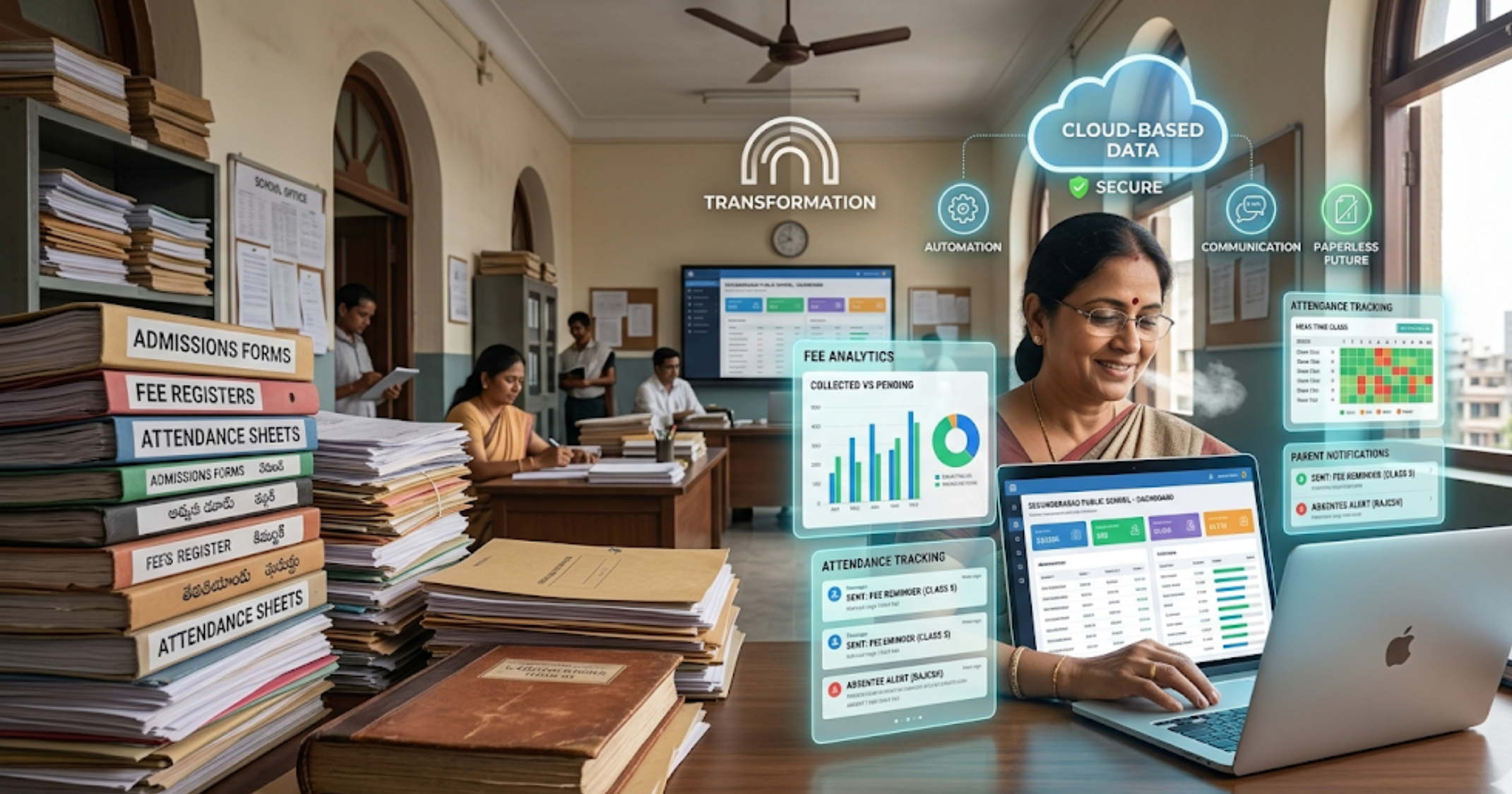
Daily school operations generate a lot of friction. Admissions pile up in spreadsheets. Fee collection becomes a monthly headache. Attendance records get lost. Parents demand faster communication. You know the problems. A good school ERP reduces manual work, improves accuracy, and frees staff to focus on students. If you're still exploring how these systems work, here’s a simple breakdown of school management software and how it helps schools streamline operations.
Beyond convenience, schools need software for these reasons:
- Centralized data so you can get meaningful reports without hunting for files
- Automated fee management to reduce errors and speed up collections
- Parent engagement through apps and SMS that actually work
- Academic tools like exam management, grading, and LMS features
- Compliance with boards like CBSE and ICSE for reporting and transcripts
In my experience, adopting an ERP is less about bells and whistles and more about solving your day-to-day pain points. Start there.
How to choose the right school ERP: a simple buyer framework
Picking an ERP becomes manageable when you break it down. Here’s a straightforward framework I use with school leaders.
-
Define your needs
List current pain points and future goals. Do you want to automate fee receipts? Improve parent communication? Enable online exams? Keep the list short. Prioritize the top three must-haves and three nice-to-haves.
-
Decide deployment
Cloud-based school ERP software is the norm in India now. It means easier updates and lower IT overhead. If your internet is unreliable, look for solutions with offline support and local sync.
-
Check scalability
Can the system handle admissions when your student body grows? Will it support multiple branches? Think long term.
-
Evaluate user experience
Admins, teachers, parents, and students must use it daily. Reject systems that feel clunky or need heavy custom work to be usable.
-
Security and data protection
Ask where data is hosted, whether backups are automatic, and how user access is controlled. Encryption and role-based access are must-haves.
-
Support and training
Check SLAs, onboarding programs, and whether the vendor provides onsite training or video guides. Fast support saves time and money later.
-
Budget and pricing model
Compare per-student pricing, flat annual fees, and hidden costs such as setup, migration, or customization. Balance cost with expected efficiency gains.
School ERP features list: what to look for
Every school is different, but certain features show up in quality systems. Here’s a simple list that covers core capabilities.
- Admissions management and online forms
- Student information system with searchable records
- Fee management, receipts, concessions, and online payments
- Attendance tracking with biometric or mobile options
- Timetable creation and substitution management
- Exam planning, grading, and report cards
- Learning management system for assignments and content
- Parent and student mobile apps with notifications
- HR and payroll for staff
- Transport tracking and route management
- Library and inventory modules
- SMS and email integrations
- Custom reports and dashboard analytics
- API or integrations with third-party tools
I always recommend treating some features as essential and others as nice-to-have. For example, if your school handles daily transport for 500 students, transport tracking is essential. If you have a small pickup area, it might be optional.
Top school ERP systems in India - shortlist and quick comparison
There are many providers. Instead of an exhaustive list, here’s a practical shortlist of systems that schools in India commonly consider, with a quick note on what each does well. I include Schezy because I’ve seen schools benefit from its balance of features and value.
-
Schezy
Good for schools that want an intuitive cloud-based system with strong fee management, a parent app, and useful analytics. It tends to be easier for staff to adopt. Pricing is competitive for small and mid-size schools. Schezy supports CBSE, ICSE, and state board reporting needs.
-
Fedena
Known for scalability and modular design. Many larger institutions use it. It offers deep customization, but that can mean higher setup effort.
-
MyClassCampus
Offers robust parent and student portals and a full set of school modules. It’s a good fit for schools looking for a mature product with many integrations.
-
Entab
Popular in private schools with advanced reporting and compliance features. Strong in SMS and communication tools.
-
Gibbon
An open source option that can be cost effective if you have technical support. More hands-on, but flexible for custom workflows.
Which is best for your school depends on your priorities. If you want something that staff will start using quickly, pick ease of use over a long feature checklist. If you need heavy customization, consider providers who offer implementation services.
Pricing and cost expectations in India
Pricing for school ERP software in India tends to follow a few common models. Knowing them helps you compare offers fairly.
-
Per-student per-month
Common for cloud solutions. Expect anywhere from a few rupees per student to a few hundred, depending on features. This model scales with student numbers.
-
Flat annual license
Some vendors charge a fixed yearly fee. This can be cheaper for larger schools, but it may limit adding more modules later.
-
One-time license with maintenance
Less common now. You pay upfront and then pay annual maintenance. Watch out for hidden costs like upgrades or custom reports.
-
Setup and customization fees
Many vendors charge for data migration, setting up fee structures, and customizing report templates. Ask for these costs up front.
In my experience, affordable school ERP India options exist for small schools. If you are a small school, look for vendors offering lower entry-level pricing or feature-limited plans you can upgrade later. Also, negotiate training and support into the contract. That often matters more than a few rupees saved on license fees.
Cloud-based school ERP software: advantages and realities
Cloud solutions have become the norm for school automation software. Here’s why they make sense for most schools and what to watch for.
Advantages:
- Lower IT overhead. No servers to maintain, and updates happen automatically.
- Easier remote access for parents and staff. Useful if you run hybrid or online classes.
- Faster deployment. You can get started in weeks, not months.
Reality check:
- Internet reliability in some areas can affect daily operations. Ask about offline modes or caching for critical tasks like attendance.
- Data residency matters. If you prefer data stored in India, confirm where the vendor hosts servers.
- Long-term costs can add up. Per-student subscriptions are easy to budget, but review renewal increases.
Feature deep dive with simple examples
Let’s look at a few modules and break them down into simple, practical examples. This helps when you’re comparing features across vendors.
Fees management
Why it matters: Fees are the school’s lifeline. Mistakes here create major headaches.
Simple example: You want to collect monthly tuition with an option for installments, concessions for scholarships, and automated receipts by SMS and email. A good ERP should let you define fee heads, auto-generate challans, integrate with payment gateways, and show real-time collection reports.
Pitfall to avoid: Choosing a system that requires manual reconciliation every month. That defeats the purpose.
Attendance and timetable
Why it matters: Accurate attendance feeds into exams, fee rules, and transport reports.
Simple example: Teachers mark attendance on a mobile app. The system syncs and triggers SMS to parents for absences. Timetable changes due to a teacher absence should reflect instantly so substitutes know where to go.
Pitfall to avoid: Complex attendance workflows that staff avoid. If teachers find the app slow or confusing, they will stop using it.
Exam and grading
Why it matters: Exam management affects report cards and academic analytics.
Simple example: Create different exam templates for CBSE and ICSE boards. Auto-calculate grades, print report cards, and keep transcripts ready for transfer certificates.
Pitfall to avoid: Systems that only let you export raw data. You want ready-to-print reports customized to your board’s format.
Parent and student portal
Why it matters: Engagement improves when parents get timely, reliable updates.
Simple example: A parent app that shows attendance, homework, fee balance, and messages from teachers. Push notifications for emergencies help build trust.
Pitfall to avoid: Apps with constant login issues or delayed notifications. Parents will uninstall apps they cannot rely on.
Integration and API: why they matter
Most schools use multiple tools. You might have an accounting package, a library system, or a learning platform. A school ERP with an API or prebuilt integrations saves time. It prevents duplicate data entry and reduces errors.
Quick example: When a fee payment comes through your payment gateway, the ERP should update the student fee ledger automatically. No manual entries. That small automation stops a lot of monthly disputes.
Common mistakes schools make when selecting ERP
Over years of advising schools, I see recurring errors. Avoid these and you’ll save months of headaches.
-
Buying on price alone
Low cost can mean poor support or missing features. Think total cost of ownership, not just the monthly bill.
-
Picking features you do not need
A huge feature list looks impressive. But if staff only use 20 percent, the rest becomes clutter.
-
Ignoring user adoption
Technical fit is not enough. If teachers and admin staff do not use the system, it fails. Include users in demos and trials.
-
Skipping a pilot phase
Roll out to a single class or admin team first. Pilots reveal issues early.
-
Not asking about hidden costs
Customization, training, and data migration often add up. Ask vendors to quote everything in writing.
Implementation tips and rollout plan
How you implement a school ERP matters as much as which one you choose. Here’s a practical rollout plan that I’ve seen work well.
-
Start with a pilot
Choose one grade or department. Keep the pilot small and measurable.
-
Get stakeholders involved
Teachers, admin staff, parents, and IT should all have a voice. Collect feedback and iterate.
-
Train in batches
Schedule short, hands-on sessions rather than long theory classes. People remember practical tasks better.
-
Data migration
Clean your old data before importing. Bad data stays bad unless you fix it first.
-
Monitor and adjust
Track usage and issues for the first three months. Resolve pain points quickly so staff trust the system.
Security, compliance, and data privacy
Security is not optional. Schools hold personal data for students and staff, and parents expect it to be safe. Always ask vendors for the following details:
- Where are servers hosted and is data stored in India if you require that
- What encryption is used in transit and at rest
- Backup frequency and disaster recovery plans
- Role based access controls and audit trails
- Compliance with applicable laws and the vendor’s privacy policy
A quick test I recommend: ask the vendor how long it takes to restore data from a backup. If they cannot answer quickly, that is a red flag.
Choosing the best ERP for CBSE, ICSE, and state boards
Different boards have different reporting formats and requirements. Most popular school ERP systems in India support CBSE and ICSE formats, but you should confirm specific features.
Questions to ask vendors:
- Can the system generate mark sheets and report cards in the exact format required by our board?
- Does it handle internal assessments and different grading scales?
- Can it export data for external audits or board submissions?
For CBSE schools, look for predefined templates and automation for Continuous and Comprehensive Evaluation or grading where applicable. For ICSE, check for customized mark sheet formats and subject weightage rules. If you operate multiple schools with different boards, prioritize flexible configuration over one-button solutions.
Real-world examples that make this simple
Here are three short, human examples to show how choices change by context.
-
Small private school, 300 students
Priority is simple fee collection, parent app, and attendance. A lightweight cloud-based ERP with per-student pricing and quick onboarding wins here. The school likely does not need complex HR or inventory modules right away.
-
Medium school, 1,200 students
They need robust fee management, transport module, and exam automation. Scalability matters. A vendor who offers onsite training and a local support team will be helpful.
-
Group of schools with 5 branches
Centralized reporting, payroll, and multi-branch management are vital. Choose a vendor with strong analytics and branch-level controls. Budget for customization and integration with existing accounting systems.
Checklist before you sign
Keep this final checklist handy during vendor evaluations and demos.
- Do the top three pain points get solved?
- Is the user interface intuitive for non-technical staff?
- Are data hosting and security acceptable?
- What are the total costs including setup, migration, and training?
- Can the vendor provide references from similar schools?
- Is there a clear implementation timeline and pilot plan?
- What are the SLAs for support and uptime?
- Does the vendor provide regular product updates?
Frequently asked questions
Which is the best school ERP software in India?
There is no single best option for every school. The best school ERP software in India for your institution depends on size, board affiliation, budget, and which modules you need. Schezy is a strong choice if you want an easy-to-adopt cloud-based system with solid fee management and parent engagement. Compare features and run a pilot before deciding.
How much does school ERP software cost in India?
Costs vary. Many cloud-based providers charge per student per month, while others offer annual licenses. Expect lower entry-level rates for small schools and higher costs for advanced modules and integrations. Always ask for a detailed quote that includes setup and training.
Can a small school afford school automation?
Yes. There are affordable school ERP India solutions designed for small schools. Look for vendors that offer slim plans and allow you to add modules later. Also, consider the time saved by automation when calculating ROI.
Is a cloud-based ERP better than on-premise?
For most schools, cloud-based school management software is better because it reduces IT overhead and makes remote access easier. On-premise might be needed if you have strict data residency rules or very limited internet access.
How long does implementation take?
Small pilots can start within a few weeks. Full rollouts typically take 2 to 4 months depending on data migration, customization, and training needs. Plan for a three-month post-launch support phase to iron out day-to-day issues.
FAQs
What features should a school ERP software have?
A good school ERP software should include student information management, fee management, attendance tracking, exam and grading systems, parent communication tools, mobile apps, and reporting dashboards. Advanced systems may also offer transport tracking, HR payroll, and LMS integration.
How do I choose the best school ERP software in India?
Start by identifying your school’s key pain points, such as fee collection or communication gaps. Then compare ERP solutions based on features, ease of use, scalability, pricing, and support. Always request a demo and run a pilot before finalizing.
Is school ERP software suitable for small schools?
Yes, many ERP providers offer affordable plans specifically for small schools. These solutions focus on core features like fees, attendance, and communication, with the option to upgrade as the school grows.
What is the difference between school ERP and school management software?
School ERP software is a comprehensive system that integrates all school operations into one platform, while school management software may focus on specific tasks like attendance or fees. ERP is more holistic and scalable.
Final thoughts
Choosing the right school ERP software in India is not a single decision. It is a process of matching needs, people, and technology. Start by fixing the most painful processes first, and pick a vendor who will support you through implementation. In my experience, schools that prioritize user adoption and realistic ROI get the best outcomes.
If you want a practical place to start, schedule a demo, run a small pilot, and measure results for the first term. It is surprising how quickly improvements show up when fee collection, attendance, and parent communication become predictable and automated.