School Management System: How It Improves Administration Efficiency
This blog explains how a school management system centralizes and automates administrative work—admissions, attendance, fees, communication and reporting so schools save time, reduce errors and gain actionable insights. It outlines essential features (automation, a single database, real‑time communication, attendance/biometric integration, gradebooks, finance, timetabling, portals, mobile/offline access, security and integrations), shows measurable benefits and offers practical selection and phased rollout advice. The author warns against common mistakes—prioritizing flashy features over fit, underestimating change management, skimping on data migration and integration tests—and compares cloud vs on‑premises options. The guide aims to help school leaders evaluate, implement and measure ROI for a management system.
Running a school feels like managing a small city. You have admissions, timetables, attendance, fee collection, parent communication, staff records, inventory, reports and on and on. Each task takes time and a few cups of coffee. I've noticed that schools that still rely on spreadsheets, paper forms and a dozen disconnected apps end up spending more time fixing data than using it. Schezy changes that. It brings everything into one place so administrators can actually lead instead of firefight.
In this post I'll walk you through what a school management system does, why administrators should care, and how to pick and roll out a solution. I’ll use simple examples, point out common mistakes, and share practical tips from my experience working with schools and education teams. Whether you're a principal, IT decision-maker, academic coordinator or school owner, this guide aims to make the options clearer and the steps easier to follow.
What is a school management system?
At its core, a school management system is software that automates and centralizes administrative tasks. People sometimes call it school management software, student information system, education ERP or school automation software. They all refer to tools built to organize student and staff records, schedules, finance, communication and reporting.
Think of it as the backbone of school administration. Instead of multiple spreadsheets and paper files, you get a single source of truth: one database where student records, fee receipts, attendance logs and exam results live together. That reduces duplicate work and improves accuracy. And when it's cloud-based school software, staff can access it securely from anywhere. That matters when the principal is offsite or teachers are doing remote lessons.
Why administrators need a school administration software
Here’s the direct answer: to save time, reduce errors and make better decisions. But let me unpack that because it matters more than it sounds.
- Save time. Manual processes eat hours. Automated workflows for admissions, fee reminders and attendance can shave days off repetitive work.
- Reduce errors. Manual data entry leads to mistakes. Centralized records mean you enter information once and it propagates across reports, invoices and communication.
- Make better decisions. Timely reports on attendance patterns, fee arrears and academic performance give leaders insights they didn't have before.
In my experience, the schools that embrace digital school management get two wins: operational speed and clarity. Teachers spend less time filling forms and more time teaching. Administrative staff stop chasing paperwork and start serving students and parents better.
Key features that boost administrative efficiency
Not all school management tools are made equal. Some focus on finance, some on academics, others on communication. A well-rounded system should include these essential features.
Automation and workflows
Automation is the low-hanging fruit. Automating admissions, fee invoicing and attendance alerts removes repetitive work. For example, when a student's fee is due, the system sends out an automatic reminder by email and SMS. That takes one repetitive task off your desk and improves collections.
Automation also helps with approvals. Need leave approved for a teacher? The request goes through a chain: teacher to head of department to principal. The system tracks it. No lost paper slips, no follow-up phone calls.
Centralized database
One database for everything. Admissions data, medical records, parent contacts, exam scores. When data lives centrally, reporting becomes reliable and audits are easier.
I've seen schools where parent contact numbers were different in three files. With a single student information system, that inconsistency disappears. You update once, it updates everywhere.
Real-time communication
Real-time communication means faster responses and fewer misunderstandings. Parent portals, SMS gateways, email alerts, push notifications and teacher chat tools all help. When parents get a message about a student’s absence within hours, they respond quickly.
Quick tip: use templates for common messages. Templates save time and maintain a consistent tone for important notices.
Attendance and biometric integration
Attendance is a daily admin headache. Whether you use manual registers, smart cards or biometric scanners, your school management system should integrate seamlessly. That eliminates double entry and produces accurate attendance reports for parents and regulators.
Simple example: a teacher takes attendance on a tablet; it syncs with the central system. The parent receives an automatic absence alert within minutes. That’s practical and reassuring.
Gradebooks, assessment and analytics
Teachers need an easy way to record scores and produce reports. A digital gradebook that ties into the student information system saves days of report card work. Analytics built on top of grades help identify struggling students early.
In my experience, schools that use assessment analytics can spot a dip in a cohort’s performance quicker. Interventions happen sooner, and that improves outcomes.
Fee management and finance
Fee collection is cash flow. Automated invoicing, multiple payment options and reconciliation save staff hours and reduce errors. A good school ERP system also provides financial reports, budget tracking and audit trails.
Common mistake: choosing a system that has poor payment reconciliation. If your software can’t tie off bank deposits against invoices, you’ll still be doing manual work every month. Look for built-in reconciliation or easy export options.
Timetable and resource scheduling
Scheduling classes, allocating rooms and assigning teachers is a puzzle. A robust timetable module helps create conflict-free schedules and lets you model changes quickly. It also tracks resource usage like labs or buses.
Practical note: flexible scheduling capability is a must. Schools change timetables mid-term. You need a system that adapts without breaking links to attendance or substitution plans.
Parent and student portal
Transparency matters. A parent portal where guardians can check attendance, fees, exam schedules and teacher messages reduces calls to the office. Students appreciate access to timetables, assignments and results.
Parents feel more engaged when they see updates in real-time. That builds trust and reduces the number of routine inquiries your office handles.
Mobile app and offline access
Teachers and parents often work from mobile devices. A mobile-first or mobile-friendly school management tool can improve adoption. Offline access is helpful in locations with intermittent internet. The app should sync when connectivity returns.
Security and data privacy
Schools handle sensitive data. Choose software that encrypts data, supports role-based access control and provides audit logs. Make sure it complies with local regulations about student data and privacy.
Security is not an afterthought. It’s part of operational reliability. You don't want to wake up to a data leak or a locked system during an inspection.
Integration capabilities
Your school is already using tools — payroll, learning management systems, payment gateways, or state reporting portals. A good school management system should integrate with existing apps via APIs or standard interfaces.
Pro tip: test integrations early. Integration problems are the most common hiccups during implementation.
Benefits you can measure
Benefits of a school management system may sound obvious, but it's useful to frame them in measurable terms. That helps when you build a business case.
- Time saved. Measure staff hours spent on admissions, fee processing and report generation before and after implementation.
- Error reduction. Track the number of data correction requests or reconciliations each month.
- Improved fee collection. Look at days sales outstanding or frequency of late payments.
- Better parent engagement. Monitor portal login rates and reduction in phone inquiries.
- Actionable insights. Count the number of interventions triggered by analytics such as attendance drops or low scores.
I once helped a mid-sized school implement a cloud-based solution. They reduced the time to issue report cards from two weeks to three days. That freed teachers to plan better and allowed the principal to focus on strategic priorities. The measurable outcome was faster reporting and improved staff morale.
Common mistakes during selection and rollout
No implementation is flawless, but I've seen the same mistakes repeat. Avoiding them saves months of pain.
1. Choosing features over fit
Schools often pick a system because it has flashy modules. But the right question is: does it fit our processes? A lighter, well-integrated system that matches your workflows is better than a bulky ERP that needs heavy customization.
2. Underestimating change management
People resist change. Expect it. Training, phased rollouts and clear communication are essential. Set realistic timelines and involve end users early — teachers, office staff and parents.
3. Ignoring data migration complexity
Moving from paper and spreadsheets to a student information system takes time. Clean your data first. Duplicate records, inconsistent naming conventions and missing fields slow migration. Plan for a data-cleanup phase and budget time for it.
4. Skipping integration tests
Integrations are where projects stall. Test integration points early and often. Make sure payment gateways reconcile, attendance devices sync, and state reporting formats are supported.
5. Neglecting mobile and offline needs
Teachers and parents love functionality they can access on phones. If your software is desktop only, adoption will suffer. Also, consider offline mode for areas with poor connectivity.
Practical rollout strategy
Here’s a straightforward rollout plan I've used with schools. It's practical and reduces disruption.
- Define objectives. List what you want to achieve: faster fee collection, real-time attendance, fewer parent calls.
- Form a stakeholder group. Include a principal, IT staff, a teacher, finance officer and a parent representative.
- Audit current processes. Map how admissions, attendance, and fees work now.
- Select a vendor. Use a checklist and score vendors against fit, cost, support and integrations.
- Plan data migration. Clean records, decide on formats, run a test migration.
- Pilot with a small group. Start with one grade or department for a month.
- Train users. Offer short, hands-on sessions and quick reference guides.
- Go live in phases. Roll out modules in waves: admissions first, then attendance, then finance.
- Monitor and iterate. Collect feedback, track KPIs and improve workflows.
Phased rollouts reduce risk. When things go wrong they are localised and easier to fix. And always keep a fallback plan for the first week after launch.
How to evaluate school management tools
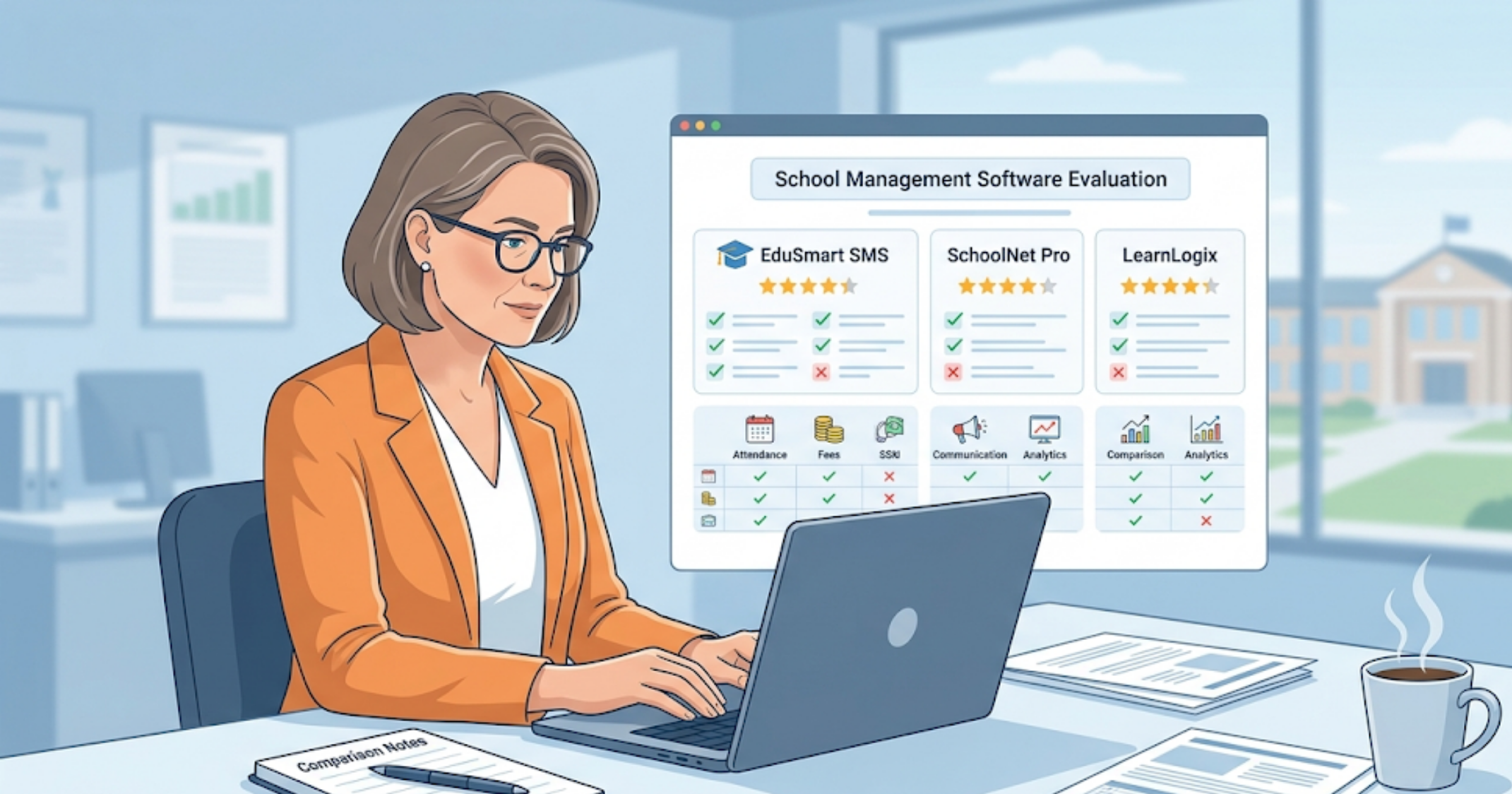
When you start vendor conversations, keep the evaluation focused. Here are practical criteria that matter more than marketing slides.
- Fit to workflow. Can the software adapt to the way your school actually works?
- Ease of use. Is the interface intuitive for non-technical staff?
- Support and onboarding. Does the vendor provide training and a go-live support plan?
- Data migration help. Will the vendor assist with importing your legacy data?
- Security and compliance. Is data encrypted and are backups regular?
- Integration capabilities. Can it connect to your payment gateway, LMS and payroll?
- Reporting and analytics. Are the reports customizable and available in real-time?
- Mobile experience. Is there a good mobile app and does it work offline?
- Cost structure. Is pricing transparent — per-student, per-module, or flat fee?
Don't forget to ask for a live demo with your own data. Seeing the system populated with real examples gives you a much clearer idea of fit than canned demos. If you're exploring options, check out our guide on best school ERP software in India.
Cloud-based school software versus on-premises
Cloud-based school software has become the default for a reason. Here are the trade-offs.
Cloud-based school software
Pros: fast to deploy, regular updates, lower upfront cost, accessible from anywhere. It suits schools that prefer predictable subscription pricing and limited IT overhead.
Cons: you depend on the vendor for uptime and backups. You must ensure they meet data protection requirements.
On-premises school ERP system
Pros: full control over infrastructure and data. Some institutions prefer this for regulatory reasons.
Cons: higher upfront costs, requires local IT resources for maintenance, slower feature updates. For most schools, cloud-based digital school management is easier to manage and scales better.
Measuring ROI of a school management system
Stakeholders will ask about return on investment. You can quantify ROI using simple metrics.
- Staff hours saved. Multiply saved hours by average staff hourly cost.
- Reduction in late fee notices. Improved collections increase cash flow.
- Fewer data correction tasks. Reduced admin errors translate to fewer overtime hours.
- Improved attendance and performance. Harder to directly quantify, but improved retention and exam results impact long-term income and reputation.
Set baseline metrics before you implement. Track them monthly for the first year and watch trends. The numbers will help justify further investments in school management tools.
Simple examples of everyday gains
Concrete examples help. Here are a few short, human cases you can relate to.
- Admissions. Instead of processing 300 paper forms, an online form populates the student record automatically. Staff time drops from three days to one.
- Fee reminders. Automated SMS reduces late payments by 20 percent in three months.
- Parent communication. A parent portal reduces routine calls about homework and timetables by half.
- Report cards. Automatic grade calculations and templates cut report generation from two weeks to three days.
- Bus tracking. Real-time updates reassure parents and cut phone inquiries to the office.
These are small everyday wins, but they add up. Less time chasing routine tasks means more time for strategic work and student support.
FAQs
1. What is a school management system and how does it work?
A school management system is software that centralizes and automates administrative tasks like admissions, attendance, fee collection, and communication. It works by storing all data in a single platform, allowing staff to access, update, and manage information in real time.
2. How does a school management system improve administrative efficiency?
It reduces manual work by automating routine tasks, minimizes errors through centralized data, and provides real-time insights. This helps administrators save time, improve accuracy, and make better decisions.
3. Is cloud-based school management software better than on-premises solutions?
Cloud-based systems are generally more flexible, cost-effective, and easier to maintain. They offer remote access, automatic updates, and lower upfront costs, making them ideal for most schools.
4. What features should I look for in a school management system?
Key features include automation, centralized database, attendance tracking, fee management, communication tools, reporting and analytics, mobile access, and integration capabilities with other systems.