The Growing Importance of Online School Portals for Transparency
A well-built online school portal is presented as the fastest way to deliver transparency, streamline operations, and improve parent trust. The blog argues that a single platform that combines attendance, fees, communication, and reporting reduces misunderstandings, saves administrative time, and supports compliance. It outlines practical features to prioritize intuitive parent access, real‑time attendance, fee management, security, integrations, and warns against common pitfalls like inadequate training, piecemeal apps, and over‑customisation. A pragmatic rollout roadmap (process mapping, pilot, training, measurement, gradual scaling) and success metrics are offered. The post recommends choosing a partner that provides strong support and cites Schezy as an example.
Transparency used to mean an open door during parent teacher meetings and a printed report card once a term. Those days are gone. Parents expect more. School leaders need clearer data. Teachers want simpler ways to share progress.In my experience, the quickest win for all of these needs is a well built online school portal like the one offered by Schezy.
If you run a school or advise one, you already know the pressure. Parents ask for instant updates. Regulators want accurate records. Staff juggles attendance, fees, lesson plans, and communications. Put all that into a single, easy to use system, and you cut friction everywhere.
I’ve worked with schools that treated a school management system like an optional add on. They paid for separate tools for attendance, different spreadsheets for fees, and yet another app for parents. It never worked well. Today, a single school communication portal that ties everything together is not just convenient. It is essential for real transparency.
Why transparency matters now
Transparency is a solid foundation for trust. It lessens misunderstandings and facilitates quicker decision, making. Parents who know how to check attendance, see homework, and message a teacher with a few taps naturally feel involved and reassured. School leaders who habitually bring up accurate, real time reports, unfortunately, do not have the luxury of spending their time on paperwork but rather on learning improvement.
Moreover, transparency is not only about providing reassurance, but it is also about compliance and efficiency. Educational departments rely on timely report submission. Financial audits require unscrupulous records. If your data is fragmented and scattered across emails, spreadsheets, and different apps, then you will be spending lots of time trying to reconcile figures and still be prone to mistakes.
Recall the last time a parent called to point out that a fee payment was not recognized or that their child was marked absent. These are small problems individually. Together they create noise. An online attendance and fee management system cuts that noise. It gives everyone the same, reliable information. That’s why school transparency tools are now a core part of good school administration software.

What parents and founders both want
Parents and school founders often ask for different things, but their underlying goals are similar. Parents want timely communication and proof that their child is progressing. Founders want operational efficiency and a strong reputation.
- Parents look for parent access school portal features like real time attendance, homework updates, and a simple way to pay fees.
- Founders look for a school ERP portal that reduces administrative time and gives clear performance metrics.
- School leaders and consultants want a student information system for schools that integrates smoothly with daily workflows.
When you provide parents with a simple parent teacher communication platform and your staff with a reliable school administration software, both sides win. Less back and forth. Fewer misunderstandings. Faster responses.
What a good portal actually does
Let’s be practical. A good online school portal is not a glossy brochure. It is a working tool that supports three daily needs.
- Communication: instant messages, group notices, and announcements that reach parents and staff without confusing email threads.
- Records and reporting: accurate attendance, grades, behaviour logs, and fee records that you can pull into a report in minutes.
- Operations: scheduling, fee collection, and resource allocation that actually reduce manual work.
I’ve seen small schools transform by adopting one platform that handled these three areas well. Teachers stopped handwriting attendance, and parents stopped calling the office three times a week. That’s the practical impact of digital school management.
Key features to look for
Not all school management systems are equal. When you evaluate options, keep an eye on these practical features. They separate useful systems from the ones that look good on a demo but fail in daily use.
- Intuitive parent portal. Parents should be able to log in, see attendance, view fee statements, and message a teacher without a manual.
- Real time attendance and notifications. When a student is marked absent, the system should alert parents automatically.
- Integrated fee management. Your online attendance and fee management system should offer invoicing, receipts, and reconciliation tools.
- Secure student records. A student information system for schools must keep data safe and provide role based access.
- Teacher tools. Gradebooks, lesson planning, and communication features save teachers time and make reporting consistent.
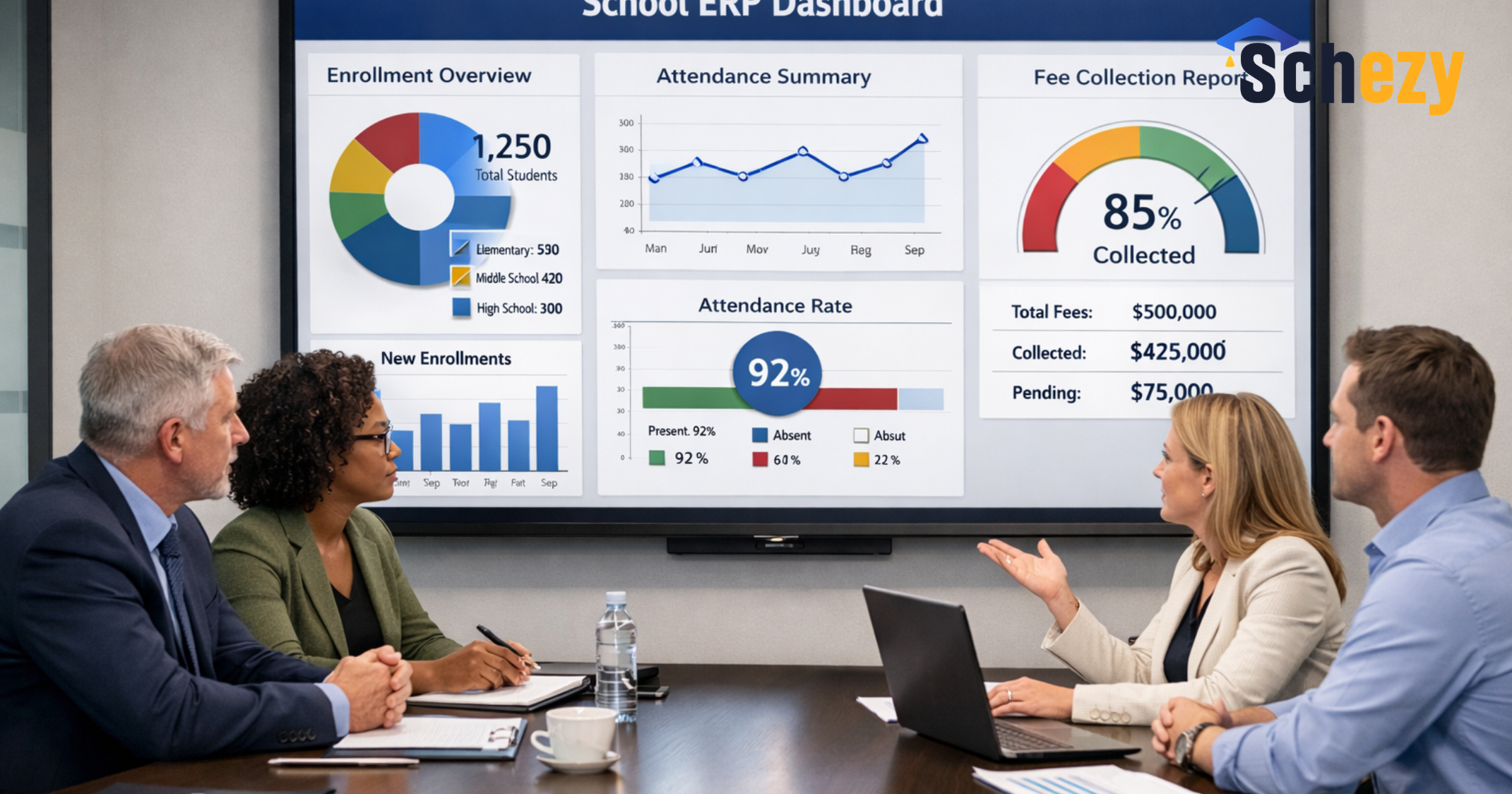
- Administrative dashboards. Quick reports on enrollment, fees, attendance, and compliance should be accessible to leadership.
Mobile friendly. It is important to note that parents and teachers tend to use phones more than laptops. Therefore, you should ensure that your portal is mobile friendly.
Integrations. Your school ERP portal should have the capability to connect with payment gateways, identity providers, and any local systems you may have.
One mistake I often see is feature prioritization over usability. A system might have every possible module, but still be useless if teachers and parents find it confusing. So, focus on the features that are going to be used daily.
Common mistakes and pitfalls
Implementing a new system seems easy in theory. However, in reality, a few common mistakes can cause schools to stumble. I'll tell you the mistakes I have witnessed so that you can stay clear of them.
First, don’t skip training. Buy the best school communication portal, and it will still fail if your staff doesn’t know how to use it. Give teachers and administrators hands on training. Offer parents short videos or step by step guides. I’ve noticed a big difference when schools invest a few hours up front to onboard users.
Second, don't fall into the trap of piecemeal solutions. Installing lots of apps that don't communicate with each other only creates more work. Data is duplicated and mistakes are made. Choose a digital school management platform that either covers the main needs or can easily integrate with your other tools.
Third, be careful about over customisation. It may seem clever to modify a system according to every policy and preference but it makes upgrades and support difficult. Begin with standard workflows and only make changes where there is a definite operational need.
Finally, set clear roles and data ownership. Who updates attendance? Who posts announcements? Without clarity, you’ll get inconsistent information. Define responsibilities from day one and document simple procedures.
Simple examples that show real value
Let me give three quick, human examples. These are small changes with a big effect.
- Attendance alert: A teacher marks Maya absent at 9 05 a.m. The portal sends an automatic SMS and push notification to her parents. They confirm she has a doctor's appointment. The office updates records, and the absence is logged correctly. No afternoon phone calls. No missing notes.
- Fee reminder: A term invoice is due. The system sends a gentle reminder and allows a parent to pay online. The office receives a digital receipt. The accountant reconciles payments in half the time it used to take. Little friction, faster cash flow.
- Teacher feedback: A teacher uploads a short progress note and sample work after a tricky parent meeting. The parent reads it that evening and replies with questions. The teacher responds the next day. The conversation stays inside the portal and becomes part of the student record.
These sound simple because they are. But they add up. Fewer phone calls. Better records. Less worry for parents. More time for teachers to teach.
How to plan adoption: a practical roadmap
Introducing a new school ERP portal is a change management project. It does not need to be painful. Here is a practical roadmap I’ve used that keeps things realistic.
- Map your processes. Spend a few days writing down how attendance, fees, and communication work today. Note common pain points.
- Pick core features. Start with the features that will relieve the most pain. Often, that means attendance, fees, and parent communication first.
- Run a pilot. Choose a few classes or a single grade to pilot the portal for 6 to 8 weeks. Learn and adjust.
- Train staff and parents. Use short, practical sessions. Teachers like role based training. Parents prefer quick videos and one page guides.
- Measure adoption. Track logins, messages sent, and fee payments processed through the portal. Celebrate wins and address blockers.
- Scale gradually. Add modules like lesson planning and advanced analytics after the core features become routine.
One school I worked with used this approach and halved the time their admin team spent on fee reconciliation in three months. That freed them to work on student support initiatives. You can aim for the same kind of quick wins.
Measuring success and ROI
How do you know the portal is working? Look for measurable improvements. These are the metrics that matter to founders and principals.
- Parent engagement. Track monthly active users and message response times.
- Administrative time saved. Measure time spent on attendance and fee reconciliation before and after implementation.
- Fee collection rates. Faster and simpler payments often increase on time collections.
- Compliance readiness. Ability to generate accurate reports for regulators in minutes instead of hours or days.
- Teacher satisfaction. Collect quick surveys to see if teachers find the system helpful rather than a burden.
In practice, a useful target is to reduce manual admin time by 30 to 50 percent in the first six months. That may sound optimistic. It is achievable when you focus on core workflows and make staff adoption a priority.
Security, privacy, and trust
No one can afford to be casual about student data. Parents and regulators expect strong safeguards. When you choose a school administration software, privacy and security need to be front and centre.
Look for role based access so only authorised staff can view sensitive information. Ensure data is encrypted in transit and at rest. Check the vendor’s backup and disaster recovery plans. Ask about data ownership and how you can export records if you ever change providers.
I've noticed that clear communication about security matters calms parents. A short FAQ that explains where data is stored and who can access it reduces questions and builds confidence. It is a small step with a big payoff.
Integrations and future proofing
Most schools already use other systems like learning management systems, accounting tools, or biometric attendance. The best school ERP portal will integrate with these tools instead of replacing everything overnight.
Ask potential vendors about APIs, standard data exchange formats, and common integrations. Make sure the portal can evolve as your school grows or regulations change. If you lock yourself into a system with no flexibility, upgrades become painful and costly.
Another piece of advice: choose software that prioritises usability and a clear data model. That makes future integrations easier and avoids the mess of duplicate records and broken workflows.
Choosing a partner: not just software but support
Software is only part of the equation. Implementation, support, and ongoing training matter a lot. Vendors who offer practical onboarding and responsive support reduce risk and speed results.
That is where Schezy comes in. Our school communication portal brings together attendance, fees, communication, and reporting in one place, giving schools a practical and scalable digital foundation. We focus on usability and support so schools can adopt the portal without disrupting daily operations.
What you should look for in a partner:
- Domain experience. Have they worked with schools similar to yours?
- Implementation support. Do they provide training and a clear rollout plan?
- Responsive support. Are they quick to resolve issues, especially during the first term?
- Roadmap and updates. Do they keep improving the product and adding features based on school feedback?
- Transparent pricing. Avoid hidden costs that appear during implementation or as you scale.
In my conversations with principals, one factor stands out. They want a partner who understands education and thinks in terms of workflows, not just software modules. Schezy positions itself that way. We work with school leaders to prioritise the features that will deliver immediate value.
Change management tips that actually work
Change can be uncomfortable for staff. These small, practical tactics make adoption smoother.
- Create local champions. Identify a few tech friendly teachers and administrators who can help colleagues and parents.
- Keep training short and focused. One hour sessions that solve a single problem work better than long workshops.
- Use templates. Pre built templates for messages, invoices, and attendance help teams get started fast.
- Communicate benefits daily. Share quick wins like fewer calls or faster payments in staff meetings.
- Gather feedback. Run short surveys after the pilot and act on the feedback quickly.
When the school I worked with created a small group of champions, adoption doubled in the first month. People prefer learning from a peer rather than a manual. That kind of social proof matters.
Legal and compliance considerations
Different regions have different rules about student data and financial records. Make sure your portal can help you comply with local laws. That includes secure storage, retention policies, and audit logs.
Work with your legal or compliance advisor to map requirements before you start. That avoids surprises later and keeps your school in good standing with regulators.
Realistic timeline for implementation
Here is a simple timeline that works for many small to medium schools. Timelines vary based on size and complexity, but this gives you a practical sense of scope.
- Weeks 1 to 2: Process mapping and vendor selection.
- Weeks 3 to 6: Configuration and pilot setup.
- Weeks 7 to 10: Pilot with a few grades, training for staff and parents.
- Weeks 11 to 14: Review pilot feedback, make adjustments, and plan full rollout.
- Month 4 onwards: Full rollout and ongoing support.
This timeline keeps the project manageable and limits disruption. It also gives you measurable checkpoints so you can course correct quickly.
Final thoughts
We are no longer in a world where transparency is optional. Parents expect it. School leaders need it. The tools to deliver it are mature and accessible. A good school communication portal reduces workload, improves parent trust, and makes schools more resilient.
In my experience, the most successful schools pick tools that prioritize everyday usability, provide strong support, and focus on meaningful features like attendance, fees, and communication. Start small, measure results, and scale. Small wins compound into real change.
If you are evaluating digital school management options, keep one thought in mind. Choose a partner who understands schools and is ready to work with you through adoption. That human element makes all the difference.
Frequently Asked Questions.
-
What is an online school portal?
An online school portal is a centralized digital platform that allows schools to manage attendance, fees, communication, student records, and reporting in one secure system. -
How does an online school portal improve transparency?
It provides real time access to attendance, academic progress, fee status, and announcements, ensuring parents, teachers, and administrators work from the same accurate data. -
What features should a school look for in a school ERP portal?
Schools should look for attendance tracking, integrated fee management, secure student records, parent communication tools, reporting dashboards, mobile access, and system integrations.
Helpful Links & Next Steps
Want to learn more or see a demo? Here are a few helpful links to get started.
Ready to talk about making transparency simpler at your school? You can book a meeting directly or contact our team to discuss your requirements., and we can walk through how a parent teacher communication platform and student information system for schools can fit your needs.