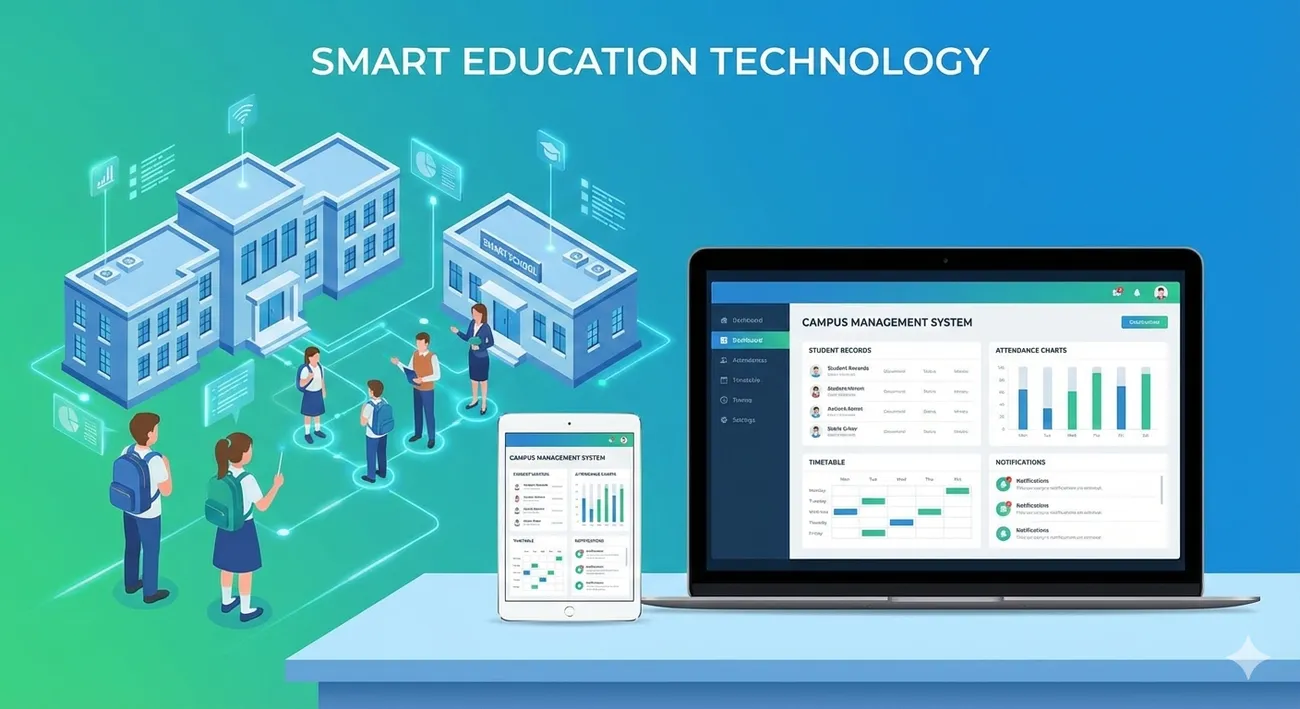
Campus Management System Explained: Boost Efficiency and Student Success
Campus Management System Explained: Boost Efficiency and Student Success
If you're running a school, college, or education startup, you probably hear a lot about campus management systems. But what exactly are they, and why should you care? In plain terms, a campus management system brings together the many moving parts of an institution into one digital solution. It replaces stacks of spreadsheets, endless email threads, and the "where did that file go" problem with one organized platform.
I've worked with administrators and teachers who thought automation was only for big universities. In my experience, even small schools and new education ventures get immediate benefits from a good system. This article explains what a campus management system does, how it helps academic and administrative teams, and how to choose and adopt one the right way. Expect practical tips, common mistakes to avoid, and simple examples you can try tomorrow.
What is a campus management system?
A campus management system, sometimes called a campus ERP or school automation system, is a software platform that manages core academic and administrative functions. Think admissions, timetabling, attendance, grades, finance, HR, and communication all talking to each other instead of living in separate silos.
Different vendors use different names. You might see it called school management software, college ERP system, student information system, or education management software. They all aim for the same thing: reduce manual work and make data accessible across the institution.
Core modules you’ll see in a campus ERP
Not every system has every feature. But here are the common modules to look for, and why each matters.
- Admissions and enrollment - Automates application capture, document collection, and seat allocation. Saves time and reduces errors during busy admission seasons.
- Student information system - Central database for student profiles, contact info, guardians, and enrollment history.
- Attendance and ID tracking - From manual roll calls to RFID and biometric options. It cuts down on buddy-punching and improves reporting.
- Timetable and scheduling - Automated clash detection, room allocation, and teacher load balancing. No more last-minute reshuffles.
- Learning management integration - Connects assignments, grades, and course content. Keeps learning data and admin data aligned.
- Examination and grading - Automates marks entry, grade generation, and transcripts.
- Finance and fee management - Invoicing, receipts, scholarships, and financial reporting.
- Human resources - Payroll, contracts, leave management, and performance tracking for faculty and staff.
- Communication tools - Email, SMS, parent portals, and mobile apps that keep stakeholders informed.
- Analytics and reporting - Dashboards and reports for everything from retention rates to fee collection.
Why a campus management system matters
Short answer: it saves time and improves decisions. Longer answer: the right system reduces repetitive work, cuts errors, and gives leaders real-time visibility into student and operational data. That combination leads to better student outcomes and smoother administration.
Here are the main benefits I see in the field.
- Operational efficiency - Less paperwork, fewer spreadsheets, faster approvals. Staff can focus on value work like counseling students or improving courses.
- Improved student experience - Faster admissions, clear fee statements, and easy access to grades and schedules. Students and parents notice when processes run smoothly.
- Data-driven decisions - Instead of gut calls, use attendance trends, retention metrics, and grade analytics to guide policy.
- Better collaboration - Teachers, admin, finance, and IT share one source of truth. That reduces miscommunication.
- Regulatory compliance and audit readiness - Easily extract the reports auditors ask for, and maintain secure student records.
- Scalability - A campus ERP grows with your institution. Add campuses, programs, or users without starting from scratch.
How it directly improves academic success
Software alone does not make better students. But it removes barriers that distract teachers and administrators, and it provides the data needed to support learning. Here are concrete ways a student information system supports academic outcomes.
- Early warning signs - Low attendance plus dropping marks? A simple dashboard can flag students at risk so counselors can step in.
- Timely feedback - Faster grading and grade release helps students act on feedback while the material is still fresh.
- Personalized interventions - Track academic history and plan targeted tutoring or remedial classes.
- Coordinated schedules - When timetables, exams, and activities are synced, students spend less time juggling conflicts and more time learning.
Common use cases by role
Different people in an institution use the system in different ways. Here are examples that make the value tangible.
- Administrators - Run daily reports on enrollment, update fee structures, and push bulk announcements to parents.
- Finance teams - Automate fee reminders, reconcile bank statements, and generate financial dashboards for trustees.
- Teachers - Upload lesson notes, mark assignments, and share gradebooks without chasing signatures.
- IT coordinators - Integrate the campus ERP with the LMS, single sign on, and backup student data centrally.
- Parents and students - Check attendance, fees, and exam schedules on mobile apps instead of calling the office.
Choosing the right system: questions to ask
Picking a campus management system feels like choosing a new phone for the whole institution. You want the right features, but you also want it to be easy to adopt and maintain. Here are practical questions I've found helpful when evaluating vendors.
- Can the system handle your current programs and the growth you expect in 3 to 5 years?
- Does it include a student information system that supports your data model, or is that a separate module?
- How easy is integration with your LMS, accounting software, and authentication systems?
- What are the deployment options - cloud, on-premises, or hybrid?
- How does the vendor handle data security, backups, and compliance?
- Is there a mobile app for students and parents, and how customizable is it?
- What kind of training and ongoing support does the vendor provide?
- What's the total cost of ownership, including licenses, customization, and ongoing maintenance?
Practical implementation steps
You don't have to flip a switch and change everything overnight. A phased approach keeps risk low and builds trust. Below is a common rollout plan that worked for institutions I've supported.
- Define clear goals - Start with problems you want to solve. Better fee collection? Faster transcript generation? Make the goals measurable.
- Form a project team - Include an admin lead, a teacher, an IT coordinator, and a finance person. Real users help shape realistic requirements.
- Audit existing processes - Map out how admissions, attendance, and grading work now. Write down manual steps and pain points.
- Choose a vendor and pilot - Run a pilot with one department or grade. Keep the scope small and measurable.
- Train early adopters - Give a couple of power users deeper training so they can support others.
- Data migration - Clean the data first. Bad data transferred into a new system just makes problems faster.
- Go live and iterate - Launch in phases, gather feedback, and tweak workflows.
- Measure impact - Track KPIs you set earlier. Celebrate wins and document lessons learned.
Common mistakes to avoid
I've seen the same pitfalls more than once. Avoiding these will save time and frustration.
- Ignoring end users - Don’t let the IT team pick everything alone. Teachers and admins must be comfortable using it.
- Skipping data cleanup - If you migrate messy records, the new system will be messy too.
- Underestimating training - Assume people need repeated, hands-on sessions, not a single demo.
- Over-customizing early - Heavy customization slows updates and increases cost. Start standard and customize only for must-have needs.
- Not planning for scale - Think about the number of users, campuses, and records you’ll have in a few years.
- Forgetting change management - People resist change. Communicate benefits, show quick wins, and give ongoing support.
Security, privacy, and compliance
Student data is sensitive. Treat it like any other critical asset. Ask vendors hard questions about security and watch for these red flags.
- No encryption at rest or in transit.
- Unclear data ownership and data export capabilities.
- Vague backup or disaster recovery plans.
- Poor or no role-based access controls.
On the plus side, good systems offer audit trails, data anonymization for reporting, and compliance with local record retention rules. In my experience, requesting data security documentation up front, and testing a vendor on a few hypothetical scenarios, weeds out weak options quickly.
Costs and return on investment
Costs vary. Licensing models include per-student fee, per-module pricing, or a flat subscription. Beyond software fees, budget for implementation, data migration, training, and integrations.
ROI shows up in several places. Fee collection improves with automated reminders. Admin staff spend less time on repetitive tasks. Faster report generation reduces workload during audit and accreditation cycles. And if student outcomes improve even slightly because of better reporting and interventions, the long-term financial and reputational returns are significant.
Here's a simple way to think about ROI. Estimate hours saved per week across key roles, multiply by staff hourly cost, and compare that annual saving to the system's total annual cost. You may be surprised how fast the system pays back.
Integration tips for IT coordinators
Integration is where the rubber meets the road. A campus ERP will be more useful if it connects cleanly with your LMS, finance tools, identity provider, and other systems.
- Use APIs where possible. They keep integrations maintainable.
- Standardize user provisioning with single sign on. It reduces password issues and support tickets.
- Keep a data integration map. Know which system is the master for each data object, like student records or course catalogs.
- Plan for scheduled syncs and real-time events where necessary.
Don't try to build every integration at once. Prioritize those that remove the biggest manual work, like syncing grades from the LMS into the student information system.
Simple examples that illustrate impact
Sometimes a short, human example helps more than a dozen features lists. Here are two small scenarios I often share.
- Admissions season - Before, front office staff spent hours manually entering applicant details from forms and checking paperwork. After adopting a digital campus solution, applications are auto-stored, documents are uploaded, and status updates are sent automatically. That frees the team for counseling calls with prospective students.
- Parent communication - Parents used to call about missed fees and exam dates. With a parent portal and notification system, the office gets fewer calls, and parents get timely alerts. Everyone wins.
Quick wins to aim for in the first 90 days
If you want to show early value, focus on these achievable goals.
- Digitize admissions forms and automate status updates.
- Set up a standard attendance process and publish daily reports.
- Automate fee reminders for one grade or program.
- Train a small group of teachers to use gradebooks and upload assignments.
These moves are low risk but deliver visible improvements that build confidence for larger rollouts.
Evaluating vendors: a practical checklist
When comparing vendors, use a consistent checklist. Here’s a short version to get you started.
- Does the vendor support the modules you need out of the box?
- Can you get a sandbox to try the system with real data?
- What's the vendor's track record with similar institutions?
- Are updates included and how often do they happen?
- What is the SLA for support, and who handles upgrades?
- How are additional costs handled, like training and custom reports?
Change management: how to get staff on board
Technology fails when people don't adopt it. Change management is more about psychology than software. Here are tactics that work.
- Start with a pilot group that has influence. Their buy-in matters.
- Show immediate benefits. For example, reduce a task from 3 steps to 1 step and publicly praise the time saved.
- Offer layered training. Use short video clips, quick reference guides, and hands-on sessions.
- Create a help channel or dedicated office hours for the first few months.
- Measure usage and intervene where adoption lags.
Scalability and future-proofing
Schools change. New programs are added, campuses expand, and regulations evolve. Choose a system that can handle growth and new requirements without a complete rework.
Ask about multi-campus support, multi-language options if relevant, customizable workflows, and the ease of adding new users. In my experience, institutions that think about the next five years avoid painful migrations later.
Realistic timeline and resources
Implementation time depends on scope. A modest rollout for a single campus and a few modules can take 3 to 6 months. A full campus ERP deployment across multiple campuses might take 9 to 18 months. These timelines include requirements gathering, customization, data migration, testing, training, and a staged go live.
Resource-wise, expect to dedicate at least one full-time internal project lead and a small steering group. Vendors usually supply project managers and implementation specialists. Treat the project like any other institutional initiative, with clear milestones and accountability.
Case study snapshot
Here's a compact, real-world style example. A medium-sized college wanted to reduce no-shows and late fee payments. They implemented a campus ERP focused on admissions, fee management, and parent notifications.
Within one semester they cut manual admissions processing time by 60 percent. Fee collection improved because auto reminders and online payments reduced delays. The finance team reclaimed hours each week and used that time to analyze fee waiver patterns, which led to a small but important policy change that improved retention.
Small changes. Big impact.
Frequently asked questions
Here are some quick answers to questions that come up often.
- Will a campus management system replace my LMS? Usually not. Most systems integrate with learning management systems. The campus ERP handles administrative and student records while the LMS manages course delivery.
- How much customization is safe? Start minimal. Customize for must-have workflows, but keep a standard configuration for maintainability.
- Can small schools afford these systems? Yes. Vendors offer modular pricing and cloud deployments that reduce upfront costs. The key is to prioritize features that return value quickly.
- What if we already have many point solutions? You can integrate or replace selectively. Prioritize integrations that cut the most manual work.
Final thoughts
Adopting a campus management system is a strategic move, not a cosmetic one. It’s about removing friction so staff and students can focus on learning. The right system improves everyday operations, supports data driven decisions, and creates a better student experience.
If you’re starting this journey, be pragmatic. Set clear goals, pilot small, and invest in training and change management. You’ll get more buy-in and better results that last.
Helpful Links & Next Steps
Transform Your Campus with Smart Digital Solutions
If you want a concrete next step, try this quick exercise. Pick one process that wastes staff time today, map the steps, and estimate hours spent each week. That alone will help you see the potential return from a campus ERP or school management software. Then start conversations with vendors that can demo that specific use case for you.