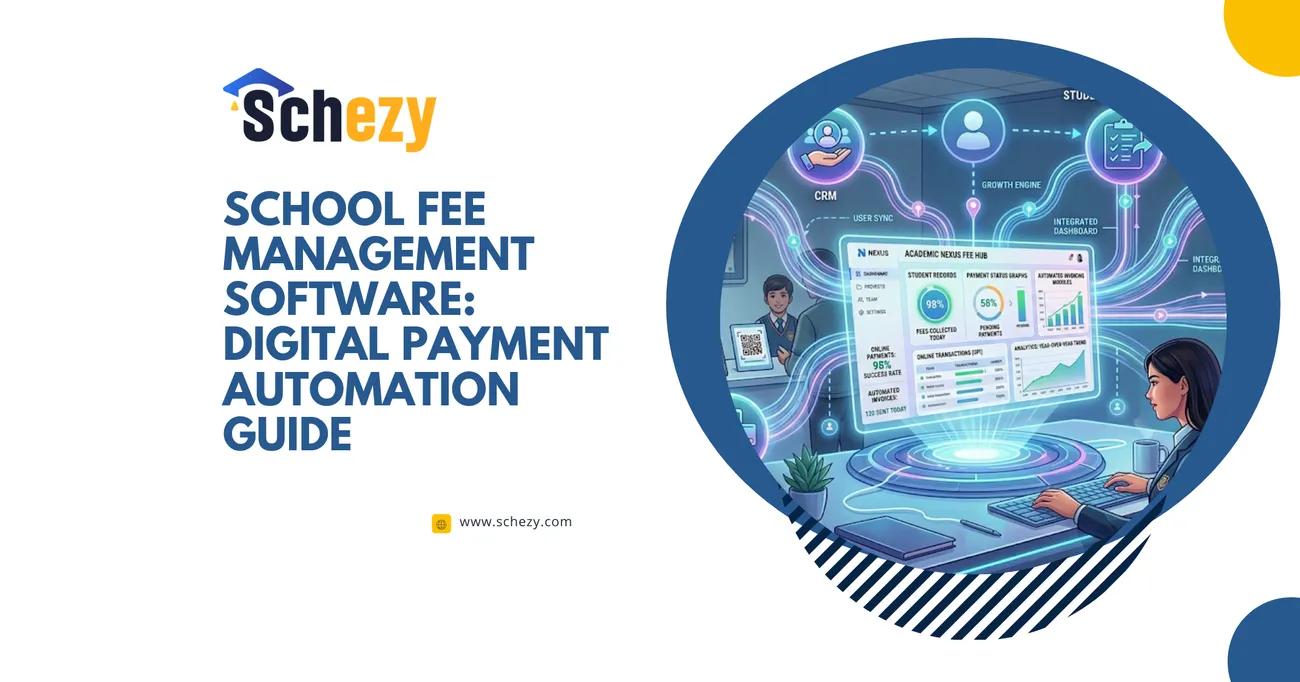
Why Modern Schools Need ERP Software in 2026
Managing school operations manually can be time-consuming and inefficient. Schezy ERP is an all-in-one school management software designed to simplify attendance, fee management, communication, administration, and academic operations. With automation and centralized management, schools can improve productivity, save time, and provide a better educational experience for students, teachers, and parents.
Why Modern Schools Need ERP Software in 2026
Education is changing faster than most of us expected. New teaching models, hybrid classrooms, and growing parent expectations have turned daily school operations into a complex, always-on system. In my experience working with school leaders and teachers, the manual spreadsheets and paper processes that worked a decade ago simply don't cut it anymore.
That's where a robust school management system — an ERP for schools — becomes essential. This isn't about flashy tech for tech's sake. It's about replacing repetitive tasks, removing communication bottlenecks, and giving educators time back to focus on students. If you're a principal, administrator, teacher, or run a coaching center, you'll find practical reasons below for why a modern Education ERP platform should be on your roadmap for 2026.
What exactly is a school ERP (and why it matters)
At its core, a school ERP is school administration software that centralizes data and automates routine workflows: attendance, fees, exams, HR, communications, and more. Think of it as the nervous system of your institution — all departments feed into it, and everyone accesses the same, up-to-date information.
In plain terms, ERP for schools streamlines operations so staff can focus on teaching. I've seen schools that cut administrative time by half after adopting a digital school management system. That extra time often translates into better lesson planning, more student support, and improved parent engagement.
Common pain points schools face today
Before we dive into features, let’s be honest about typical problems school leaders deal with daily. If any of these sound familiar, an education ERP can help:
- Manual attendance that eats up class time and leads to errors.
- Fee collection chaos: multiple payment channels, missing receipts, and late payments.
- Fragmented communication — parents, teachers, and admin staff using different apps.
- Data silos: student records scattered across spreadsheets and paper files.
- Time-consuming exam scheduling, mark entry, and report creation.
- Difficulty tracking staff attendance, payroll, and performance metrics.
- Compliance and audit headaches with incomplete records.
I've noticed these pain points are most acute in schools that have grown quickly or added branches. Scaling without a unified system leads to inconsistent policy enforcement and more errors — and parents notice that fast.
Core modules every modern school needs
Not all ERPs are created equal. A good school management system should include several core modules that address the pain points above. Here’s a practical checklist:
- Attendance management software — biometric or mobile check-ins, real-time dashboards, and automated alerts to parents.
- Fee management system — online payments, receipt generation, instalment plans, and overdue notices.
- Student information system (SIS) — a single source of truth for student records, medical history, guardianship, and academic profiles.
- Examination & grading — timetable creation, digital mark entry, automated report cards, and analysis tools.
- Human resources & payroll — staff onboarding, attendance, salary slips, and statutory compliance.
- Communication & parent portal — SMS/email/notifications, homework updates, and a parent app that reduces ad-hoc calls.
- Inventory & transport — bus routes, vehicle tracking, and stock control for supplies.
- Analytics & dashboards — real-time KPIs for attendance, fee collection, student performance, and teacher workloads.
When these modules work together in an Education ERP platform, they do more than reduce paperwork. They provide actionable insights that help leaders make smarter, timely decisions.
Benefits that really matter to school stakeholders
Administrators often want metrics: reduced time, lower costs, and compliance. Teachers want simplicity and less admin burden. Parents want transparency. A modern ERP for schools delivers on all those fronts.
- Save time and cut errors: Automation reduces manual entry and duplication. In my experience, schools often reclaim 10–20 hours per week across admin teams.
- Improve attendance accuracy: Attendance management software gives minute-by-minute visibility and triggers alerts for unexplained absences, which improves student safety.
- Simplify fee collections: A centralized fee management system supports online payments, multiple fee categories, scholarships, and generates receipts automatically.
- Boost parent engagement: A parent portal lets guardians track performance, fees, and events — which cuts down on calls and improves satisfaction.
- Data-driven decisions: Dashboards reveal trends — declining attendance in a class, fee defaulters, or subjects that need more support.
- Consistent policies across branches: For multi-campus schools, ERP enforces standard tariffs, exam schedules, and HR policies.
- Audits and compliance made easy: Digital records reduce risk during inspections and make statutory filings straightforward.
One principal I worked with told me they reduced fee-related disputes by 80% simply by publishing invoices and receipts through the ERP. Small transparency wins like that change relationships with parents.
How automation improves classroom outcomes
It's tempting to treat school management software as purely administrative. But automation can have a direct classroom impact.
When teachers don’t have to spend hours on attendance sheets, marking, or generating reports, they spend more time on instruction and student feedback. In my experience, schools that automate routine tasks see better homework completion rates and improved formative assessment practices because teachers can act on data faster.
Also, when parents get real-time updates about attendance and performance, they respond earlier to issues. That parental involvement correlates strongly with improved student outcomes.
Practical implementation: lessons from the field
Rolling out an Education ERP platform can feel like a big project. I’ve seen successful implementations and a few that stumbled. Here are practical tips to keep the project on track:
- Start with clear goals: Decide whether you want to reduce fee delays, improve attendance, or unify branches. Don’t try to do everything at once.
- Bring staff on board early: Involve teachers, HR, and accounts in the selection and pilot phases. They’ll flag real daily problems the leadership might miss.
- Choose phased implementation: Launch core modules first — e.g., attendance and fee management — then add exams and HR. Quick wins build trust.
- Train, don’t just demonstrate: Hands-on workshops and role-based training reduce resistance. I've noticed teachers prefer short, repeated sessions over a single long demo.
- Data migration strategy: Clean your legacy data before migration. Messy data is the biggest hidden cost of ERP projects.
- Define support SLAs: Know how quickly your vendor responds to issues. Downtime around exams or fee deadlines is costly.
Implementations that treat the ERP as an ongoing partnership (not a one-off purchase) tend to succeed. Vendors that offer localised support and domain knowledge of schools are far more effective than generic software firms.
Common mistakes and how to avoid them
There are predictable pitfalls. Avoiding them saves time and budget.
- Buying features, not solving problems: Don't be dazzled by fancy modules you won't use. Prioritise tools that address your biggest pain points first.
- Poor data housekeeping: Migrating unclean records creates ongoing headaches. Dedicate time to cleanse student and fee data beforehand.
- Ignoring change management: Staff will revert to old habits unless you set policies and follow up. Expect a culture shift and manage it.
- Underestimating mobile needs: Parents and teachers rely on phones. An ERP without a responsive parent app will see low adoption.
- Neglecting security: Schools handle sensitive data. Encryption, role-based access, and backups are non-negotiable.
I've noticed one recurring pattern: small schools often buy large suites because they "might need it later." That leads to unused modules and wasted license fees. Be pragmatic about what you implement now.
How to choose the right Education ERP platform
When evaluating school administration software, consider these practical criteria rather than just feature checklists:
- Domain expertise: Does the vendor understand education workflows? Schezy, for example, specializes in school automation and knows common school pain points.
- Ease of use: Can non-technical staff and parents use it without lengthy training?
- Scalability: Will the platform support multi-branch operations and growing student populations?
- Integration capability: Does it integrate with your accounting, SMS gateways, biometric systems, and LMS?
- Support and onboarding: Look for vendors who offer hands-on training, quick response times, and local support.
- Pricing transparency: Avoid hidden costs for extra modules or essential features like backups and reporting.
In my conversations with administrators, the easiest-to-adopt platforms are those that combine a clean interface with strong onboarding. That’s why demos and pilot programs matter — they reveal usability and vendor fit quickly.
Security, privacy, and compliance
Schools hold a trove of sensitive data: personal details, health records, and financial information. Securing that data is both an ethical duty and a legal requirement.
Look for these baseline guarantees from any education ERP platform:
- End-to-end encryption for data in transit and at rest.
- Role-based access controls so only authorised staff can see sensitive records.
- Regular backups and clear disaster recovery plans.
- Audit trails for changes to records and financial transactions.
- Compliance with local data protection laws and standards.
I've seen schools get tripped up by cloud storage choices and third-party integrations. Always ask vendors where data is hosted and whether they use reputable cloud providers with regional data centers when required.
Measuring ROI: what to track
If you're presenting an ERP business case to trustees or a school board, focus on measurable outcomes. Here are metrics that matter:
- Reduced admin hours (e.g., hours saved per week in finance and admissions).
- Improvement in fee collection rate and reduction in overdue amounts.
- Decrease in attendance-related incidents or unexplained absences.
- Teacher satisfaction scores pre- and post-implementation.
- Time to generate reports and certificates.
- Parent engagement metrics: app logins, message response times.
Quantifying these gains makes it easier to justify the initial investment. From what I've seen, payback periods for effective ERPs can be as short as 12–18 months for mid-sized schools when you include reduced administrative staffing costs and fewer accounting errors.
Real-world example: a small chain of schools
Let me give you a short case that illustrates the typical journey.
A small chain of five urban schools struggled with inconsistent fee policies and manual attendance. They implemented a phased approach: first attendance management software, then fee management, followed by parent portals. Within six months they saw:
- 30% reduction in fee collection delays
- 60% fewer parent calls about receipts
- Better class-level attendance monitoring leading to early interventions
Teachers reported they had 3–4 extra hours per week for lesson prep. The schools reused the time savings to run remedial sessions. Operational transparency improved relationships with parents and helped the chain standardize fee policies across branches.
Future trends: what schools should watch in 2026 and beyond
ERP solutions keep evolving. Here are trends that will shape school management software in 2026:
- AI-driven insights: Predictive analytics for student performance and attendance risk will become standard. Don't expect AI to replace teachers — expect it to highlight where intervention is needed.
- Mobile-first experiences: Parents and teachers want on-the-go access. Mobile apps with offline capabilities will be essential.
- Seamless integrations: ERPs will plug into popular LMS, payment gateways, and local government portals via APIs.
- More automation: Automated fee reminders, auto-generated certificates, and attendance-triggered workflows will cut repetitive tasks further.
- Data privacy enhancements: With tighter regulations worldwide, expect elevated standards for consent, data residency, and transparency.
In short, the best platforms will be those that combine domain expertise, robust integrations, and a relentless focus on user experience.
How Schezy helps schools automate effectively
Schezy builds practical, easy-to-adopt Education ERP platforms tailored for schools and coaching centers. From my conversations with their team and customers, Schezy focuses on the daily workflows that matter most: attendance management, fee management, and streamlined administration.
What stands out about Schezy is its emphasis on user experience and support. They offer modular implementations, so schools can start with attendance and fees, then scale to exams and HR. Their dashboards are designed for quick decision-making — not just vanity metrics.
If you're considering a switch from spreadsheets and scattered apps, Schezy provides a clear path: pilot the core modules, measure early wins, and then expand. The company also emphasizes integrations with biometric devices, payment gateways, and communication tools to reduce friction during rollouts.
Checklist for your ERP pilot
Ready to run a pilot? Here's a short checklist to keep things practical:
- Identify 2–3 key problems to solve (e.g., attendance accuracy, fee delays).
- Select a single campus or grade to pilot.
- Define success metrics and timelines (30, 60, 90 days).
- Assign an internal champion for day-to-day coordination.
- Plan basic training sessions and feedback loops.
- Set a review meeting at 30 and 90 days to decide on expansion.
Short, focused pilots minimize risk and prove value quickly. If the pilot fails, you learn faster and adjust without disrupting the entire school.
Costs and licensing: what to expect
Pricing models vary. Some vendors charge per-student per-year, others offer flat licenses. Always clarify:
- What modules are included in the quoted price.
- Whether mobile apps and parent portals carry extra fees.
- Data migration costs and support charges.
- Any charge for integrations (payment gateways, SMS providers).
- Renewal escalation clauses and contract length.
I've advised administrators to ask for a full TCO (total cost of ownership) for three years. One-time implementation fees may look high, but they spread out as schools recoup time and error-related cost savings.
Common questions from school leaders
Here are short answers to questions I hear most:
- Will teachers resist this change? Some will, but adoption improves with hands-on training, short sessions, and strong admin champions.
- Is cloud-based safe? Yes, if your vendor follows encryption, backup, and data residency best practices.
- Can we customize the system? Most modern ERPs allow configuration without custom code. Avoid heavy customizations that complicate upgrades.
- How long for rollout? Core modules typically take 4–8 weeks in a medium-sized school.
Being upfront with staff and parents about timelines and expectations makes the transition far smoother.
Final thoughts: why 2026 is the right time
Schools face more accountability, a demand for better parent communication, and the need to operate efficiently across multiple channels. Waiting increases operational debt: more errors, more complaints, and missed opportunities to support students early.
Implementing a school management system now sets your institution up to be proactive instead of reactive. In my experience, schools that embrace digital school management early gain a reputation for professionalism and attract engaged parents — and that matters for long-term sustainability.
Helpful Links & Next Steps
If you're ready to see how automation can transform attendance, fees, and administration at your school, take the next step:
Automate Attendance, Fees, and Administration
Want to demo before you decide? Schedule a short pilot, and you’ll see how quick wins translate into better classroom time and calmer admin offices. From my conversations with school leaders, the schools that test and iterate win faster.
Thanks for reading — and if you’d like, reach out to Schezy for a walkthrough tailored to your school’s needs. Small changes today avoid big headaches tomorrow.