How Automated Attendance Systems Reduce Teacher Workload
Put simply, taking attendance eats time. I've sat in faculty rooms where teachers trade war stories about how a ten minute roll call can derail a carefully planned lesson. It happens in primary classrooms and in high schools. It even happens in lecture halls where hundreds of students file in late. The result is the same. Teachers lose minutes that add up to hours every week. For administrators, that adds to administrative overhead and creates messy records that are hard to reconcile.
Automated attendance systems give that time back. They replace manual head counts, messy spreadsheets, and sticky notes with reliable digital attendance tracking. In my experience, the right system removes the repetitive tasks teachers hate and gives school leaders better visibility into student management. This post walks through how attendance automation works, the specific ways it reduces teacher workload, common implementation mistakes, and practical steps for schools to adopt it. I’ll use real examples and simple calculations so you can picture the difference on your campus.
Why attendance matters more than you think
Attendance is more than a compliance checkbox. It fuels safety protocols, parent communication, student support, and funding calculations. When attendance is accurate and timely, teachers spend less time chasing missing students. Counselors spot patterns sooner. Parents get fewer surprises. And administrators can generate reports without pulling an all-nighter.
That said, attendance is usually handled in one of two ways. Teachers either take it manually each class or they rely on cumbersome sign-in sheets and then enter data into a school management system later. Both approaches create friction. Manual entry is slow and error prone. Delayed entry means the information is not useful for real time decisions like bus manifests, emergency drills, or early-warning interventions.
What an automated attendance system actually does
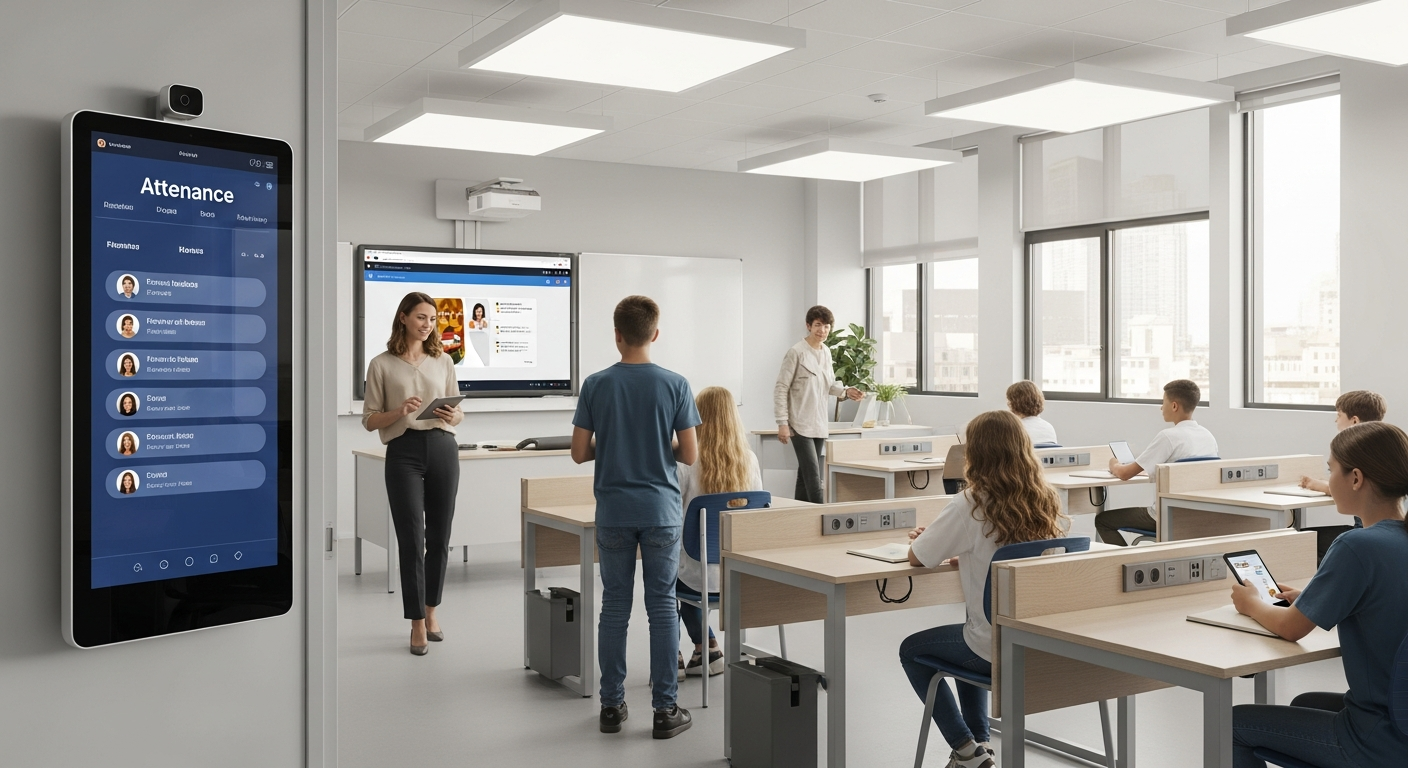
Let’s be practical. Attendance automation is a set of tools and workflows that capture student presence without a teacher having to call names. It can connect to a school management system and push attendance data into your existing student records. Typical components include biometric attendance, RFID or NFC badges, mobile apps, kiosk scanners, and integrations with learning management systems and access control.
Here are the basic actions these systems handle for you:
- Capture presence quickly using biometrics or ID badges.
- Sync attendance to your school management system in real time.
- Send automated notifications to parents or guardians when a student is absent or late.
- Generate reports and analytics for administrators and teachers.
- Flag attendance issues for follow-up by counselors or attendance officers.
That’s the technical overview. Now let’s look at the teacher side. How does this translate into time saved and fewer headaches?
Concrete ways attendance automation reduces teacher workload
I like to think of the benefits as immediate, ongoing, and indirect. Immediate benefits cut the time spent on attendance that very day. Ongoing benefits improve workflows over weeks and months. Indirect benefits free teachers from extra tasks like paperwork and parent calls.
Immediate savings: faster roll calls
Manual roll call takes time. In my experience, a typical class of 25 takes about three to five minutes for accurate attendance. With five classes a day that’s 15 to 25 minutes per teacher per day. Over five school days that becomes at least 1.25 hours a week. Multiply that by the number of teachers and classes and the lost instruction time adds up fast.
Automated systems cut that to seconds. A biometric scan or badge tap at the door records presence instantly. Teachers can start lessons on time. No more mid-lesson interruptions to mark a late student as present. That shortens transitions and keeps the learning momentum going.
Ongoing savings: fewer spreadsheets and less data entry
Teachers hate double work. I’ve seen teachers take attendance on paper, then re-enter it into the school management system at the end of the day. That duplicates effort and creates opportunities for mistakes. Attendance automation removes the re-entry step.
When attendance syncs automatically to your school management system, teachers don’t need to upload spreadsheets, reconcile entries, or fix typos. Systems like Schezy connect digital attendance tracking directly to student records so data lands where it belongs without manual intervention.
Indirect savings: fewer parent calls and faster follow up
Absence follow-up is time consuming. Teachers and office staff sometimes spend hours contacting parents after school. Automated notifications take care of the first wave. When a child is marked absent, the system can send a text or email to the parent instantly. That removes routine calls and reduces the backlog of follow-up work.
Also, automated analytics flag patterns. If a student is habitually late, the system can generate an attendance alert for the counselor. Teachers don’t need to track down trends themselves. That’s one less thing on their plate and one clearer process for intervention.
Better accuracy, less dispute resolution
Mistakes happen. Students forget to sign in, signatures are illegible, and systems get out of sync. Resolving disputes about who was present is time consuming and stressful. With biometric attendance and reliable time stamps, records are defensible. You spend less time investigating and more time teaching.
Numbers that matter: simple ROI examples
Numbers make an argument. Below are simple, real-world style calculations you can adapt to your campus.
Example 1. One teacher, five classes a day, 25 students per class.
- Manual attendance per class: 4 minutes
- Daily manual time: 20 minutes
- Weekly manual time: 20 minutes times 5 days = 100 minutes, about 1.7 hours
- With automation: attendance captured in 30 seconds total per class transition
- Daily automated time: about 4 minutes per day
- Weekly automated time: 20 minutes saved per teacher per week
That frees up roughly 1.5 hours a week per teacher. On a staff of 40 teachers that’s 60 hours a week. Over a 36-week year that’s 2,160 hours. That’s the equivalent of one or two full time staff positions.
Example 2. School-wide staff time saved on parent calls and reporting.
- Assume each absence generates one parent notification call requiring 3 minutes of staff time to log and follow up.
- Automated notifications eliminate most of those calls.
- If a school has 10 absences a day, automation saves 30 minutes of phone work a day.
- Over a year that saves about 100 hours of administrative time.
Those are conservative numbers. If you factor in improved funding decisions, fewer errors, and faster interventions, the value grows even more.
Common types of attendance automation
Not every campus needs the same solution. Here are the main approaches, along with where they typically fit.
- Biometric attendance. Uses fingerprint or facial recognition to verify the student. Great where proxy attendance or buddy-punching is a problem.
- RFID or NFC ID badges. Students tap a card at a kiosk or reader. Low cost and easy to scale.
- Mobile apps and QR codes. Students scan QR code or check in with a mobile device. Fast and flexible for schools with good device policies.
- Learning management system check-ins. Attendance tracked inside online lessons or course platforms. Best for blended and remote classes.
- Integrated kiosks and gateways. Doors, buses, and cafeterias capture presence and feed it into a central student management system.
Each method has trade-offs. Biometric systems are reliable but need hardware and privacy rules. RFID is inexpensive but could be misused if students hand off cards. Apps are flexible but require device access and good WiFi. You can mix and match these tools across your campus.
Integration matters: linking attendance automation to your school management system
I can’t stress this enough. An automated tool that stands alone creates new work. The point of attendance automation is not just to capture presence. It is to eliminate manual reconciliation. That only happens if the system integrates with your school management system.
Make sure your attendance software offers APIs or built in connectors to sync student rosters, timetable data, and attendance codes. When attendance flows directly into the student record, teachers and admin staff stop doing copy and paste. The records stay current. Reporting becomes immediate.
Common mistakes and how to avoid them
Automating attendance is not plug and play. I’ve seen projects fail because they skipped the human side. Below are frequent pitfalls and how to handle them.
- Not involving teachers early. Teachers will reject a system that makes their routines harder. Bring them into pilot planning and ask what they need.
- Choosing hardware-only solutions. If a system lacks software integration, you’ll still end up with manual steps. Prioritize systems that sync with your student management platform.
- Ignoring privacy rules. Biometric data needs careful handling. Review regulations like FERPA or local equivalents and choose a vendor that stores data securely.
- Underestimating training needs. Even a simple system needs a short training program and a clear help path for teachers and office staff.
- Skipping a pilot. Deploying school-wide without testing in a few classes is risky. Start small, measure outcomes, then scale.
Implementation checklist for administrators
Deploying attendance automation requires planning. Here’s a practical checklist that works in real schools.
- Define objectives. Is the goal teacher workload reduction, fewer truancy incidents, better reporting, or all of the above?
- Audit your current process. Map who does what, when, and how long each step takes.
- Choose the right technology. Match features to needs. If you have a student management system already in place, confirm integration options.
- Run a pilot. Pick two or three classes or a single grade to test hardware, software, and communication workflows.
- Train staff and students. Create simple cheat sheets and a short training session. Offer drop-in support for the first few weeks.
- Set policies. Decide on late codes, excused absences, make-up rules, and who handles alerts.
- Monitor and iterate. Use reports to spot issues, then tweak the process.
Security and privacy: practical concerns and best practices
Data protection is not negotiable. Schools hold sensitive information and must handle it responsibly. I always ask vendors three direct questions: How is data stored? Who can access it? How long is it retained?
Best practices include:
- Encrypt data at rest and in transit.
- Use role-based access control so only authorized staff can view attendance records.
- Keep biometric templates local if possible and store only hashed or tokenized values.
- Document retention policies and delete data you no longer need.
Make sure your vendor supports compliance with local regulations. If you’re in the US that often means FERPA. In the EU you will need GDPR-compliant controls. Don’t assume a vendor meets these requirements without written confirmation.
Teacher-friendly features to look for
When you evaluate attendance software, keep teachers front of mind. They will be the daily users and their buy-in will determine success. Look for tools that actually make life easier.
- Fast check-in options that do not disrupt class.
- Easy corrections for legitimate exceptions, like field trips or medical appointments.
- Automated parent notifications with customizable templates.
- Real-time dashboards that show who is missing at a glance.
- Mobile access so teachers can check attendance anywhere on campus.
How attendance automation supports broader school goals

Reducing teacher workload is a big win, but attendance automation supports other priorities too. It enables smarter student management, better safety protocols, and improved engagement.
For example, when attendance integrates with academic systems, teachers can cross reference attendance with grades and behavior records. That helps identify students who are struggling before they fall too far behind. Administrators can run early-warning analytics to trigger interventions. Those connections create a stronger support network for students and ease some of the administrative burden on teachers.
Real world example: a simple scenario
Here is a short example that shows the flow from classroom to admin.
A middle school teacher starts class and students tap their RFID cards at the door. Attendance registers in the classroom app and syncs to the school management system. Ten minutes later the office receives an alert that three students were not present in their scheduled classes. The automated system texts the parents the absence notification. The counselor sees that one of those students has missed eight classes this month and sets up a meeting. The teacher never had to re-enter data, argue with the office, or make multiple parent calls. Everyone gets the information they need quickly.
Pitfalls people often overlook
There are a few less obvious challenges that can derail automation if you do not plan for them.
- Elective classes and shared spaces. If students move between rooms, make sure the system can capture attendance by period and location.
- Substitute teachers. Sub systems should allow substitutes to take attendance easily without full access to admin functions.
- Special education accommodations. Some students cannot use biometric scanners or badges. Ensure there are accessible check-in options.
- Weather and outdoor events. Field trips should have offline or mobile fallback modes to capture attendance reliably.
Cost considerations and calculating ROI
Costs vary. Biometric hardware and kiosk deployments have higher upfront costs than app-based solutions. Licensing and integration fees also add up. Still, schools often recoup expenses within a year through staff time savings and reduced paperwork.
A simple ROI approach works best. Add up the time saved per teacher per week, multiply by teacher hourly wages, and compare that figure to the total cost of the system. Include indirect savings like fewer parent calls and faster reporting. That gives a realistic payback estimate.
Example calculation for rough budgeting:
- Estimated savings: 1.5 hours per teacher per week
- Teacher hourly rate: 30 dollars
- Staff of 40 teachers: 1.5 hours times 40 teachers = 60 hours saved per week
- Weekly savings: 60 hours times 30 dollars = 1,800 dollars
- Annual savings: 1,800 dollars times 36 weeks = 64,800 dollars
If a system costs 20,000 dollars per year including hardware and software, your annual net benefit would be substantial. This is a simple model but it highlights why automation is worth exploring.
Change management tips that actually work
Tech projects fail more often because of people than because of software. Here are change management tips I rely on.
- Start with teachers who are open to new tools. Early champions create momentum.
- Communicate benefits clearly. Show teachers how much time they will get back.
- Keep training short and practical. Create cheat sheets and short videos that teachers can watch between classes.
- Provide an easy way to report issues. Triage problems quickly so momentum keeps building.
- Celebrate quick wins. Share simple metrics like time saved and fewer parent calls to keep people engaged.
Choosing the right vendor: practical questions to ask
When you talk to vendors, ask targeted questions. Don’t get distracted by buzzwords. Here are concrete things to verify.
- Does the system integrate with our existing school management system?
- How does the vendor handle data security and compliance?
- What is the expected uptime and support SLAs? Who answers the phone?
- What is the plan for training and onboarding? Are there templates and support materials?
- How are updates and maintenance handled for hardware and software?
- Can we run a pilot with a subset of classes or a single grade level?
Personal notes from the field
I’ve seen schools that assumed attendance checks were trivial and then spent months untangling problems caused by poor implementation. Conversely, I’ve also worked with administrators who treated attendance automation like a change in culture and got spectacular results. Teachers reported better lesson flow. Office staff spent less time on low value tasks. Parents appreciated the timely notifications. Those results were not magic. They came from a clear plan, teacher involvement, and choosing a system that connected to the school management system.
One quick tip I often give: plan for exceptions. No attendance system is perfect on day one. Make it easy for teachers to correct attendance quickly so small issues do not become big frustrations.
Also Read
- Classroom Control Software: The Ultimate Guide for Modern Educators
- How Modern Teaching Methods Are Shaping Learning Outcomes in 2025
Final thoughts
Attendance automation is not just an efficiency play. It affects how teachers teach, how administrators run the school, and how families stay informed. When done well, it gives time back to teachers, improves accuracy, and creates a clearer path for student support. In my experience, the schools that succeed are the ones that plan carefully, involve teachers from the start, and choose systems that integrate with their school management platform.
If your goal is teacher workload reduction and smarter student management, automated attendance is worth a serious look. It is one of those relatively small investments that can compound into big operational improvements.
Helpful Links & Next Steps
Ready to see how attendance automation can free up teacher time and make your school run smoother? Book your free demo today and get a hands-on look at Schezy’s approach to attendance automation and digital attendance tracking.
FAQs
1. How does an automated attendance system actually record student attendance?
Automated attendance systems use tools like biometric scanners, RFID cards, or mobile apps to record student check-ins. When a student enters the classroom or school premises, their attendance is logged instantly and synced to the school management system. This removes the need for manual roll calls or paper registers, ensuring accuracy and saving teachers valuable time.
2. Is attendance automation secure and compliant with privacy laws?
Yes—when implemented correctly. Leading systems encrypt all data, limit access through role-based permissions, and comply with regulations like FERPA or GDPR. Schools should always verify that their vendor securely stores or tokenizes biometric data and follows strict data retention and deletion policies.
3. Can automated attendance integrate with our existing school management software?
Absolutely. The best solutions are designed with API or built-in integrations that connect attendance data directly to existing student information systems (SIS) or school management platforms. This eliminates duplicate data entry and ensures attendance records, schedules, and reports stay synchronized in real time.
4. What’s the biggest benefit of automating attendance for teachers?
The biggest win is time. On average, teachers save 1–2 hours per week that would otherwise be spent on manual attendance and data entry. That time can be redirected toward lesson planning, grading, or student interaction. Additionally, automated notifications and analytics reduce parent call time and administrative follow-up, further easing teacher workload.