
Digital Student Attendance Sheets vs Traditional Registers: A Practical Comparison
Attendance sounds simple. You call out names or pass a paper register down the desk, and you mark who is present or absent. Yet anyone who has managed a classroom, department, or an entire school knows attendance is messy. It is time consuming, often inaccurate, and surprisingly important for everything from safeguarding to funding. So should you stick with the familiar paper register, or switch to a digital attendance sheet?
In this post I walk through the tradeoffs between paper and digital attendance. I share what I’ve seen work in real schools, what often goes wrong, and how modern solutions smooth out daily friction in student attendance management. If you're deciding on student attendance management tools, or evaluating a new online attendance system, this is written for you: school administrators, teachers, college staff, and edtech decision-makers.
Why attendance tracking matters more than you think
At first glance attendance looks administrative. Take it as a fact and move on. But attendance affects teaching quality, safeguarding, funding, and parent communication. Missed patterns often reveal support needs. Chronic absence links to poor outcomes. When attendance data is messy, you miss signals.
In my experience, the administrators who treat attendance as an operational priority avoid headaches later. You want reliable attendance so your pastoral team knows which students need outreach, finance can reconcile funding, and inspectors can review accurate records. A reliable attendance process builds trust across staff and families.
Paper vs digital attendance: the quick comparison
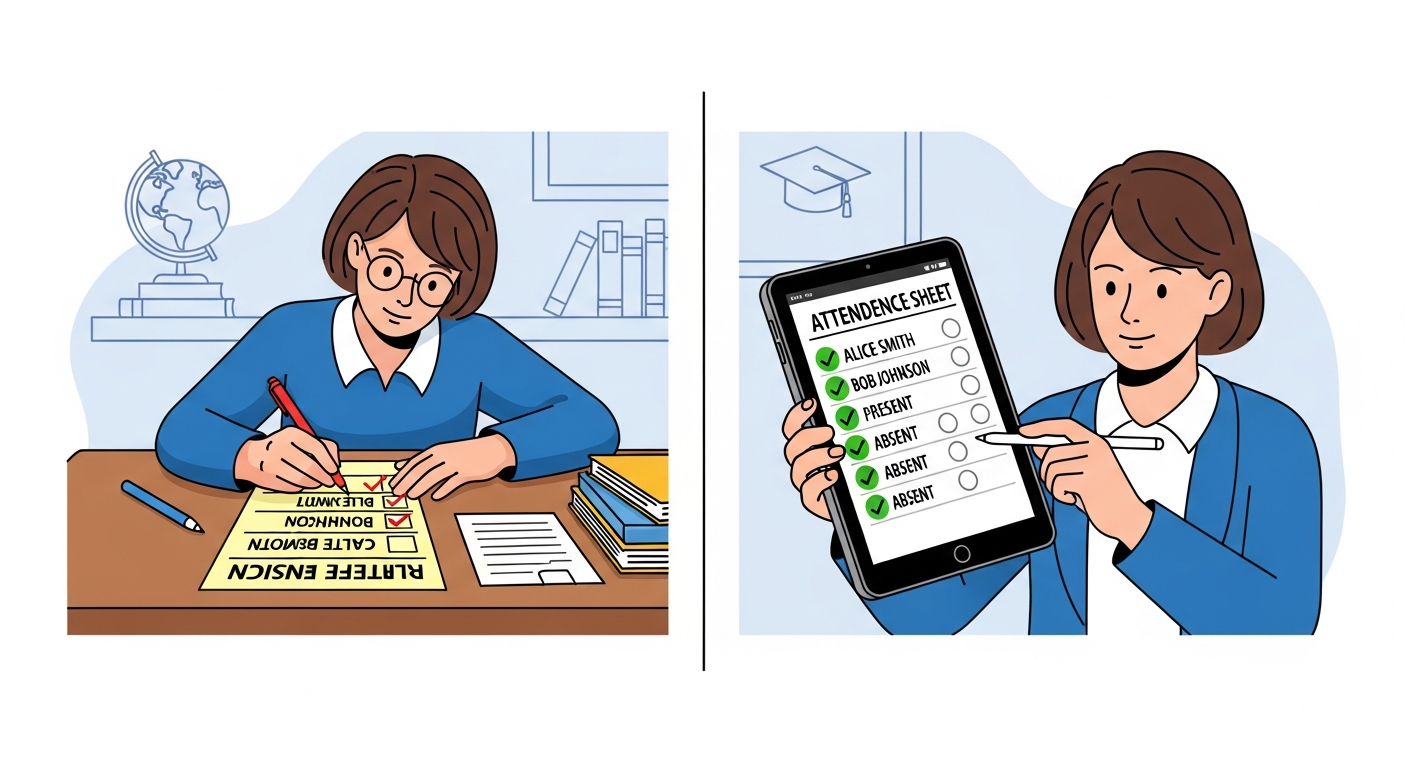
Here’s the short version, without overcomplicating it.
- Paper registers: Cheap, simple, and familiar. They break down when records need to be shared, aggregated, or audited. You also risk lost pages and illegible handwriting.
- Digital attendance sheet or online attendance system: Faster in the moment, easier to aggregate, and often integrated with timetables, MIS, and parent messaging. It does require an initial setup and buy-in from staff.
Both approaches have valid use cases. But when you compare the lifecycle cost and value of attendance data, a school attendance software or attendance tracking app usually pays off if you value accurate, timely information.
Common problems with paper registers
We’ve all seen the small frustrations pile up into real problems. Here are the ones that come up most often.
- Legibility issues. Handwritten notes are hard to read and slow to digitize.
- Late changes. Students arrive after register time and the register is forgotten or updated incorrectly.
- Lost or damaged pages. A misplaced folder equals a missing record for audits.
- Time drain. Tallying class, year, or school-wide attendance from paper takes hours.
- Delayed parent communication. If a student is absent and the office only finds out hours later, families are left without timely notification.
I've seen schools where the paper process produced conflicting records between departments. Nobody was quite sure which one was the ground truth. That uncertainty causes stress when you need to act fast, like locating an unaccounted-for student.
What a digital attendance sheet actually fixes
Switching to a digital attendance sheet addresses many of the paper pain points. But let’s be honest: not all digital systems are equal. A simple spreadsheet is better than scribbles, but a dedicated online attendance system delivers the real benefits.
- Speed. Teachers mark attendance in seconds using an attendance tracking app on a tablet or phone. This cuts down transition time and gets lessons started sooner.
- Accuracy. Drop-down lists, unique student IDs, and automated validation reduce errors.
- Real-time visibility. Office staff and senior leaders can see attendance patterns as they happen, not after a manual consolidation.
- Automated follow-up. Some systems trigger parent messages or pastoral alerts when absence patterns appear.
- Analytics. You can pull reports by student, class, or demographic groups, and spot trends early.
In practice, once teachers get comfortable with a fast attendance app, compliance goes up. The data quality improves. That makes everyone’s job easier — from the teacher marking attendance to the attendance officer producing reports.
Five features to look for in an online attendance system
When you’re comparing school attendance software, don’t get dazzled by fancy dashboards. Focus on features that solve daily teacher and admin problems. Here are five I recommend.
- Fast, reliable marking. The classroom attendance tracking experience should be one-tap or two-tap. If it takes more than 10 seconds per class, teachers will resist. I’ve seen great systems shave minutes off the day just by being responsive.
- Integration with timetables and MIS. Your attendance tool should pull timetable and enrollment data so registers are accurate and updated. Duplicating lists is error-prone.
- Automated notifications. The system should be able to message parents or pastoral staff automatically for unexplained absences. This reduces manual workload and improves safeguarding.
- Robust reporting. Look for filters by student group, date-range, intervention flags, and export options for auditors. The simpler it is to get the right view, the faster you can act.
- Offline capability. Classrooms don’t always have perfect Wi-Fi. An attendance tracking app that caches data offline and syncs later is a lifesaver.
These features support classroom workflows and the broader needs of school operations. Missing any one of them can create friction or data gaps.
Common pitfalls when switching to digital attendance
Going digital is not just a tech project. It’s a change management effort. Here are pitfalls I’ve seen more than once, and how to avoid them.
- Poor training. If teachers don’t get hands-on, simple training, they’ll find workarounds. Run short, practical sessions. Show them how to mark attendance in a practice class. Then follow up with a quick troubleshooting clinic.
- Lack of stakeholder buy-in. Staff want to know how the change helps them. Explain time savings, reduced queries, and how it helps pastoral teams spot students earlier.
- Overcomplicated configurations. Some systems have endless settings. Start simple. Activate advanced features later once people are comfortable.
- Not testing integrations. If attendance data doesn’t sync with your MIS or messaging platform, you’ll end up duplicating work. Plan a testing phase with real data.
- No escalation rules. Digital marks are great, but who acts on them? Define clear roles for daily follow-up and weekly reviews.
Small mistakes in the rollout can turn an otherwise useful online attendance system into another administrative headache. Plan for the human side of the switch.
How schools actually use attendance data
Attendance data fuels decisions at multiple levels. Here are practical ways to use it without getting lost in spreadsheets.
- Daily dashboards. A quick dashboard shows which classes have low attendance that day. Senior leaders can deploy support quickly.
- Intervention lists. Run weekly reports to identify students with rising absence rates and pull them into pastoral reviews.
- Targeted communications. Use the attendance tracking app to automatically message parents with a single missing session, or to escalate after repeated absence.
- Resource planning. If you see consistent absence in certain classes, consider alternative timetabling or support in those lessons.
Start with one or two simple reports. Make them part of a weekly routine. Over time, refine them to support targeted interventions rather than generic emails.
Real example: a simple classroom workflow that scales
Here’s a small, practical example that worked well at a secondary school I worked with.
- Teachers open the attendance tracking app on a tablet at the start of class.
- They tap present for most students, and mark a few absent or late.
- The system flags unexplained absences and sends an automated text to parents after a pre-set cut-off time.
- Pastoral staff receive an alert if a student has three unexplained absences in a week.
- Senior leaders can see a real-time report and target support for specific year groups.
That simple loop — mark, notify, escalate — replaced an hour of manual work per day in the office. It also reduced the number of late checks and parent calls by a noticeable margin. Teachers liked the speed. Pastoral staff liked the timely flags. Parents appreciated quick messages.
Does switching to an automated attendance system save money?
Short answer: often, yes. But it depends on what you value.
Time saved by teachers and office staff translates to lower administrative overhead or the ability to redeploy those hours to student support. More accurate attendance reduces funding errors for schools that claim per-pupil funding. It also helps reduce safeguarding risk which can be costly in time and reputation.
Quantifying the return on investment can be as simple as estimating hours saved per week multiplied by staff cost. Add in reduced late calls and fewer manual reconciliations. For many schools, the breakeven point on a modest subscription happens in one to two years.
Privacy and safeguarding — yes, it matters
When you move student records online, data protection becomes central. Ask these practical questions when assessing any school attendance software.
- Where is the data hosted? Look for providers with secure hosting in compliant regions.
- Who has access? Make sure role-based permissions are available so only authorized staff see sensitive records.
- Is there audit logging? You want a clear trail of who changed what and when.
- Does the system support local retention policies? Not all schools store data forever, and you may need to retain or purge records on schedule.
I've seen schools skip these checks and face painful data governance conversations later. You should be able to answer these questions before you sign a contract.
Teacher habits and the reality of adoption
Teachers are busy, and technology has to fit into their routines. One common trap is designing a perfect system on paper that teachers won’t use in reality.
Here are practical tips for boosting teacher adoption:
- Keep the marking flow under 10 seconds in the classroom.
- Offer a quick printed checklist for the first few weeks so teachers can reference the app without stress.
- Collect feedback from a small pilot group first, then iterate. Teachers will flag real-world edge cases you didn’t think of.
- Celebrate quick wins. Share stats on time saved and how many parents got instant notifications. That builds momentum.
In my experience, teachers respond best when the system makes their day simpler and the school visibly uses the data for student support.
Integration matters: where attendance data should flow

Your attendance data should not be stuck in a silo. Think about the systems you use and how they could benefit from better attendance data.
- Management Information Systems. Sync registers to avoid duplicate data entry.
- Parent messaging platforms. Automated alerts keep parents informed in real time.
- Learning management systems. Low attendance in a course could be a sign to re-engage students before they fall behind.
- Finance systems. Accurate attendance supports funding reconciliation where applicable.
When these systems talk to each other, attendance becomes a trigger for action, not just a record. The fewer manual handoffs, the fewer errors and the faster you can respond.
Choosing the right classroom attendance tracking app
There are plenty of options on the market. How do you pick one that fits your school?
Start with a shortlist of must-have and nice-to-have features. Must-haves should include speed, integration with your MIS, automated notifications, secure hosting, and an easy admin interface. Nice-to-haves might be student self-check, barcode scanning, or analytics dashboards.
Run a two-week pilot with real teachers and real classes. Watch what teachers actually do. Don’t rely on promises; rely on usage. If uptake is slow, dig into why. Was the app slow? Were login issues a barrier? Did the timetable sync fail?
Also, check vendor support. Quick, responsive support during the pilot is often a good sign of long-term partnership quality.
Common mistakes to avoid during rollout
Change is hard. These mistakes are preventable.
- Go-live without a backup plan. Keep a paper register available until you're confident in the system and processes.
- Skipping stakeholder communication. Keep governors, parents, and staff informed about why you’re switching and what to expect.
- Not planning for substitutes. Supply teachers often struggle with unfamiliar tech. Create a simple "how-to" sheet for them.
- Over-automating notifications. Too many messages will desensitize parents. Define thresholds for alerts so messages stay meaningful.
Address these up front and your rollout will feel less like a scramble and more like an upgrade.
How Schezy approaches attendance tracking
At Schezy, we focus on making classroom attendance tracking fast, reliable, and easy to action. Our platform integrates with common MIS systems, supports offline marking, and automates parent notifications based on your rules. We build tools for administrators who want tidy reports and teachers who want a simple one-tap attendance experience.
I like to point out one small design choice that makes a big difference in practice. Schezy keeps the primary marking screen uncluttered so teachers see only relevant students, not the whole school. That makes marking faster and reduces hesitation.
Of course, tools are only useful when people use them. That is why we emphasize practical rollout plans and quick training sessions. The goal is to get you from paper vs digital attendance debate to measurable time savings and better student support.
Practical checklist before you go digital
Use this checklist to run a smooth pilot and rollout.
- Confirm integrations with your MIS and parent messaging systems.
- Identify a small pilot group of teachers and classes.
- Define notification thresholds and escalation rules.
- Set data retention and access permissions for compliance.
- Plan a fallback (paper) during the first week.
- Schedule short, hands-on training sessions and a Q&A clinic.
- Collect and act on teacher feedback in the first month.
Keep the pilot tight and measurable. Track teacher uptake and the number of automated messages sent, then decide on a phased rollout based on evidence.
Simple examples: quick wins to get started
Here are three easy-to-implement use cases that bring fast value.
- Instant parent notifications: Set the system to message parents when a student is absent and not marked present by 9:15 a.m. It saves the office time and comforts parents.
- Weekly intervention lists: Generate a weekly report of students with two or more unexplained absences. Pastoral teams can act before patterns escalate.
- Substitute access: Give supply teachers a simplified marking view that only shows their classes for the day. It reduces errors and speeds marking.
These are small changes, but they cut repeated admin tasks and provide faster support for students who need it.
Questions you should ask vendors
When talking to attendance software providers, make sure you get clear answers to these questions.
- How fast is the marking workflow for teachers?
- Can the system work offline and sync later?
- What integrations do you support, and how does data flow work?
- How do you handle data security and compliance?
- What training and support do you provide during rollout?
- Can we pilot the system with no long-term commitment?
Vendors that give specific, practical answers here are more likely to be reliable partners. Vagueness is a red flag.
Measuring success: KPIs that matter
To evaluate whether your attendance solution is working, track a handful of KPIs.
- Teacher compliance rate for timely marking.
- Time saved per day or week versus paper registers.
- Number of automated parent messages and response rates.
- Reduction in data reconciliation tasks for admin staff.
- Early intervention counts and improved attendance trends over a term.
Start with these simple metrics. They tell you whether the system is used, and whether it’s producing meaningful impact.
Also Read
- How Automated Attendance Systems Reduce Teacher Workload
- Classroom Control Software: The Ultimate Guide for Modern Educators
Final thoughts: paper vs digital attendance in one paragraph
If your school values accuracy, speed, and actionable data, a modern digital attendance sheet or attendance tracking app will pay for itself in time savings and better interventions. Paper registers still have a place, especially as a fallback. But the long-term benefits of an online attendance system, particularly one integrated with your MIS and messaging tools, are hard to ignore. Make the switch thoughtfully, train the people who actually use the system, and keep the focus on simple, repeatable workflows.
Helpful Links & Next Steps
- Schezy — school attendance software and management tools
- Schezy Blog — practical guides and case studies
- Book your free demo today
If you want a walkthrough, or if your team would like to test a pilot, Book your free demo today and see how Schezy handles classroom attendance tracking in practice. It’s the easiest way to compare paper vs digital attendance in your own school context.
Want more examples or a sample rollout plan tailored to your school size? Drop me a note. I’ve helped schools pilot tools in under two weeks and I’m happy to share what worked and what didn’t.
FAQs
1. Why should schools switch from paper registers to a digital attendance system?
Digital attendance reduces manual errors, saves teacher time, provides real-time data for safeguarding, and integrates with systems like MIS and parent communication platforms. It turns attendance data into timely action instead of delayed admin work.
2. How does a digital attendance sheet improve accuracy and compliance?
Features like automated validation, unique student IDs, and instant syncing minimize mistakes and ensure registers are complete. With real-time dashboards, administrators can quickly identify missing marks and late updates.
3. Does a digital attendance system work during internet issues?
Many modern attendance tracking apps include offline capability, allowing teachers to mark attendance without Wi-Fi. The data syncs automatically once the connection is restored, preventing gaps in records.
4. Will teachers find a digital attendance sheet difficult to adopt?
With fast workflows (under 10 seconds per class), short hands-on training, and clear rollout support, most teachers find digital marking easier and quicker than paper. Adoption improves when the system visibly reduces workload and improves student follow-up.