Digital Classroom Setup vs Traditional Classroom: What’s Changing in 2025?
Change in education rarely happens all at once. Still, 2025 feels different. I've noticed schools moving beyond a handful of devices and trying to build learning environments that are flexible, data driven, and genuinely accessible. Teachers are asking different questions. Parents want to know how their kids learn online. Administrators are balancing budgets with expectations. If you're reading this, you probably care about how classroom technology actually improves learning, not just how it looks on a brochure.
This article compares the digital classroom setup with traditional classrooms, points out what really matters in 2025, and gives practical steps you can use to move forward. I write as someone who's coached teachers and worked with schools on rollout plans. Expect simple checklists, common pitfalls, and real examples you can try next week.
The Big Shift: Why 2025 Feels Different
In 2025, technology itself is not the headline. The bigger story is integration. Networks are faster. Learning platforms use smarter analytics. Hybrid learning has matured from a temporary fix into a reliable mode of instruction. With these improvements, schools are moving from experimentation to adoption.
Here are the trends that matter right now:
- Connectivity is less of a barrier, thanks to more reliable Wi Fi and wider mobile broadband coverage.
- AI and analytics are embedded in e learning platforms, giving teachers immediate insight into student gaps.
- Classroom technology is becoming standardized, which makes adoption and training easier.
- Hybrid learning is normal. Students join lessons in person or remotely with nearly the same experience.
Put simply, the tools are ready. The hard part is changing practice. That is where most schools still have room to grow.
Defining Digital Classroom Setup vs Traditional Classroom
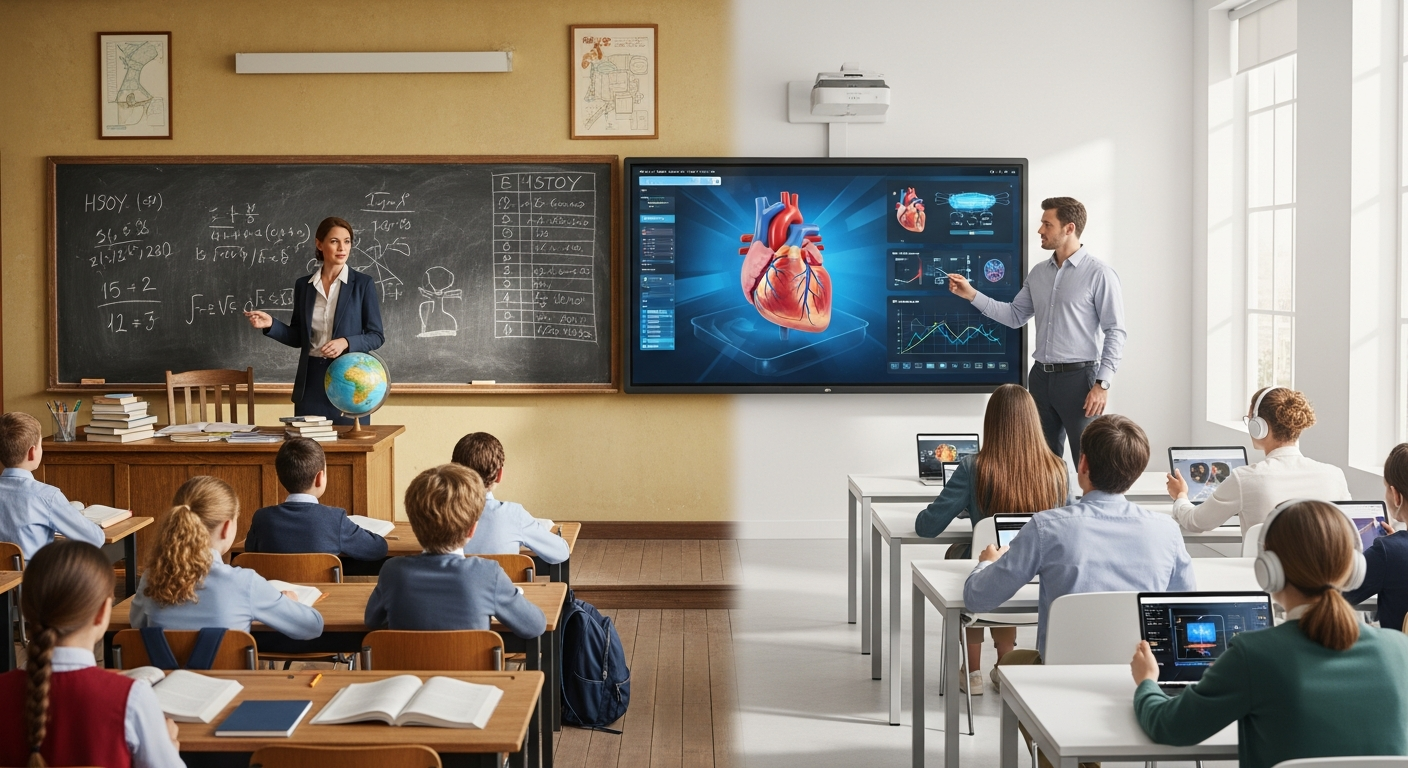
People use these terms a lot, and sometimes they blur together. Here's how I break them down.
Traditional classroom refers to a teacher-centered space. You find fixed seating, printed textbooks, whiteboards, paper assignments, and in-person assessments. Classroom tech might include a projector or a single shared computer. Instruction is synchronous and location based.
Digital classroom setup means a purpose-built environment where technology supports instruction, assessment, and communication. That includes devices for students, a learning management system, classroom audio and video, reliable networking, and tools for asynchronous work. The focus shifts to personalized learning paths, data driven feedback, and flexible participation.
They are not opposites. A good digital classroom keeps the best of traditional practice, like teacher presence and classroom community, while adding tools that scale personalization and engagement.
Key Differences: What Changes in Practice
Here are the practical differences you'll notice when a school moves from traditional to digital.
- Instructional design: Lessons become modular and media rich, not just lecture plus worksheet.
- Assessment: Continuous formative checks replace periodic paper exams in many cases.
- Student agency: Learners can access content on demand and pursue remedial or extension paths.
- Teacher role: Teachers shift from sole knowledge deliverer to facilitator, coach, and data interpreter.
- Classroom time: More class time supports project work and discussions instead of whole class direct instruction.
These shifts sound big, but they usually happen step by step. A smart rollout focuses on a few high impact changes first, not everything at once.
What a Practical Digital Classroom Setup Looks Like in 2025
Rather than a long shopping list, think of the setup as five working parts. Each part must be good enough to not break workflows.
- Network and connectivity. A stable school network and guest Wi Fi for visitors. Prioritize bandwidth for video lessons and simultaneous device use. Segment traffic so learning platforms have priority during class.
- Student devices. Managed laptops or tablets that run core apps. In my experience, consistency beats variety. A single standard device family makes management and training simpler.
- Instructor tools. A reliable classroom camera, microphone, and a touch display or interactive board. These help teachers maintain presence whether students are in the room or online.
- Learning platform. A single learning management system that handles content, assignments, quizzes, and attendance. Integrations with other tools matter, so pick platforms that play well with your student information system.
- Management and security. Device management, account provisioning, content filtering, and privacy controls that comply with local regulations. These need to be automated as much as possible.
Get these five parts working smoothly and you have a functional digital classroom setup. Add training and pedagogy next, not more apps.
Practical Checklist: Quick Setup for a Classroom in One Week
If you need a starter plan, try this one week checklist. I’ve used versions of this with schools launching pilots.
- Day 1: Confirm Wi Fi access in the room and test video calls on five devices.
- Day 2: Stage and enroll student devices into your management system.
- Day 3: Install your LMS and load one unit of content. Share it with students.
- Day 4: Set up basic classroom audio and a webcam. Test with a mock hybrid lesson.
- Day 5: Run a short practice session where students submit a quick quiz and a photo of their work. Review analytics.
Small wins build confidence. Don’t try to flip everything the first week.
Teaching Practices That Change with Technology
Technology opens possibilities. But teachers still need to make choices about what to do differently.
Here are specific shifts I've seen make the biggest difference:
- Micro assessments. Short quizzes or polls during lessons give instant feedback. Use them to adapt the next activity.
- Blended lesson design. Flip a small portion of content so students explore a concept before class, then use class time for application.
- Small group rotations. Use breakout rooms or stations, mixing online and offline tasks. This keeps groups productive and lets you coach more students.
- Automated feedback. Use tools that give immediate comments on math answers or literacy tasks. Teachers then focus on higher level feedback.
- Student portfolios. Digital portfolios make growth visible and simplify parent communication.
These practices are practical. They don’t require radical pedagogy. They require iteration and reflection.
Common Mistakes and Pitfalls
Schools often spend on devices first and training last. That is the most common error. I've seen carts of unused tablets collecting dust because teachers didn't see how they'd improve instruction.
Here are other pitfalls to avoid:
- Too many apps. Every teacher loves a new tool, but too many platforms create fragmentation. Limit core apps to a few well integrated solutions.
- Poor network planning. Underestimate simultaneous users and you will have frozen video and frustrated students.
- Ignoring accessibility. Make sure content is captioned, readable, and compatible with assistive tech.
- No data plan. Collect useful metrics and decide how you will use them. Data for the sake of data is a waste.
- Neglecting policies. Agent accounts, data retention, and consent procedures matter. Get legal and IT involved early.
One quick tip. Start with a lightweight pilot in a few classes. Fix the problems there before a full roll out.
Simple Examples That Work
Here are three short, human examples you can adapt. No heavy tech required.
Primary classroom: A teacher gives a short video lesson for homework. In class, students work on a hands on activity and record a one minute reflection using a tablet. The teacher reviews reflections and groups students for differentiated help.
High school science: Students complete an interactive simulation at home, submit a quick formative quiz, and come to class ready to design experiments. The teacher uses class time for lab work and targeted coaching.
University seminar: Students post short reading notes in the LMS before class. The instructor uses those notes to form discussion groups and assigns leadership roles for each session.
These setups highlight the strengths of hybrid learning. They keep class time active and use digital tools for practice and feedback.
Budgeting and ROI: Where to Spend First
Money is always limited. Spend where it reduces friction and enables teachers to teach better.
Priorities I recommend:
- Reliable networking. If Wi Fi fails, everything else collapses.
- Teacher training. Ongoing support beats a one off workshop.
- Device management. Tools that automate updates and security save time and money.
- Learning platform. A good LMS centralizes work, reducing time spent on administrative tasks.
Calculate ROI in practical terms. Look at time saved for teachers, reduction in printing costs, improved attendance, and better assessment turnaround. Those add up.
Procurement Tips
A few procurement notes from experience:
- Buy warranties and consider accidental damage protection for devices used by students.
- Choose vendors who offer training and technical support during rollout.
- Pilot with a small number of classrooms before committing to district wide procurement.
- Negotiate for integration support so your LMS, SIS, and authentication systems sync smoothly.
Don't forget consumable costs like replacement chargers and protective cases. Small items often outlive budgets.
Privacy and Security: Practical Steps
Data privacy is non negotiable. Parents expect schools to protect student information. In my experience, clear policies and simple routines work best.
- Set up single sign on and centralized account management to reduce password problems.
- Limit app permissions and review privacy policies before adopting tools.
- Use role based access so teachers and students only see what they need.
- Train staff on phishing and basic cybersecurity hygiene.
Small actions like annual vendor reviews and clear consent forms prevent big headaches later.
Measuring Success: What to Track
Measurement focuses decisions. Don't try to measure everything; choose a few indicators tied to goals.
Useful metrics include:
- Student engagement: participation rates in online activities and class discussions.
- Time on task: how long students spend on productive learning activities.
- Assessment data: trends in formative assessments that show skill growth.
- Teacher adoption: number of teachers using core features of your LMS and devices.
- Technical uptime: network reliability and support ticket resolution times.
Collect these metrics monthly during rollout. Use them to refine training and guide procurement.
Training and Professional Development That Actually Sticks
Training fails when it treats teachers as software consumers instead of instructional innovators. I prefer coaching models that pair technical skills with pedagogical goals.
Try this model:
- Start with a one hour hands on session focused on one classroom routine, like running a formative quiz.
- Follow with team planning time to adapt an upcoming lesson using the new routine.
- Offer in class coaching where a tech coach helps during a live lesson.
- Use short micro tutorials and a shared resource library for just in time help.
Teachers usually want practical ways to save time and improve student outcomes. Show them those wins and adoption happens faster.
Equity and Accessibility: Practical Considerations
Equity should be a design requirement, not an afterthought. Schools that plan for access from the start avoid last minute scrambling.
Key steps:
- Provide loaner devices and offline content options for students with limited home internet.
- Ensure content has captions, readable fonts, and alternative formats for students with different needs.
- Offer flexible deadlines and multiple ways to demonstrate learning.
In my experience, simple accommodations often solve most access problems. Start with the most common needs and iterate.
The Role of EdTech Vendors and Platforms
Vendors can help or complicate your life. Choose partners who understand schools and provide clear integration and support.
When evaluating providers, ask for:
- References from similar sized schools.
- A clear data privacy agreement and compliance documentation.
- Details about integration with your SIS and authentication system.
- Training and onboarding timelines.
- Roadmaps for product development so you're not locked into outdated tools.
Schezy is one example of a company that focuses on practical classroom workflows. When vendors show they understand instructional routines, adoption becomes smoother. If you want to see an integrated classroom platform in action, that demo can reveal how items like lesson planning, attendance, and assessments work together.
Transition Roadmap: From Traditional to Digital (A Practical Timeline)
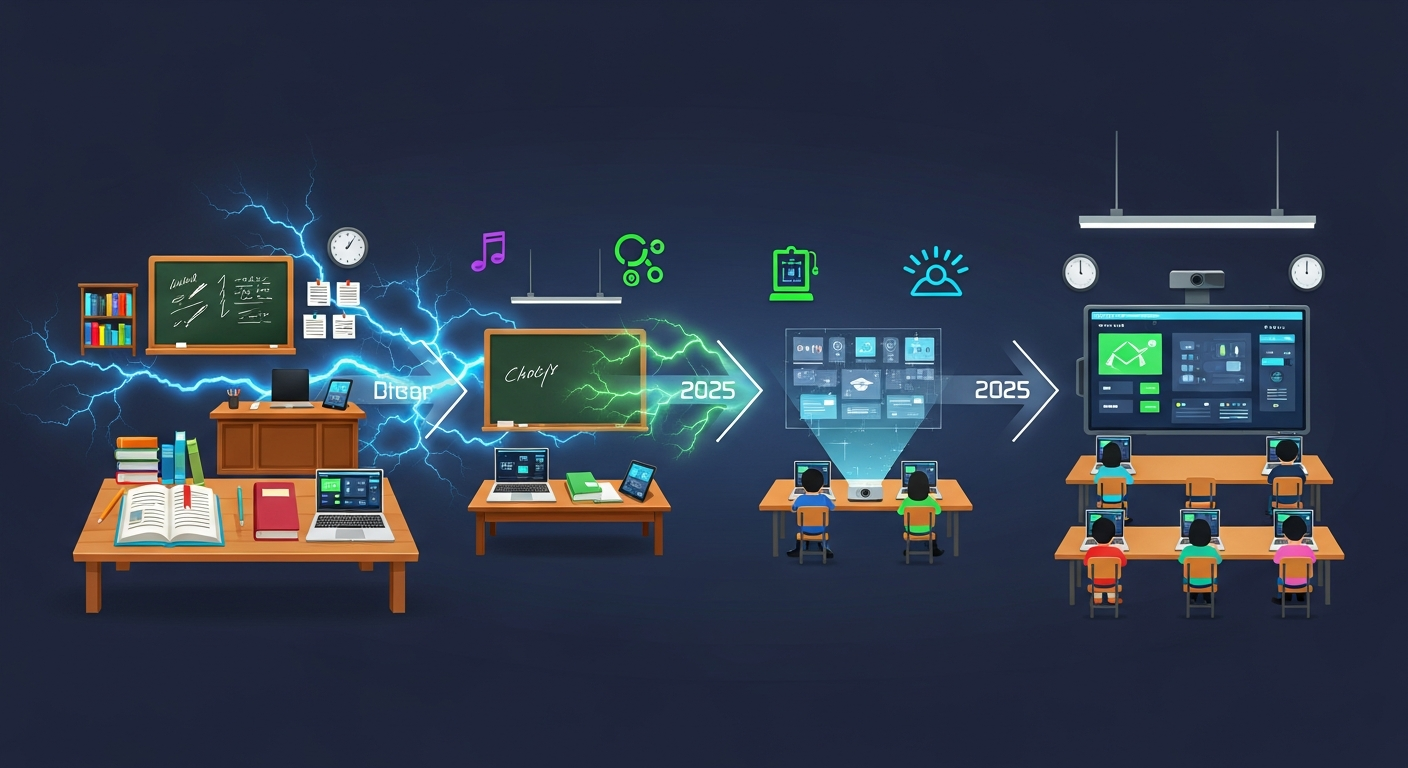
I recommend a three phase approach, spread over 6 to 18 months depending on scale.
Phase 1: Pilot and stabilize (0 to 3 months)
- Pick 3 to 5 willing teachers across different grades or subjects.
- Stabilize the network and device provisioning for those classrooms.
- Run weekly check ins and collect basic metrics.
Phase 2: Scale and train (3 to 9 months)
- Expand to more classrooms based on pilot lessons.
- Implement structured professional development and coaching.
- Improve policies and workflows using data from phase one.
Phase 3: Optimize and sustain (9 to 18 months)
- Standardize procurement and management practices.
- Measure outcomes and refine curricula around data insights.
- Create a sustainability plan for upgrades and replacement cycles.
Expect bumps along the way. The goal is steady progress, not perfection overnight.
Quick Wins You Can Try This Month
Want to see improvements fast? Try one of these quick wins.
- Move one homework task online and use the LMS to collect it. That saves paper and makes grading easier.
- Start each class with a two minute poll to check understanding. Use those responses to guide class activities.
- Use a simple rubric in a shared document for one project. Students and parents can watch growth in real time.
I’ve seen schools increase student participation simply by making one task digital and visible to families.
What Parents and Policymakers Should Know
Parents often worry about screen time. Policymakers worry about equity and costs. Be transparent about why you're using tech and how you protect students.
Communicate clearly:
- Explain learning goals and how technology supports them.
- Share basic privacy protections in plain language.
- Offer ways for families to get help with devices and passwords.
When parents see how digital tools make learning more transparent and personalized, they usually become allies rather than critics.
Also Read:
- Digital Student Attendance Sheets vs Traditional Registers: A Practical Comparison
- How Automated Attendance Systems Reduce Teacher Workload
Final Thoughts: Why This Matters for Students
At the end of the day, the comparison between digital classrooms and traditional classrooms is not about gadgets. It is about opportunity. Technology lets teachers find where students struggle and give targeted help faster. It allows learners to pause, replay, and revisit material at their own pace. It connects classrooms to resources and experts beyond the school walls.
We should be cautious, not fearful. With thoughtful planning, training, and measurement, the move to digital classrooms can mean more meaningful learning, not just screens for the sake of screens.
I encourage administrators to prioritize people over products, and teachers to try small changes that yield immediate benefits. If you focus on five working parts, avoid the common mistakes, and measure what matters, you will get much further than you expect.
Helpful Links & Next Steps
If you want a hands on look at a modern virtual classroom setup and how it compares to traditional models, Book your free demo today and see workflows in context. Seeing a live example often answers more questions than reading a thousand pages.
Thanks for reading. If you have a specific question about setup, procurement, or training, I’ve worked with schools at every stage and I'm happy to share what worked and what didn’t in practice.
FAQs
1. What is the main difference between a digital classroom setup and a traditional classroom?
A traditional classroom relies on in-person teaching with books, whiteboards, and paper-based assessments, while a digital classroom setup integrates technology—like laptops, smartboards, and learning management systems—to deliver interactive, data-driven lessons. The goal isn’t to replace teachers but to enhance instruction, personalize learning, and improve accessibility.
2. How can schools transition from traditional to digital classrooms effectively?
Start small. Launch a pilot program with a few willing teachers and stable network infrastructure. Focus first on connectivity, devices, and teacher training before expanding. As the blog’s three-phase roadmap suggests, stabilize, scale, and then optimize—avoiding the temptation to overhaul everything at once.
3. What are the biggest challenges in implementing digital classroom setups?
The most common hurdles include unequal device access, teacher training gaps, poor network planning, and too many disconnected apps. Success depends on proper planning, a clear data strategy, and continuous professional development rather than one-time workshops.
4. How does a digital classroom improve student learning outcomes?
Digital classrooms promote personalized learning, real-time feedback, and greater student engagement. Students can access lessons anytime, teachers gain analytics to tailor support, and hybrid models allow flexibility. When used thoughtfully, these tools improve both participation and performance across grade levels.