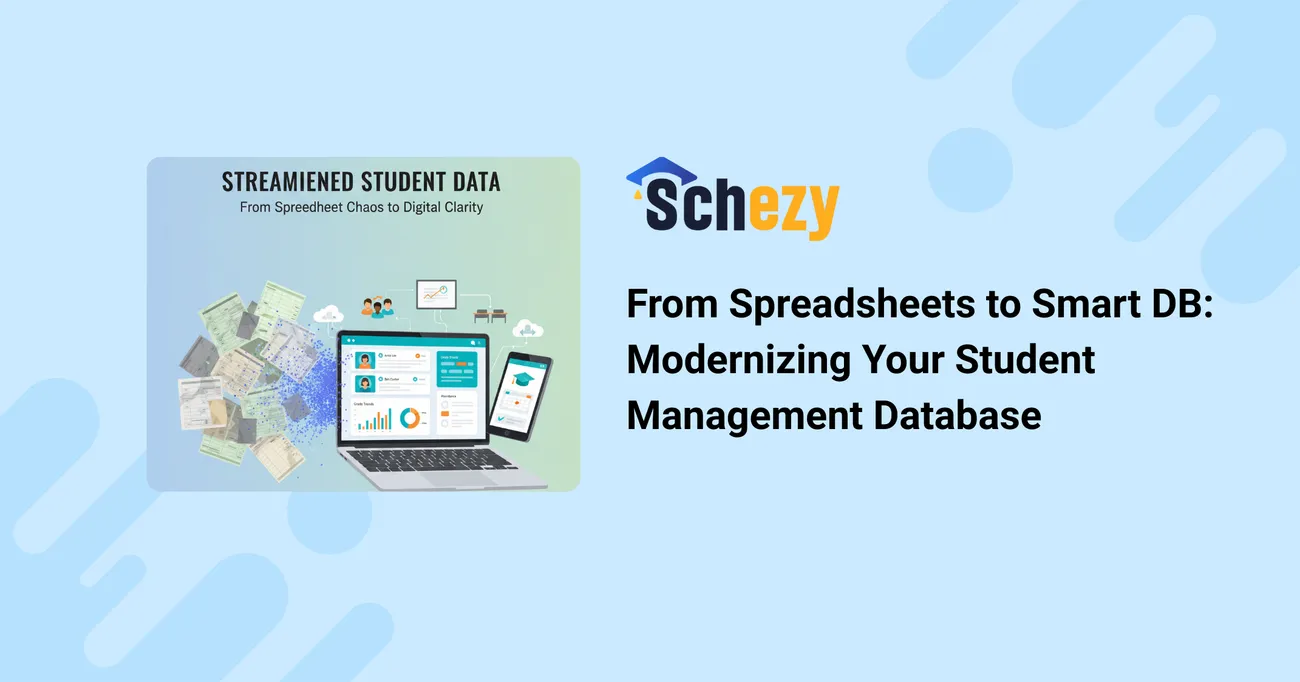
From Spreadsheets to Smart DB: Modernizing Your Student Management Database
If your school still runs on a tangle of spreadsheets, you're not alone. I've seen districts, private schools, and even small colleges patch together ways to track enrollments, attendance, grades, and billing. In the short term, a few spreadsheets can do the job. Over time they become fragile, slow, and risky.
This post walks through how to move from spreadsheet chaos to a modern student information system — a robust educational database that scales, secures, and simplifies your school operations. I’ll share practical steps, common pitfalls, architectural tips, and real-world tradeoffs so your IT team and administrators can make the jump with confidence.
Why spreadsheets stop being enough (and fast)
Spreadsheets are amazing for quick calculations and prototypes. They're flexible, cheap, and familiar. But when you use them as a school database, the problems grow quickly. Here are the recurring issues I've noticed:
- Data inconsistencies: multiple versions of “the truth” float around — one file for admissions, another for billing, another for attendance.
- Scalability limits: as records and users grow, spreadsheets slow down and become prone to errors.
- Security risks: file sharing via email or shared drives often bypasses proper access controls and logs.
- Auditability gaps: tracing changes, enforcing retention policies, and proving compliance is painful.
- Reporting bottlenecks: pulling reports requires manual copying, formulas, and brittle pivot tables.
When I work with schools, the tipping point is usually access and trust: “Who can edit what?” and “Which file is current?” When those questions become frequent, your institution needs a proper school database management strategy.
What a modern student management database actually gives you

Replacing your spreadsheets with a student information system (SIS) or a well-designed educational database isn't about “going fancy.” It’s about solving core problems reliably. In my experience, a good system delivers these concrete benefits:
- Centralized student records: a single source of truth for demographic data, enrollment history, transcripts, and discipline notes.
- Role-based access: teachers, admins, counselors, and parents see only what they should.
- Real-time reporting: dashboards and scheduled reports eliminate manual reconciliation.
- APIs and integrations: link your LMS, finance system, scheduling software, and learning platforms.
- Security and compliance: audit logs, encryption, and retention policies that meet FERPA/GDPR expectations.
- Improved workflows: automated notifications, batch updates, and streamlined admissions-to-enrollment pipelines.
These advantages reduce workload and risk, but they also unlock smarter decisions. When you trust your data, leaders can act faster — with confidence.
Plan your migration: start with outcomes, not tools
The most common mistake I see is treating migration like a technical task only. Successful projects begin with outcomes: what processes do you want to improve and what metrics will prove success?
Start by mapping the workflows that matter. Typical examples include:
- Student onboarding: from inquiry to registration, including document collection and fees.
- Attendance tracking: daily logs, tardiness rules, and automated parent notifications.
- Gradebook integration: syncing courses, assignments, and transcripts with minimal teacher input.
- Billing and financial aid: invoices, payments, and scholarship tracking.
Once you map workflows, prioritize data elements and reports. In my experience, a simple priority matrix (critical, useful, optional) helps teams avoid scope creep during migration.
Data: clean it, map it, trust it
Dirty data kills projects. You’ll save time by investing effort up front.
Concrete steps I recommend:
- Inventory sources. List every spreadsheet, CSV, and system that touches student data.
- Profile the data. Look for duplicates, inconsistent formats (e.g., “01/02/03” vs “2003-01-02”), and missing values.
- Define canonical fields. Agree on the single set of fields your SIS will use — student_id, legal_name, preferred_name, DOB, guardian_contact, etc.
- Map and transform. Create mapping tables and scripts to transform old fields into your canonical schema.
- Deduplicate. Use match rules (name + DOB, national ID, or email) to merge records, but review merges manually for edge cases.
Here’s a small example of a canonical student JSON record you might use as a target:
{
  "student_id": "S123456",
  "legal_name": {"first": "Ava", "last": "Lee"},
  "preferred_name": "Ava",
  "dob": "2011-09-12",
  "grade_level": 6,
  "contacts": [{"type":"guardian","name":"Kim Lee","phone":"555-1234","email":"kim@example.edu"}],
  "enrollment_status": "active",
  "school_history": [{"year":"2024-2025","school":"Northside Middle","program":"Standard"}]
}
Use sample records like this to validate your import scripts and to test the reporting layer.
Designing the right schema: normalized but pragmatic
Database theory says normalize to avoid anomalies. Practical school databases need a blend of normalized design and denormalized elements for performance and ease of reporting.
My approach:
- Normalize core entities: student, person, course, enrollment, staff. This prevents duplicate master data and simplifies updates.
- Denormalize read-heavy views: create materialized views or reporting tables that combine students, enrollments, grades, and attendance for fast reports.
- Use flexible fields sparingly: metadata tables and JSON columns are life advice and tips fields but don’t make them the default.
- Adopt clear keys: use an immutable student_id internal key and avoid business keys (like national IDs) for primary key use where privacy is a concern.
Indexing matters. Index commonly queried fields like student_id, course_id, term, and timestamps. In larger deployments, partitioning by year or term can drastically reduce query times.
Integrations: make systems talk
Modern school operations depend on a constellation of systems: learning management systems (LMS), assessment platforms, finance software, email systems, and identity providers. Integration is often the biggest win — and the biggest headache.
Things that work well in my experience:
- Adopt an API-first approach. Build predictable REST or GraphQL endpoints for core operations (create/update student, enroll/unenroll, fetch roster).
- Use event-driven syncs for near-real-time updates. For example, publish events when enrollments change so downstream systems can react.
- Standardize data formats. Agree on date formats, grade codes, and contact types across the ecosystem.
- Leverage single sign-on (SSO). Integrate with SAML or OIDC so staff and students use one set of credentials.
Watch out for these common integration pitfalls:
- Point-to-point integrations that form a tangled web — prefer an integration layer or middleware.
- Incorrect assumptions about data ownership — document who is the authoritative source for each field.
- Ignoring rate limits and throttling — set sensible backoff and retry strategies.
Security, privacy, and compliance
Student data is sensitive. Compliance is non-negotiable. Depending on where you operate, you’ll need to meet FERPA, GDPR, or local privacy laws. Beyond legal compliance, it’s the right thing to do.
Security practices I always recommend:
- Role-based access control (RBAC): restrict write and view permissions by role and need-to-know.
- Encryption in transit and at rest: HTTPS for APIs, TLS for database connections, and encryption keys for backups.
- Audit logs and change history: store who changed what and when, and keep immutable backups for a defined retention period.
- Data minimization: don’t store unnecessary PII. Use hashed tokens for external integrations where possible.
Also plan for incident response. In my experience, schools that prepare run far smoother when a breach, data loss, or legal request happens. Test your recovery procedures and document the chain of responsibility.
Performance & scaling: plan beyond day one
Design choices early shape your ability to scale. Here are practical tips that have saved teams a lot of pain.
- Choose the right backend. Managed cloud databases (Postgres, MySQL, or modern cloud-native options) free you from a lot of ops work and scale nicely for most schools.
- Separate OLTP and OLAP workloads. Use one database optimized for transactions (updates and enrollments) and another for reporting/analytics.
- Cache judiciously. Cache roster data or static lists at edge layers to reduce database calls during peak times.
- Plan for bursts. Enrollment periods, report runs, and grade submissions create traffic spikes. Autoscaling and queueing help.
Performance tuning often focuses on indexes and query plans. If your reports are slow, start by profiling queries and adding targeted indexes, then consider read replicas or denormalized reporting tables.
User experience and change management
Even the best technical platform fails if users don’t adopt it. I’ve seen particularly thoughtful rollouts succeed because they combined training with quick wins.
Rollout checklist I recommend:
- Identify super-users. Empower a few staff members in each department as champions who get extra training and help others.
- Provide role-based training. Teachers, registrars, and finance need different workflows and examples.
- Start small with pilot groups. Migrate a single grade or department, iterate, and then expand.
- Keep an open feedback loop. Use surveys and quick feedback channels to capture pain points and iterate fast.
Small wins build trust. If teachers see their gradebook syncing automatically, they’re more likely to support the broader change.
Reporting and analytics: turn data into decisions
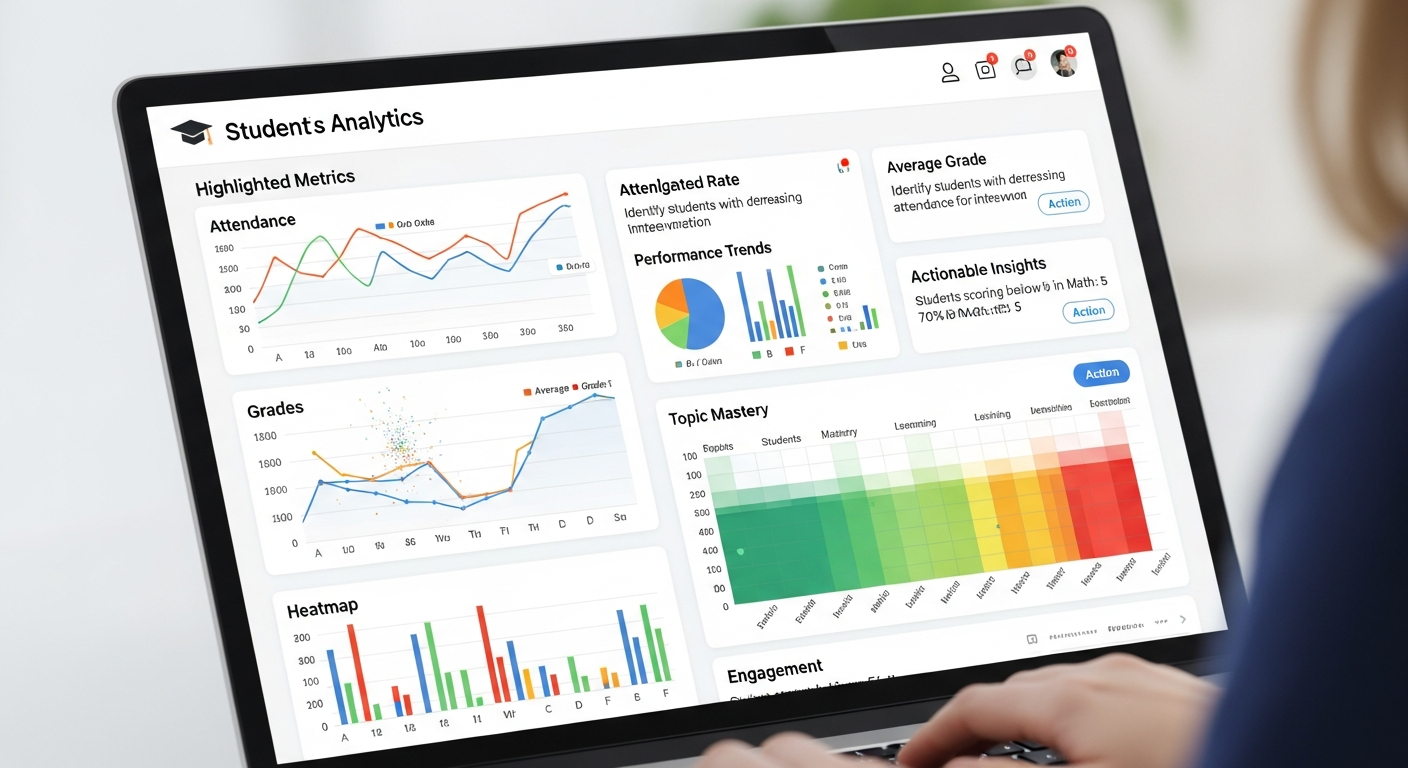
One of the biggest strategic benefits of moving to a modern student record software is accessible analytics. When leaders don’t waste time reconciling spreadsheets, they can focus on outcomes.
Practical analytics tips:
- Define key metrics up front: enrollment trends, attendance rates, grade distribution, retention, and tuition receivables.
- Build dashboards for distinct roles: administrators, academic heads, counselors, and board members.
- Automate regular reports: daily attendance rolls, weekly finance snapshots, and monthly compliance bundles.
- Use cohort analysis to track interventions: which students improved after tutoring, which programs boost retention.
I've found a simple analytics maturity model useful: start with operational dashboards, progress to cohort insight, and aim for predictive signals (e.g., early warning for dropouts) as your data quality improves.
Pricing, hosting, and total cost of ownership
Cost conversations are inevitable. Spreadsheets seem cheap until you add staff time, security risk, reporting delays, and missed revenue from billing errors.
When evaluating student information system vendors or building in-house, consider:
- Implementation costs: data cleanup, mapping, consultancy, and initial training.
- Licensing and hosting: per-user fees, per-school fees, or a flat SaaS model.
- Integration costs: middleware, connectors, and custom APIs.
- Ongoing maintenance: backups, patching, and support.
Calculate total cost of ownership over 3–5 years, then compare that to time savings, reduced errors, and improved decision-making. In many cases, a well-chosen EdTech solution pays for itself in reduced administrative hours and fewer billing mistakes.
Common migration pitfalls (and how to avoid them)
There are patterns that repeat across failed or delayed migrations. Here’s what I've learned to watch for.
- Underestimating data cleanup: Expect messy files and plan at least 25–40% of migration time for data work.
- Not involving end users early: Teachers and registrars can flag missing fields or process realities you won’t see from a purely technical audit.
- Over-customizing the system: Custom fields and special-case workflows are tempting, but they complicate upgrades and increase cost. Keep customization minimal and documented.
- Poor testing: Validate imports with test data, run parallel systems for a month, and stress-test your reporting during peak times.
- Skipping security reviews: Make sure legal and privacy officers sign off before going live.
Real-world example: a small district’s migration
Here’s a condensed account of a migration I participated in. It’s not a silver bullet, but it highlights practical choices and outcomes.
A 6-school district relied on nine spreadsheets and a patched-together rostering tool. Enrollment data sat in multiple places, financial aid was managed manually, and teacher gradebooks were out of sync with central records.
We started by mapping workflows and identifying critical reports. Next, we prioritized the migration in phases: first demographics and enrollment, then attendance and grade syncs, and finally billing.
The team used a canonical schema (like the JSON example earlier) and built ETL scripts to transform files. We ran a month of parallel operations to compare reports. The first visible win: attendance reporting that took 10 hours of manual work each week was now an automated 15-minute task. Within a year, the district reduced billing errors by 70% and gained much clearer visibility into at-risk students.
Key lessons from that project:
- Phased rollout built confidence.
- Engaging super-users reduced training time.
- Investing in APIs paid off when integrating the LMS and finance system later.
Choosing between off-the-shelf and custom systems
Both approaches have merit, and the right choice depends on your requirements, budget, and internal capacity.
Consider off-the-shelf student information systems if:
- You want faster time-to-value and predictable costs.
- Your needs align with common workflows (enrollment, attendance, gradebooks, billing).
- You prefer a vendor to handle security, updates, and compliance.
Consider custom solutions if:
- You have unique processes that no vendor supports out of the box.
- You have an internal dev team and long-term budget for maintenance.
- You require deep integration with legacy infrastructure and are prepared for higher TCO.
In my experience, many schools benefit from a hybrid approach: an off-the-shelf core SIS supplemented with small custom integrations and middleware to connect niche systems.
How Schezy fits into this picture
If you’re exploring options, Schezy helps schools modernize faster. We focus on practical implementations: a reliable school database management core, easy integrations with common LMS and finance platforms, and built-in reporting tools that administrators love.
What schools tell us they appreciate about Schezy:
- Fast onboarding: data ingestion tools that simplify mapping and deduplication.
- Extensible APIs for integrating EdTech solutions without creating brittle point-to-point links.
- Role-based controls and audit logs to meet compliance needs.
- Support for both K–12 and small higher-ed institutions with sensible pricing.
If you want a realistic demo that shows migration steps and reporting capabilities, I recommend scheduling a personalized walkthrough.
Measuring success: KPIs to track after go-live
After deployment, avoid the trap of declaring success simply because the system is live. Measure impact with KPIs tied to your original objectives:
- Time saved on administrative tasks (hours/week).
- Reduction in data errors and billing mistakes (percent).
- Adoption rates by role (percent of teachers using the gradebook, percent of parents using the portal).
- Report latency (time to generate key reports).
- Student outcome signals you care about (attendance improvement, grade distribution changes).
Running monthly dashboard reviews helps you spot regressions early and drives continuous improvement.
Also Read
- How a Campus Management System Improves Student, Teacher & Admin Workflows
- How AI in Education Is Transforming Classrooms in 2025
Final checklist before you flip the switch
- Data validation completed and spot-checked.
- Training sessions scheduled and super-users identified.
- Backups and rollback plans documented and tested.
- Integration endpoints monitored and error-handling in place.
- Security and privacy sign-offs obtained.
- KPIs defined for the first 6 months post-launch.
If you tick all those boxes, you’ll be in a good place to go live with confidence.
Common follow-up questions I get from schools
Here are concise answers to questions I often hear:
- How long does a typical migration take? For small districts or single schools, 2–4 months. For larger multi-school deployments, plan 6–12 months including cleanup and phased rollout.
- How much data cleanup is normal? Expect 25–40% of project time to be spent on cleanup and mapping.
- What about legacy systems? Keep the authoritative owner for each data element. You can synchronize legacy systems initially while phasing them out.
- Can we keep spreadsheets? Yes — but only as downstream exports. Make sure they’re read-only snapshots to avoid recurrence of multiple truths.
Wrapping up: move from reactive to strategic
Spreadsheets are a fine place to start. They’re not a sustainable foundation for school operations as you grow. Moving to a modern student information system and educational database brings reliability, security, and the ability to make data-driven decisions.
Remember these practical takeaways:
- Begin with outcomes and workflows, not tools.
- Invest in data cleanup early — it pays off.
- Design a pragmatic schema with performance in mind.
- Integrate via APIs and prefer event-driven syncs when possible.
- Don’t underestimate training and change management.
If you’re ready to modernize your student record software and improve school database management, you don’t have to figure it out alone. Schezy builds practical EdTech solutions that help schools migrate, secure, and scale their data operations.
Helpful Links & Next Steps
Book your free demo today — we’ll walk through a migration plan tailored to your school, show sample reports, and answer questions about integrations and compliance.
FAQs
1. Why can’t schools rely on spreadsheets for student management long term?
Spreadsheets work for small, short-term tracking but become fragile and error-prone as student numbers, staff, and data complexity grow. They create multiple versions of the truth, slow down reporting, introduce security risks, and make audits difficult. A proper student information system centralizes data, enforces access control, and enables reliable reporting.
2. How do we ensure data is accurate when migrating to a modern student management system?
Start with a thorough inventory of all spreadsheets, CSVs, and legacy systems. Profile, clean, and deduplicate the data, then define a canonical schema for your SIS. Map old fields to the new system, validate imports with sample records, and test reporting outputs before going live. Investing in this step upfront prevents errors and reduces headaches post-launch.
3. What features should a modern student information system provide?
A strong SIS offers centralized student records, role-based access, real-time reporting dashboards, secure data storage, audit logs, and APIs for integration with LMS, finance, and scheduling systems. It should also streamline workflows such as enrollment, attendance tracking, grade management, and billing.
4. How can schools measure success after migrating to a new student database?
Track KPIs tied to your original goals, such as time saved on administrative tasks, reduction in data errors or billing mistakes, adoption rates by role, report generation speed, and student outcome improvements like attendance or grade distribution. Regular dashboard reviews help identify issues early and guide continuous improvement.