How a Campus Management System Improves Student, Teacher & Admin Workflows
Running a school or college today feels like juggling flaming torches while riding a unicycle. You have timetables, attendance, fee collection, exams, communication, accreditation paperwork, and a hundred little things that eat time. A campus management system can calm that chaos. In my experience, it is the single tool that ties daily operations together, saves staff hours, and makes reporting far less painful.
If you're responsible for operations, IT, academics, or administration, this guide will walk you through practical wins, common pitfalls, and realistic examples of what education management software can do. I’ll speak plainly, share a few hands-on tips, and point out where many schools stumble. Think of this as a trusted colleague walking you through campus automation, not a pitch.
Why traditional processes break down
Paper files, fragmented spreadsheets, and siloed systems are still common. That creates a cascade of problems. Teachers spend time chasing signatures instead of teaching. Admin teams spend days on reconciliations. Students and parents lose trust when communication is slow.
Here’s the reality: manual processes don't scale. A registration form that works for 200 students becomes a nightmare with 2,000. Missed deadlines, duplicate records, and human error add up. I’ve seen schools where student data lived in three places, and nobody trusted which one was right. That’s where a college management system or school ERP software makes a big difference.
What exactly is a campus management system?
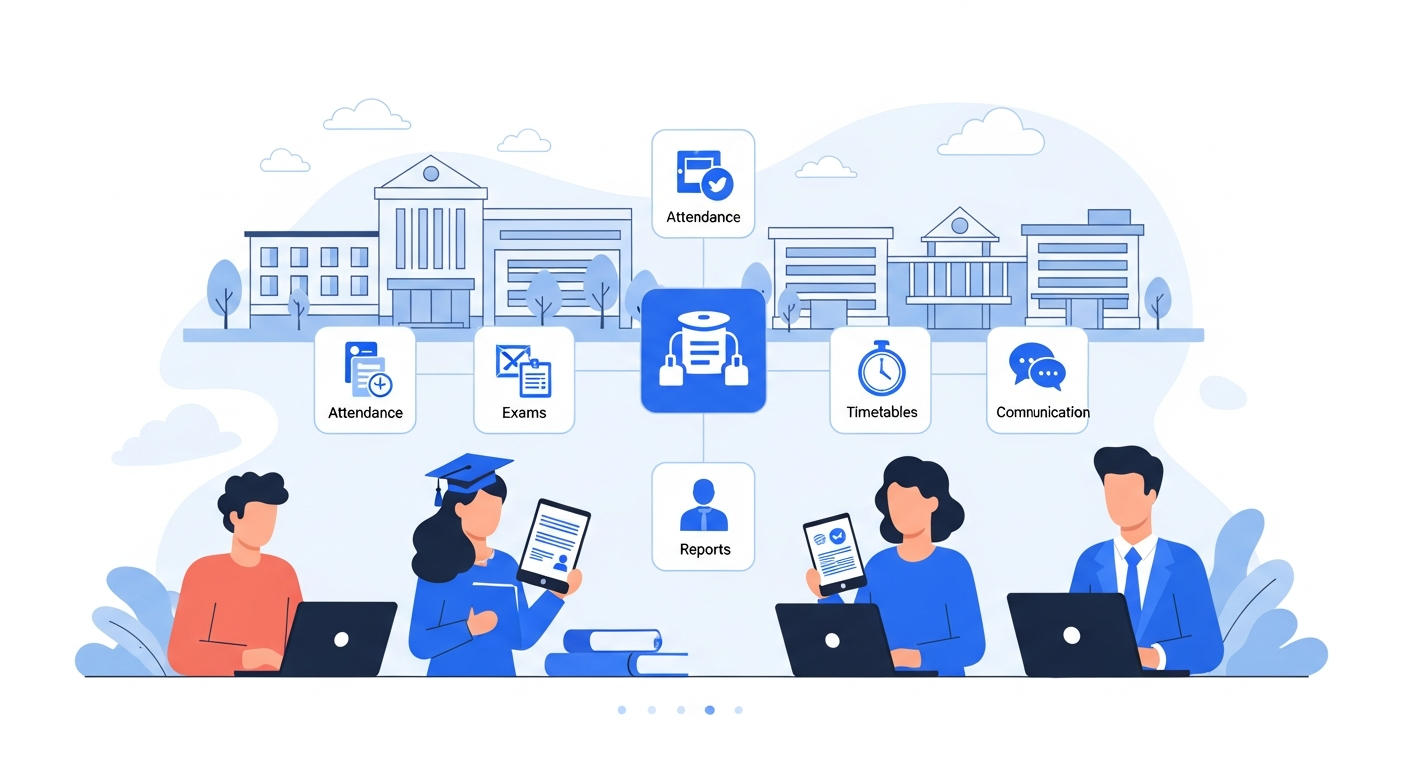
Put simply, it’s an integrated platform that centralizes academic and administrative tasks. It often combines a student information system, fee management, attendance tracking, timetable generation, exam and result processing, and reporting dashboards.
Different vendors call it different things. You might see campus management system, academic management software, or college management system. For many institutions, it replaces a patchwork of tools and brings everything under one roof.
Why does integration matter? Because when modules talk to each other, you avoid repeated data entry. Enter a student once, and the information flows to admissions, fees, exams, and transcripts. That saves time and reduces errors.
Benefits for students
- Easier access to information. Students can see timetables, attendance, assignments, and fee status from one portal. No more long waits at the office to get a form signed.
- Faster communication. Notifications reach students and parents via SMS or email. They get alerts about fee dues, exam schedules, or sudden classroom changes.
- Simplified registration and fee payments. Online registration and payment reduce queues and late payments. For students who commute or work part-time, this convenience is huge.
- Transparent academic records. When results and transcripts are generated from a single student information system, mistakes drop and audit readiness goes up.
Example: In one small college I worked with, online fee notices cut follow-up time in half. Students started paying on time because they received reminders and could pay from their phones. Simple changes, big impact.
Benefits for teachers
Teachers often get the raw end of inefficient processes. A good campus management system changes that.
- Reduced admin load. Attendance, grade submission, and assignment tracking happen quickly—sometimes automatically from mobile. Teachers spend less time on paperwork and more on instruction.
- Better assessment workflows. Exam scheduling, marking, and result publication are more consistent. Built-in rubrics and grade books remove guesswork.
- Improved student monitoring. Dashboards show who’s falling behind so teachers can intervene earlier. Early alerts mean fewer surprises during parent meetings.
- Content and resource management. Teachers can upload lesson plans and resources to a shared repository. Reuse becomes easy when syllabi are stored centrally.
Quick example: Instead of manually compiling scores from paper submissions, a teacher can run a report showing average scores and variance across classes. That helps decide who needs remedial help and who can be challenged further.
Benefits for administrators
Good administration is quietly efficient. The right education management software turns complex, error-prone tasks into repeatable processes.
- Centralized data. A single student information system becomes the source of truth for personal data, enrolments, course histories, and transcripts.
- Automated workflows. Admission approvals, fee receipts, identity checks, and certificate generation can follow set workflows. Less chasing, more consistency.
- Accurate reporting and compliance. Regulatory audits, accreditation reporting, and board reports are faster when data is ready and exportable.
- Financial transparency. Integrated fee management and finance modules reduce reconciliation errors and make budgeting simpler.
From my perspective, the biggest win for admins is predictable processes. When everyone follows the same workflow, turnaround times shorten and stakeholder confidence increases.
Key features to look for
All systems will promise the moon. Focus on practical features that matter day-to-day.
- Student information system. Centralized records, searchable and updatable with audit logs.
- Attendance and timetable. Mobile entry, automatic alerts for low attendance, and conflict-free timetabling.
- Fee and finance module. Online payments, invoices, concessions, and reconciliation reports.
- Exams and assessments. Scheduling, online/offline grading, result publishing, and analytics.
- Reporting and dashboards. Custom reports for management, compliance, and accreditation.
- Integrations. SSO, LMS, library systems, biometric devices, and accounting packages.
- Mobile access. Students, teachers, and parents expect mobile-first experiences now.
- Role-based security and data privacy. Permissions to control who sees what, plus backups and encryption.
How it improves workflows — concrete examples
General claims are fine, but decision-makers want specifics. Below are examples I’ve seen deliver measurable improvements.
1. Admission to onboarding
Before: Paper forms, manual verification, multiple spreadsheets, email threads.
After: Prospective students apply online, documents upload to the platform, admissions staff review in a queue, and accepted students auto-enroll in orientation sessions. The system sends reminders and collects any pending documents.
Result: Processing time drops from weeks to days. Fewer lost documents and fewer manual follow-ups.
2. Timetable and room allocation
Before: Timetables created in spreadsheets. Conflicts happen. Last-minute room swaps confuse teachers and students.
After: Smart timetable tools assign rooms and detect conflicts during scheduling. Mobile updates push changes instantly.
Result: Fewer clashes and clearer communication. Facilities get used more efficiently.
3. Attendance and intervention
Before: Teachers take attendance on paper. Admins log it later. Late entry of absences delays detection of chronic absenteeism.
After: Teachers mark attendance on a tablet or phone. The system flags students who cross a threshold and notifies counselors and parents.
Result: Early interventions improve retention. You identify at-risk students sooner.
4. Fee collection and reconciliation
Before: Cash and checks cause reconciliation headaches. Manual receipts lead to errors and disputes.
After: Online payments and digital receipts reduce cash handling. The finance module reconciles bank statements and automates reminders for overdue payments.
Result: Cash flow improves. Lost receipts become rare.
Integration matters — don't treat systems as islands
I can’t stress this enough. A campus management system works best when it integrates with the tools you already use. Your learning management system, library software, biometric gates, and finance tools should all connect.
Common integrations include single sign-on, SMTP gateways for email, SMS gateways for alerts, LMS platforms for coursework, and accounting software for ledger syncs. Integration reduces duplicate work and keeps data consistent across systems.
Quick tip: Build an integration map before you buy. List what must talk to what, and how often. That makes vendor conversations much sharper.
Data security and privacy — practical things to check
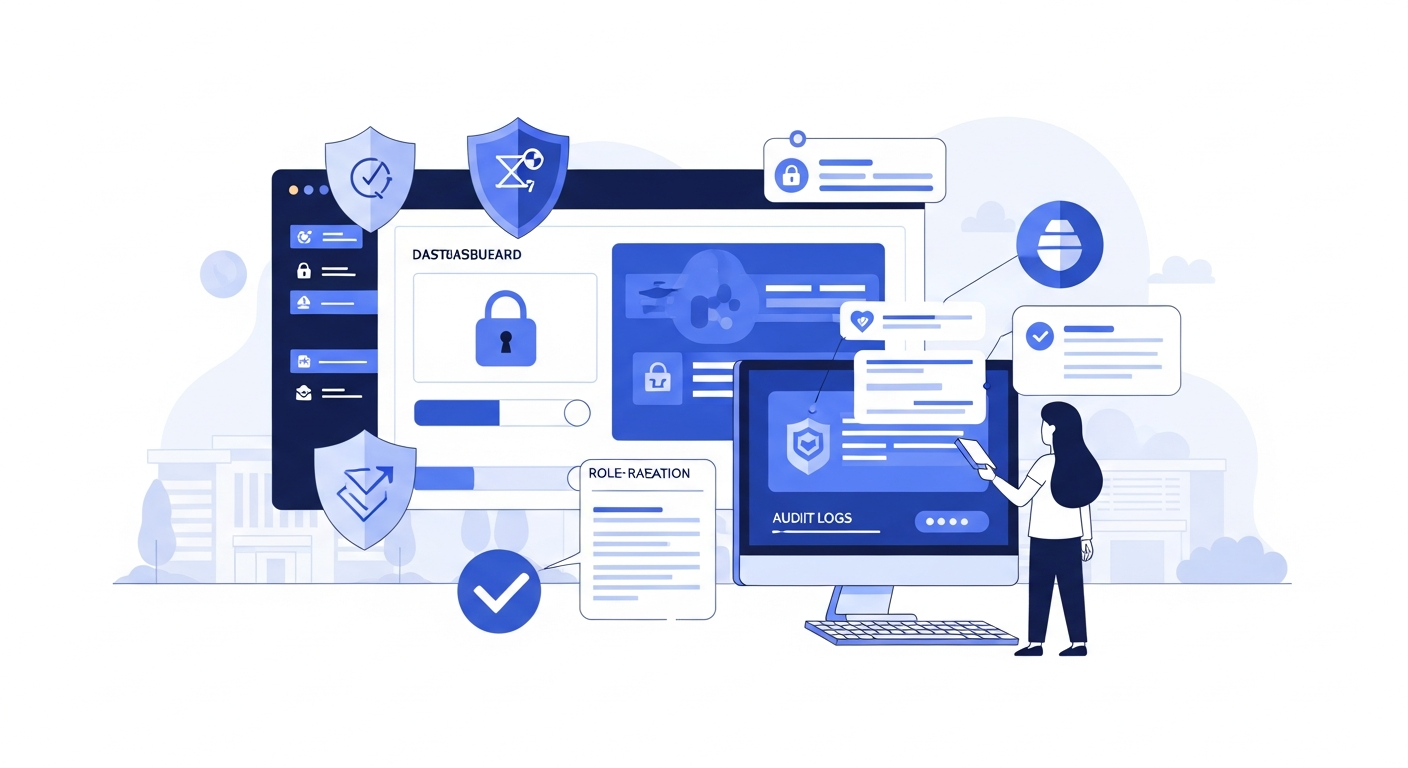
With great data comes great responsibility. Student records are sensitive. Compliance and security are non-negotiable.
- Role-based access. Make sure the system supports fine-grained permissions. Teachers don’t need access to payroll, and parents don’t need access to staff notes.
- Encryption and backups. Data should be encrypted at rest and in transit. Regular backups and tested recovery plans are essential.
- Audit logs. You want an audit trail that shows who changed what and when. That helps for audits and dispute resolution.
- Compliance. Check local regulations for student data and privacy. Your vendor should be clear about compliance measures.
In my experience, smaller institutions often underestimate the time needed to configure permissions correctly. Do that early and document it.
Common implementation pitfalls — and how to avoid them
Many projects fail not because the software is bad but because the rollout skipped human factors. Here are common mistakes I've seen and practical ways to avoid them.
- Poor change management. People resist change if they do not understand the benefits. Run workshops, show quick wins, and involve power users early.
- Underestimating data migration. Migrating decades of records is messy. Clean data before migration and run parallel systems for a short overlap.
- Over-customization. Custom features sound great, but they complicate upgrades. Favor config over custom code unless it’s truly necessary.
- Insufficient user training. One training session is not enough. Use role-based training, short video clips, and a knowledge base.
- Ignoring mobile access. If your users expect mobile, give it to them. A clunky mobile interface will drive people back to spreadsheets.
Small aside: a pilot run with one department can reveal unexpected issues without putting the whole institution at risk. I recommend piloting before full roll-out.
Costs, ROI, and budget tips
Budget is always the elephant in the room. A campus management system is an investment, and you should measure it like one.
Typical cost areas include licensing, implementation services, data migration, training, integrations, and ongoing support. Total cost of ownership varies depending on deployment model. Cloud solutions generally lower upfront costs but add subscription fees. On-premises can need higher initial spending for servers and maintenance.
How do you get ROI? Look at time saved, reduced errors, improved fee collection, and compliance efficiency. For many campuses, the system pays for itself in reduced admin hours and better fee recovery within 12 to 36 months.
Example calculation: If three admin staff spend 20 hours a week on manual fee reconciliation and admissions tasks, that’s 60 hours per week. Automate half of that and you free up 30 hours a week for other tasks. Over a year, that’s a substantial operating cost reduction.
Selecting the right system — practical checklist
Choosing a vendor can be overwhelming. Keep it practical and focused on outcomes.
- Does it fit your core needs? Match features to your top pain points first. If attendance and exams are your biggest problems, prioritize those modules.
- Can it integrate? Check APIs and existing integration partners. Ask for examples of institutions using the same integrations.
- What about mobility? Test the mobile experience as a real user. Don’t accept a half-baked app.
- How’s support? Fast, local support matters. Getting stuck with slow vendor responses kills momentum.
- Are upgrades easy? Ask how often upgrades happen and whether customizations will break during upgrades.
- Is the price predictable? Watch for hidden charges like per-module fees, integration costs, or extra charges for API access.
Be suspicious of demos that only show shiny features. Ask to see the product solving an actual problem you have. Real use cases tell you much more than feature lists.
How Schezy helps — a practical note
I’ve seen Schezy work well in mid-sized schools and colleges where staff needed a single platform to manage daily operations. Schezy combines a student information system with fee management, attendance, exam workflows, and reporting. It supports integrations with LMS and finance tools and provides mobile access for students, teachers, and parents.
What stands out is the focus on usability. Staff can pick up common tasks quickly, and the dashboards give leadership the numbers they need without fishing through spreadsheets. For institutions that want campus automation without endless customization, Schezy is worth a close look.
Quick implementation roadmap
Here’s a simple, realistic rollout plan you can use as a template. I've used a version of this with several institutions.
- Discovery. Map processes and pain points. Identify must-have features and quick wins.
- Pilot. Roll out a module to one department or campus. Collect feedback and measure time saved.
- Data migration. Clean your core data and migrate a trial set. Validate results and fix mapping issues.
- Integration and testing. Connect LMS, finance, and authentication systems. Run end-to-end tests.
- Training. Run role-based training and create short how-to videos. Maintain a helpdesk for the first two months.
- Full roll-out. Move the rest of the campus onto the system. Keep monitoring and gather user feedback.
- Continuous improvement. Schedule quarterly reviews to add features or refine workflows.
Measuring success
Don't rely on feelings. Track clear metrics so you know whether the campus management system is delivering value.
- Time saved on core admin tasks.
- Reduction in manual reconciliation errors.
- Improvement in fee collection rates and time to reconcile.
- On-time grade submission rates and reduced result disputes.
- Parent and student satisfaction scores.
- Decrease in process turnaround times, for admissions or certificate issuance.
Set targets up front. For instance, aim to reduce admission processing time by 50 percent in the first year. Targets keep everyone focused and help justify the investment.
Common objections and how to answer them
You'll hear objections. Here are some common ones and short ways to respond.
- “It’s too expensive.” Break the costs down. Show saved hours and improved collections. Often the savings cover the subscription.
- “Our staff won’t adapt.” Start small and show quick wins. People get on board when their day gets easier.
- “We have too much legacy data.” Clean and migrate critical data first. Archive older records and bring them in on demand.
- “We already have an LMS.” That’s fine. The campus management system should integrate with your LMS, not replace it.
Also Read
- How AI in Education Is Transforming Classrooms in 2025
- Transforming School Operations with Biometric Attendance Software
Final thoughts — realistic expectations
Implementing education management software is rarely instantaneous. Expect bumps and plan for them. Small, visible wins build trust. The goal is steady improvement, not overnight perfection.
From my experience, the most successful deployments focus on user adoption, clean data, and integration. When these three are in place, you get reliable information, faster workflows, and less stress for students, teachers, and administrators.
Helpful Links & Next Steps
If you want to see a campus management system in action, Book your free demo today and walk through the modules that matter to you. A short demo often answers more questions than a week of meetings.
FAQs
1. Is campus management system software suitable for small schools, or only large colleges?
Yes, it works for small schools too, but only if you choose the right scope. Smaller institutions benefit most when they start with core modules like admissions, attendance, and fee management instead of trying to automate everything at once. The mistake small schools make is overbuying features they won’t use.
2. How long does it realistically take to implement a campus management system?
For most schools and colleges, a practical timeline is 8–16 weeks for core modules. Full-scale rollouts with integrations and historical data migration can take longer. Delays usually come from poor data quality and lack of user training, not the software itself.
3. Will a campus management system replace our existing LMS or accounting software?
No, it shouldn’t. A good campus management system complements existing tools. It integrates with your LMS for coursework and your accounting software for finance. If a vendor pushes you to replace everything, that’s a red flag.
4. What is the biggest mistake institutions make when adopting education management software?
Ignoring people. Schools focus too much on features and not enough on adoption. Without proper training, clear workflows, and internal champions, even the best system will fail. Software fixes processes, but people make it work.