How Biometric Attendance Software Transforms School Operations
Attendance: it sounds simple, but anyone who runs a school knows it's a constant headache. Manual registers, last-minute excuses, and inaccurate reports eat up time that teachers and administrators could spend on teaching and planning. Over the past few years I've watched schools roll out biometric attendance tools with real, measurable results. When done well, a digital attendance system doesn't just save time — it changes how a school operates.
In this article I'll walk you through why biometric attendance matters, how different systems work, the practical steps to implement them, and the common mistakes to avoid. I write from experience working with schools and talking with administrators who needed faster, more reliable attendance data. If you're considering a switch to automated attendance tracking, this is a practical guide for you.
Why move from paper to biometric attendance?
Paper registers have personality. They're also slow, error-prone, and hard to audit. I've seen classrooms where teachers spend the first 10 minutes every day taking attendance. That's 10 minutes of learning lost per class, multiplied over weeks and months.
Biometric systems — fingerprint attendance, facial recognition attendance, and other options — automate that routine. Students simply scan a fingerprint or walk past a scanner and attendance gets recorded instantly. No taking names, no manual tallying, no post-class data entry.
- Speed. Automated attendance tracking removes the daily bottleneck of roll-call.
- Accuracy. No more handwriting errors or mismatched names. The system records a precise timestamp.
- Accountability. Easy to trace tardiness, early departures, or unexplained absences.
- Data-driven decisions. Real attendance data lets you spot trends: which classes have chronic lateness, which grade levels need engagement strategies, and where to focus interventions.
All that said, a biometric system is a tool. It helps schools manage operations better, but it won't fix culture or motivation on its own. Expect better systems to give you the time and clarity to address the root causes.
Types of biometric attendance and how they work
Let's keep this practical. Schools usually choose between a few common options. Each has strengths and trade-offs, so pick the one that fits your school's size, budget, and privacy policies.
Fingerprint attendance
Fingerprint scanners are the classic. Students press a finger to a sensor and the system matches it against stored templates. They tend to be affordable and accurate.
When I worked with a medium-sized school, fingerprint kiosks at the main gates reduced late arrivals by about 30% in the first term. The scanners were quick and students adapted fast — it only felt odd for the first week.
Pros:
- Fast and reliable for controlled access points
- Lower hardware cost than some alternatives
- Works offline in many setups, then syncs to central software
Cons:
- Young children sometimes have underdeveloped fingerprints — scans can fail
- Hygiene concerns (especially after flu season)
- Requires physical contact with the sensor
Facial recognition attendance
Facial recognition attendance avoids touch points entirely. Cameras at entrances or in classrooms match faces to records. It's great when you want a frictionless flow — students walk in, and they're marked present.
I once visited a school using facial recognition for quick lab access. It was impressively smooth, but they had to take care to position cameras and manage lighting so recognition stayed accurate. Small setup issues can double the frustration.
Pros:
- Contactless and fast
- Good for large crowds or staggered entry
- Can integrate with CCTV for safety purposes
Cons:
- Lighting, headwear, or masks can lower accuracy
- Higher initial cost for quality cameras and processing
- Schools must be careful about privacy and consent
Other options: RFID, QR codes, and mobile
Not every school needs biometrics. RFID cards, QR code check-ins, or mobile app check-ins can do the job for some campuses.
- RFID: Students tap cards or wristbands. Low friction but requires issuing and replacing cards.
- QR codes: Quick and cheap—students scan a posted code. It can be vulnerable to sharing if you don't pair it with user authentication.
- Mobile apps: Geo-fenced check-ins using phones. Useful for older students, but dependent on device ownership and battery life.
Ultimately, many schools adopt a hybrid approach. You can mix fingerprint scanners at school gates with a mobile app for field trips, or facial recognition for secondary students and QR check-ins for after-school clubs.
How biometric attendance fits into school management software
It's tempting to see biometric tools as a stand-alone novelty. In practice, they're most valuable when integrated with your school management software.
When attendance flows into a central platform, several things happen. Teachers stop duplicating data. Admins see live dashboards. Parents get timely notifications. Payroll and bus systems receive accurate usage logs. That single source of truth is where the real transformation occurs.
I've implemented systems that integrated biometric attendance into the broader school management platform. The result? Reduced data entry by staff, faster parent communications, and clear analytics for leadership.
Key integrations to look for:
- Student information system (SIS) sync to ensure records are up-to-date
- Parent communication tools for automated absence alerts
- Timetable and class rosters to tie attendance to specific lessons
- Security and gate systems for controlled access
Practical steps to roll out biometric attendance
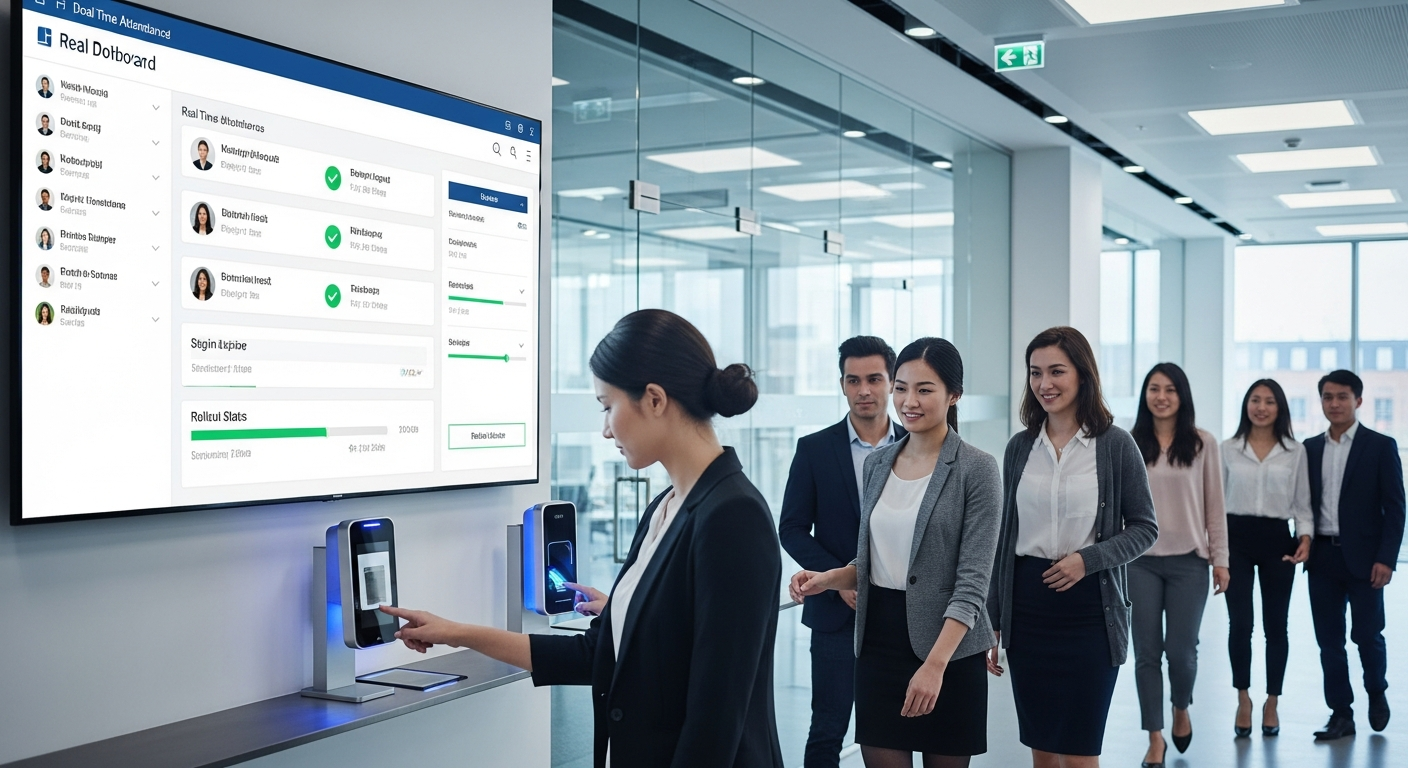
Rolling out a digital attendance system shouldn't be chaotic. Here's a step-by-step roadmap that I've found works well in real schools.
- Define your goals. Are you solving tardiness, improving safety, or saving admin time? Clear goals keep the project focused.
- Choose the right technology. Evaluate fingerprint attendance, facial recognition attendance, RFID, and mobile options against your goals, budget, and campus layout.
- Pilot with a small group. Start in one year group or building. You’ll learn setup quirks without disrupting the whole school.
- Train staff and students. Short, hands-on sessions work best. Make cheat-sheets and a one-week support rota for troubleshooting.
- Communicate with families. Explain what data is collected, why, and how you protect it. Consent is essential.
- Monitor and adapt. Use the pilot data to fine-tune hardware placement, camera angles, or registration procedures.
- Scale up. Roll out in phases, using lessons from the pilot to speed the broader deployment.
Don't rush. A hurried rollout is where mistakes and resistance happen. In my experience, a strong pilot and clear communications reduce headaches later.
Data privacy, consent, and legal considerations
This is the place where many administrators get nervous — and rightly so. Biometrics touches personal data, and schools are responsible for protecting students.
Some practical steps I've seen work well:
- Be transparent. Tell parents and staff exactly what data you collect, why you collect it, how long you keep it, and who can access it.
- Get written consent. Especially for minors, a clear permission process avoids confusion later.
- Use templates. A concise consent form and FAQ help. Include contact details for questions.
- Store templates, not raw images. Many systems store mathematical representations of fingerprints or faces, not pictures. That's safer and more privacy-friendly.
- Encrypt data. Both at rest and in transit. Assume networks can be compromised and plan accordingly.
- Limit retention. Keep templates only as long as necessary and establish a deletion policy.
Local laws vary. I always recommend involving legal counsel or a data protection officer before a full deployment. In several districts I've worked with, careful documentation and a clear governance plan solved most objections.
Training and change management
Technology rarely fails because of hardware. It fails because people don't use it properly. Change management is where projects live or die.
Here are practical tips that helped schools I know:
- Engage teachers early. Let them try the system in the pilot phase and collect their feedback.
- Create role-specific guides. One-page cheat sheets for teachers, support staff, and reception make life easier.
- Designate attendance champions. A few reliable staff who know the system can support colleagues during the first month.
- Offer multiple support channels. Short videos, a help email, and a walk-in hour cover different learning styles.
- Celebrate wins. Share metrics like time saved or reduced tardiness to build momentum.
I've seen schools underestimate the value of on-the-ground support. When budgets are tight, consider reallocating a small stipend for teacher release time during the rollout. It pays off.
Common mistakes and how to avoid them
I've been part of enough rollouts to know the usual suspects. Here are mistakes to watch for and practical fixes:
- Poor placement of hardware. Cameras that face strong backlight or fingerprint kiosks near busy corridors will underperform. Walk the routes and test different spots.
- Skipping a pilot. Full-scale rollouts amplify small errors. Pilot in one grade or building first.
- Not planning for exceptions. What about substitute teachers, visitors, or field trips? Build clear procedures for those cases before launch.
- Ignoring privacy concerns. Transparent policies and consent forms prevent friction with parents and regulators.
- Underestimating training needs. A short demo isn't enough. Provide follow-up sessions and quick reference material.
- Failing to integrate. If biometric attendance doesn't connect to your school management software, you miss the efficiencies that justify the investment.
One quick example: a school that installed fingerprint clocks right outside the cafeteria had constant queuing during lunch. Moving kiosks to unobstructed hallways solved the problem overnight.
Measuring success: KPIs and ROI
School leaders want to know whether this investment pays off. Define simple, measurable indicators before you begin.
Useful KPIs include:
- Time saved per teacher per week on attendance
- Reduction in unexcused absences
- Decrease in late arrivals
- Parent engagement rate with attendance notifications
- Reduction in manual corrections to attendance records
For ROI, consider both hard and soft returns. Hard returns might include reduced labor costs for data entry. Soft returns include better safeguarding, improved parent trust, and teachers spending more time on instruction.
I've helped administrations build a 12-month ROI projection that included a conservative estimate of time saved and a modest reduction in absenteeism. That kind of projection helps boards and funders make a decision.
Real-world examples (simple and human)
Here are a couple of short, real-style examples so you can picture how this works day to day.
Example 1: Small urban school
A 350-student primary school implemented fingerprint attendance at the main gate. Within three months teachers reported 15 minutes per day reclaimed — time they used for quick intervention groups. The school used the attendance data to create a targeted breakfast club for students who were frequently late. Little changes, measurable impact.
Example 2: Large high school
A 2,000-student high school deployed facial recognition cameras at three major entry points. They integrated with their school management software so parents received instant absence alerts. The system flagged a spike in tardiness in one grade; administrators found a bus route delay and adjusted schedules. Fast data, fast fixes.
Technical considerations and best practices
Here are some practical technical tips to avoid headaches.
- Network and power. Ensure reliable connectivity and backup power for kiosks and cameras. A flaky network kills trust in automated systems.
- Redundancy. Use local caching so kiosks can record attendance when offline and sync later.
- Quality hardware. Cheap sensors or cameras lead to frustrated users and higher replacement costs. Invest in proven models that vendors recommend for schools.
- Regular audits. Schedule weekly checks for misreads or failed syncs. Catching problems early prevents data drift.
- Software updates. Keep your school management software and biometric firmware up to date for security and improved accuracy.
Integration tips: getting the most from school management software
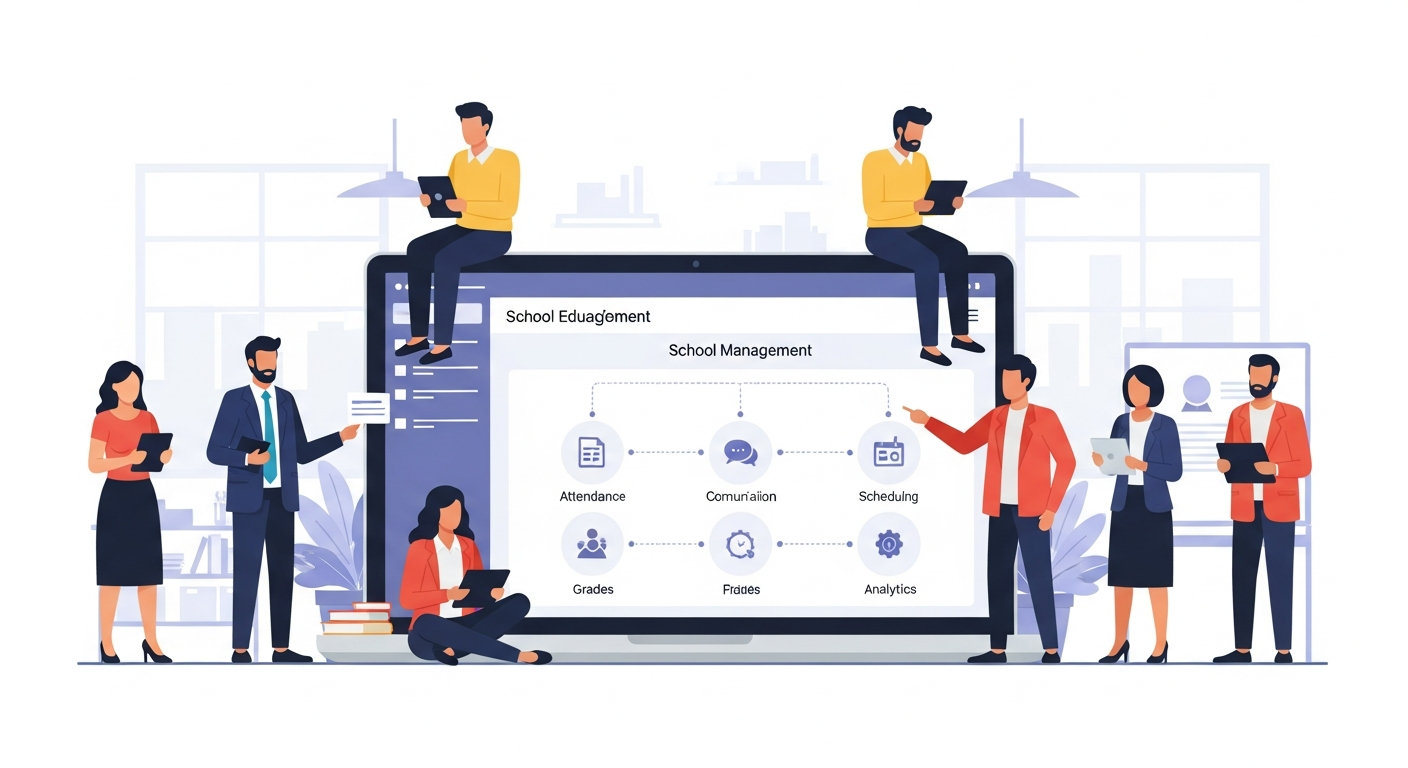
Integration is where biometric attendance stops being a gadget and becomes an operational backbone.
When evaluating vendors, ask these practical questions:
- Does the system sync with our student information system in real time?
- Can it push attendance alerts to parents automatically?
- Does it support different attendance types (present, late, excused absence)?
- Can we export reports for compliance and payroll?
- Is there an API for custom integrations?
Schezy builds these integrations into a unified school management platform. In my experience working with integrated systems, the time saved on administrative tasks is the biggest day-to-day win. Teachers get back instructional time and administrators get clean reports without manual re-entry.
Support and maintenance: what schools should budget for
Ongoing support isn't optional. Plan for maintenance in your budget.
- Annual software licensing and cloud fees
- Hardware warranties and occasional replacements
- IT staff time for updates and troubleshooting
- Periodic training refreshers, especially with staff turnover
Neglecting these line-items leads to delayed updates, broken kiosks, and frustrated users. Budgeting up front prevents those surprises.
Frequently asked questions
Will biometric systems work with young children?
It depends. Fingerprint systems can struggle with very young students due to fingerprint development. For primary schools, facial recognition or RFID might be more reliable. Try a small pilot to confirm.
What about students without ID cards or phones?
Biometric systems solve that. They identify students without relying on cards or devices. Still, have backups for edge cases like substitutes or visitors.
How do we handle false negatives or misreads?
Set up a clear manual override process. Regular audits and a simple reconciliation workflow for teachers fix most issues quickly.
Is facial recognition ethical in schools?
Ethics hinge on consent, transparency, and safeguards. Informed consent from parents and clear policies about data use and retention are essential. Engage your school community early to build trust.
Also Read
- Biometric vs Online Attendance Systems: Which Is Better for Education?
- How SmartClass Solutions Improve Student Engagement Through Interactive Learning
Final checklist before you buy
- Define the problem you want to solve and list success metrics
- Compare fingerprint attendance and facial recognition attendance against your goals
- Plan a pilot with clear timelines and evaluation criteria
- Prepare consent forms and privacy policies reviewed by legal counsel
- Budget for ongoing support and training
- Ensure integration with your school management software
Closing thoughts
Biometric attendance software can be a small change with outsized benefits. It reduces repetitive tasks, provides cleaner data, and helps you act faster when students need support. But it's not a magic wand. Success comes from choosing the right technology, piloting carefully, and investing in people as much as hardware.
In my experience, the schools that treat attendance automation as an operational improvement — not just a change in hardware — get the best results. They use automated attendance tracking to free teachers for instruction, to communicate proactively with parents, and to target interventions where they're most needed.
If you'd like to explore options, see how these systems integrate with existing school management software, or get a live walkthrough, it's worth talking to a vendor who specializes in schools. Schezy offers integrated solutions tailored to school operations and can show how biometric attendance works in practice.
Helpful Links & Next Steps
Ready to see it in action? Book your free demo today and get a hands-on look at how automated attendance tracking, fingerprint attendance, and facial recognition attendance integrate with Schezy's school management tools.
FAQs
1. What are the main benefits of using biometric attendance software in schools?
Biometric attendance software helps schools save time, reduce manual errors, and improve accountability. By automating roll calls, it ensures accurate attendance data, prevents proxy attendance, and gives administrators real-time insights for better decision-making. It also improves communication with parents through instant notifications and strengthens campus security.
2. Which type of biometric attendance system is best for schools?
The best system depends on your school’s size, age group, and privacy policies. Fingerprint attendance is cost-effective and reliable for most schools, while facial recognition attendance offers a faster, contactless experience suitable for large campuses. For younger students or budget-conscious schools, RFID cards or mobile app check-ins can also work effectively.
3. How can schools ensure data privacy and consent when using biometric systems?
Schools should clearly explain what data is collected, how it is stored, and how long it is retained. They must obtain written consent from parents, especially for minors, and use systems that store encrypted biometric templates instead of raw images. Following local data protection laws and involving legal counsel helps maintain transparency and compliance.
4. What steps should schools take to successfully implement biometric attendance?
A smooth rollout starts with defining clear goals, such as improving punctuality, saving administrative time, or enhancing safety. Schools should begin with a pilot in a small group, train staff and students, communicate with parents, and monitor results before full deployment. Integration with the school management software ensures attendance data syncs automatically across systems for maximum efficiency.