How SmartClass Solutions Improve Student Engagement Through Interactive Learning
If you work in a school, college, or run an e-learning program, you already know engagement is the make or break factor. Students who are checked out do not learn. Period. That is why interactive learning matters. When teachers use smart classroom technology and thoughtful e-learning solutions, things change fast.
In this post I want to walk you through how SmartClass solutions boost student engagement, what to watch out for, and practical steps you can take tomorrow. I write from years in classrooms and coaching teachers on digital methods. I have seen the same mistakes and the same wins over and over.
Why student engagement matters more than ever
Engaged students pay attention, ask questions, and keep coming back. Engagement shows up as better attendance, higher completion rates, and improved outcomes. It also makes teaching less exhausting. That last part is a secret many administrators appreciate.
Here are the basics. Engagement equals interaction. If learners sit passively, retention drops. If they do something with the material, retention climbs. Simple fact. It is why interactive learning is not a fad. It is a core part of self improvement guides.
What we mean by SmartClass solutions
SmartClass solutions refer to a mix of hardware and software that transforms a regular classroom into an interactive learning space. Think interactive whiteboards, tablets, classroom response systems, and cloud-based lesson platforms. Combine that with virtual teaching tools and you get a flexible digital classroom.
At Schezy we build smartclass software that ties these pieces together. The aim is not to add tech for techs sake. The aim is to make it easy for teachers to run interactive lessons, assess learning in real time, and keep students involved whether they are in the room or online.
How interactive learning raises engagement
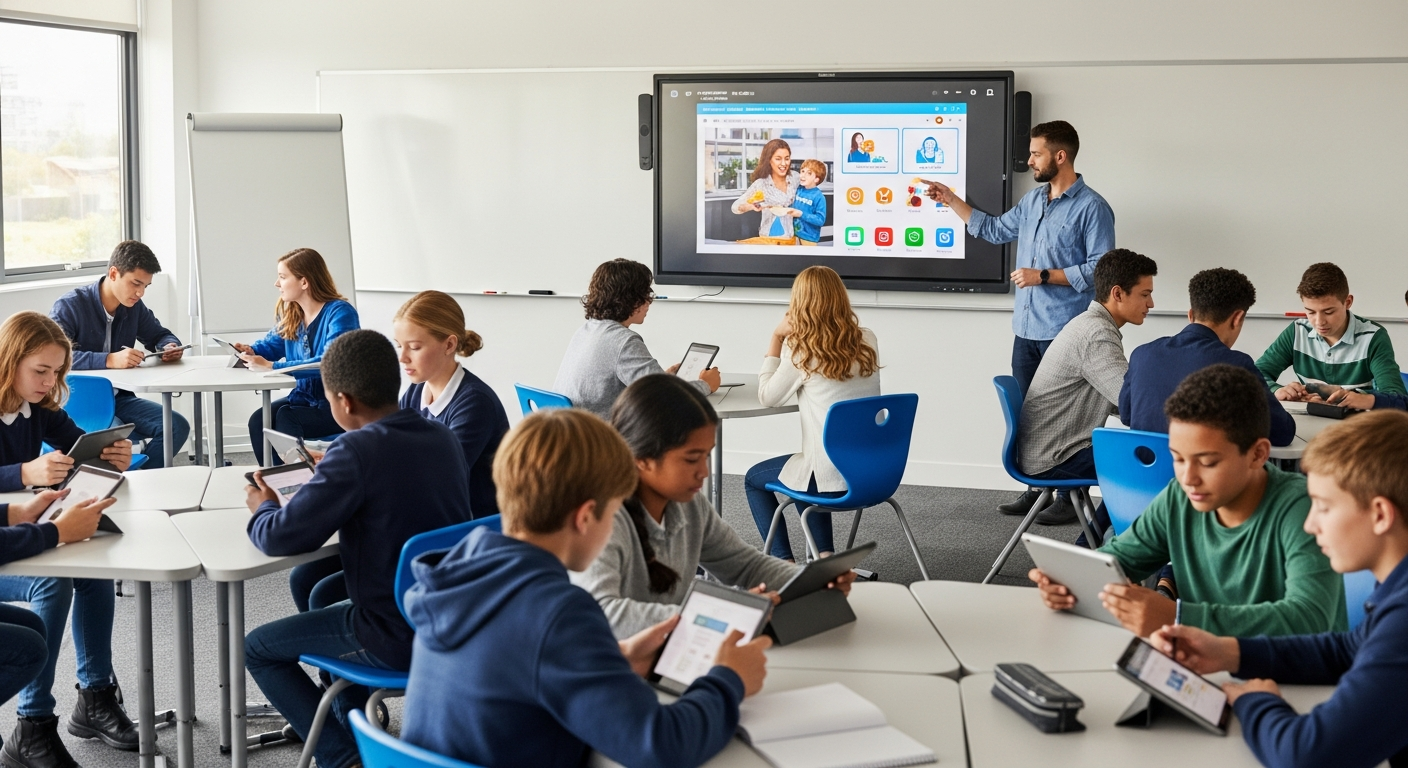
Interactive learning works because it turns students from spectators into participants. That shift creates momentum. Here are the key ways SmartClass solutions do it.
- Active participation. Students tap, drag, answer polls, and work in breakout groups. They are doing, not just listening.
- Instant feedback. Teachers can check answers in real time and adjust on the fly. No more guessing who understood the lesson.
- Personalized paths. Smartclass software can adapt content to different levels so students get the right challenge.
- Multimodal content. Mix video, text, quizzes, and simulations to reach different learners.
- Continuity across environments. Students can switch from classroom to home without losing progress because the platform saves work in the cloud.
I've noticed that when teachers use live polls or short interactive tasks early in a lesson, attention spikes. Try it yourself: start with a quick two-question quiz. You will see the room wake up.
Real features that make the difference
It helps to be concrete. Below are common SmartClass features that actually change classroom dynamics. If your platform does these things well, you are in a good place.
- Interactive slides and shared whiteboards. Students annotate directly. Teachers guide and correct in real time.
- Live polling and quizzes. Quick checks that keep students accountable and provide instant data.
- Breakout rooms and collaborative documents. Students work together, which builds deeper understanding.
- Automated grading and analytics. Teachers get back time while seeing where students struggle most.
- Integration with LMS and external apps. No more copy-paste. The digital classroom flows with your existing tools.
Those sound like features you read about in product specs. But in practice they let you spot a struggling student early, reroute a lesson, or push extensions to learners who need more challenge. That is where engagement grows into improved learning.
Benefits for students
Students are the obvious winners, but it helps to list how they benefit in practical terms.
- Higher motivation. Interactive lessons feel less like chores.
- Improved retention. Doing things beats listening alone.
- Better collaboration skills. Group tasks are part of modern learning and future jobs.
- Clearer progress. Dashboards and badges show students how they're doing.
- Flexibility. Access materials anytime in a cloud-enabled digital classroom.
In my experience, shy students especially benefit. The anonymity of a poll or chat lets them contribute without the pressure of speaking up. That small win often builds confidence to participate in other ways.
Benefits for teachers and administrators
Teachers get time back and better insights. Administrators get stronger metrics and evidence to support decisions.
- Faster assessment. Automated grading removes busywork.
- Data-driven instruction. Analytics tell you what to reteach and when.
- Professional growth. Platforms often include resources and templates to help nontechnical teachers deliver interactive lessons.
- Operational efficiency. Less printing, smoother lesson handoffs, and remote teaching ready.
One administrator I worked with used classroom analytics to spot which curriculum units led to most re-teaching. That helped them plan professional development targeted at real needs, not guesses.
Simple classroom examples you can try
Here are short, practical ideas that require little setup. Try one this week.
- Kick off a lesson with a 60-second poll. Ask what students already know. Use the results to decide how deep to go.
- Use an interactive whiteboard for a quick annotation task. Students mark up a paragraph and justify one change.
- Break students into small groups and give each a template to fill in. Then do a 3-minute gallery share.
- Assign a 5-question formative quiz with instant feedback and allow two attempts. Offer a small point boost for improvement.
These steps are low friction and they work. I have used the 60-second poll dozens of times. It removes the guesswork and directs energy where it is needed.
Common mistakes and how to avoid them
Tech does not fix poor teaching. SmartClass solutions help, but only when used well. Here are pitfalls I've seen and how to dodge them.
- Overloading lessons with tools. Picking ten features at once overwhelms both teachers and students. Start with one or two and master them.
- Ignoring accessibility. Not all students have the same needs or devices. Make sure your platform supports captions, screen readers, and offline access where possible.
- Poor integration. If the smartclass software does not play well with your LMS or gradebook you create extra work. Plan integrations first.
- Skipping professional development. Give teachers time to learn and practice. Short, focused training beats a single long workshop.
- Using tech as a crutch. If the lesson design is weak, tech will just make it look worse. Start with good pedagogy and add tools that amplify it.
I've seen schools invest in expensive hardware and then never fully use it because teachers were left to figure things out alone. Training and ongoing coaching change that outcome.
Measuring engagement and learning gains
Numbers help you make the case. Track a few practical metrics and use them to iterate.
- Active participation rates. How many students respond to polls or submit activities?
- Formative assessment scores. Are students improving on short checks?
- Submission rates and timeliness. Are assignments being turned in on time?
- Attendance and session length. Are students staying through lessons more often?
- Qualitative feedback. Short surveys about student experience tell you what the analytics miss.
Start small. Pick three metrics that align with your goals and monitor them for a quarter. You will spot trends fast and can tweak approaches without overhauling everything.
Integration and compatibility tips
You do not have to rip and replace your tech stack. SmartClass solutions work best when they connect to what you already use.
- Check LMS compatibility first. If your platform syncs rosters and grades it saves hours of administration.
- Look for open standards like LTI for easier integrations.
- Prioritize single sign-on so teachers and students log in once and access everything.
- Make sure content can be exported or backed up to avoid vendor lock in.
Practical tip: run a pilot with one grade or department. Use real lessons and test the integrations before a full roll out.
Professional development that actually works
Teachers learn technology when they practice with clear, classroom-focused examples. Training must be ongoing, hands-on, and tied to curriculum goals.
Here is a simple PD roadmap that I've used with success:
- Intro session: 60 minutes focused on one key feature, like live polling.
- Model lesson: a coach teaches a real class using the tool while others observe.
- Practice session: teachers try the feature with a small lesson and receive feedback.
- Follow-up clinics: short drop-in sessions for troubleshooting and idea sharing.
Teachers appreciate quick wins. Start with features that reduce their workload, like auto-grading or content templates. That builds buy-in fast.
Accessibility and equity considerations
Interactive learning must be inclusive. Devices, network connectivity, and varied learning needs present challenges. Plan for them.
- Provide alternative assignments for students with limited internet.
- Choose platforms with captioning and keyboard navigation.
- Offer device loan programs if possible.
- Use offline-friendly materials when bandwidth is unreliable.
In my experience, even small equity moves make a big difference. Loaner tablets for a single unit can keep students in sync and prevent gaps that become hard to catch up on later.
Cost considerations and ROI
Budgets are tight, so show value. SmartClass investments usually yield returns in several areas.
- Time saved. Automated grading and streamlined content delivery reduce teacher hours spent on admin.
- Higher retention. Engaged students are more likely to stay and finish courses.
- Better outcomes. Improved assessments and targeted interventions reduce remediation costs.
- Operational savings. Less printing and more efficient scheduling cut material costs.
Do a pilot and measure cost per student before and after. That simple analysis helps you build a business case for further investment.
Security and privacy basics
Student data is sensitive. Any smart classroom technology must meet privacy standards and secure student information.
- Review vendor compliance with local education privacy laws.
- Ensure data encryption in transit and at rest.
- Limit admin access to only those who need it.
- Set policies for data retention and deletion.
Quick aside: a lot of problems come from misconfigured permissions, not from the platform itself. Make security checks a standard part of your rollout checklist.
Case study snapshot
Here is a short, relatable example. A mid-sized high school introduced Schezy's SmartClass platform to two departments: math and history.
- Math used live quizzes and adaptive practice. Teachers could see common errors immediately.
- History used multimedia timelines and collaborative projects to boost discussion and critical thinking.
- After one semester, math saw a 12 percent improvement in formative scores and history reported higher participation in discussions.
- Teachers said grading time dropped by about two hours per week because of auto-graded quizzes and simpler assignment workflows.
That is not a miracle. It is focused use of interactive learning tools combined with clear goals and teacher coaching.
Designing lessons for the digital classroom
Lesson design is the heart of success. Here are easy-to-follow principles that help lessons land in a digital classroom.
- Start with learning objectives. Know what students should be able to do by the end.
- Chunk content. Break lessons into short activities with clear tasks.
- Mix and match modes. Use video, text, and activities to keep variety.
- Include checks for understanding. Short polls or exit tickets work well.
- Plan for reflection. Give students a minute to summarize what they learned.
A simple template works wonders: objective, hook, interactive activity, assessment, reflection. You can build that in any smartclass software and it keeps lessons tight and purposeful.
Virtual teaching tools that make online classes feel alive

Teaching online is different, but many of the same engagement techniques apply. Virtual teaching tools can recreate classroom interactions.
- Breakout rooms for small group work.
- Shared documents for co-creating notes.
- Live polls and chat for quick checks and participation.
- Recorded micro-lessons for asynchronous learning and review.
One trick I use is a "pause and practice" method. After a short video, give students two minutes to try a short problem and then bring everyone back to compare notes. It keeps energy high and avoids passive watching.
Common technical issues and quick fixes
No system is perfect. Here are frequent issues and simple fixes.
- Slow internet. Offer low-bandwidth versions of content and downloadable materials.
- Students forget passwords. Use single sign-on and clear reset procedures.
- Device incompatibility. Test on multiple devices and provide minimum specs.
- Teacher overwhelm. Pace the rollout and keep PD short and practical.
Small technical preparations avoid big frustrations. A checklist for first-day tech can save you from 30 minutes of chaos.
Scaling smartclass solutions across your institution
Scaling is a sequence, not a sprint. Follow stages and you will reduce friction.
- Pilot with a willing department.
- Collect data on engagement and learning gains.
- Refine training based on teacher feedback.
- Roll out to more grades or subjects gradually.
- Institutionalize with policy, budgets, and ongoing PD.
One school I worked with spread rollout over two years. They saw steady adoption and fewer support calls because teachers had time to build confidence.
Trends to watch in education technology
Edtech moves fast. Keep an eye on a few trends that will shape smartclass software in the next few years.
- Adaptive learning that personalizes content in real time.
- Better analytics that connect classroom data to long-term outcomes.
- Interoperability so tools play together more smoothly.
- Accessibility features becoming standard rather than optional.
None of these trends replaces good teaching. They amplify it. Think of technology as a multiplier for pedagogy, not a magic wand.
How to choose the right SmartClass solution
Picking a platform comes down to fit, not feature lists. Here are practical selection criteria.
- Teacher experience. Is the interface intuitive for nontechnical staff?
- Student access. Does it work on common devices students already own?
- Integrations. Can it sync with your LMS and grading systems?
- Analytics. Are the engagement metrics meaningful and actionable?
- Privacy. Does the vendor follow education data laws in your region?
- Support and training. Will the vendor help you onboard and grow?
Run a pilot, not a demo. Demos can look great because vendors control the environment. Pilots show real-world fit quickly.
Why Schezy's SmartClass software stands out
I've worked with a few platforms, and what matters is how features translate into classroom practice. Schezy focuses on simplicity and teacher workflows. The platform combines interactive lessons, easy analytics, and tight LMS integrations so educators spend time teaching, not fighting tech.
Schezy's approach covers both in-person and virtual teaching needs. It supports live interaction, asynchronous tasks, and adaptive exercises. The user experience is built around typical school day tasks: lesson prep, live delivery, assessment, and follow-up. In short, it is designed for classrooms, not for a tech demo.
Getting started: a short checklist
If you are ready to try SmartClass solutions, use this short checklist to get moving without getting overwhelmed.
- Pick one department or grade to pilot.
- Choose two features to start with, like live polling and auto-grading.
- Set clear metrics and a timeline for the pilot.
- Schedule focused PD that includes a model lesson and practice time.
- Plan integration with your LMS and single sign-on.
- Collect feedback and iterate before scaling.
Keep the pilot small and intentional. Quick wins build momentum and reduce resistance.
Also Read:
- Why Schezy Is Becoming the Most Trusted Smart Classroom Solution for Schools in 2025
- Digital Classroom Setup vs Traditional Classroom: What’s Changing in 2025?
Final thoughts
SmartClass solutions are not a cure-all, but they are powerful tools when paired with solid pedagogy. Interactive learning lifts student engagement, improves retention, and reduces teacher workload when implemented thoughtfully.
If you are an administrator or a teacher looking to modernize your digital classroom, start with a small pilot, prioritize teacher training, and focus on equity. You do not need to flip every classroom overnight. A step-by-step approach gets better results and keeps teachers on board.
Helpful Links & Next Steps
Ready to see interactive learning in action? Book your free demo today: Book your free demo today
FAQs:
1. What is a SmartClass solution?
A SmartClass solution is an integrated system of digital tools. like interactive whiteboards, tablets, learning apps, and cloud-based platforms that make classrooms more interactive and engaging. It allows teachers to deliver multimedia lessons, track progress in real time, and support both in-person and online learning seamlessly.
2. How does interactive learning increase student engagement?
Interactive learning transforms students from passive listeners into active participants. By using tools such as live quizzes, polls, collaborative documents, and virtual discussions, students stay involved and curious. This hands-on participation improves focus, motivation, and long-term retention of knowledge.
3. Are SmartClass solutions difficult for teachers to implement?
Not at all. Most SmartClass platforms are designed with simplicity in mind. Teachers can start small using features like live polls or shared whiteboards and expand as they grow confident. Proper onboarding and professional development sessions make the transition smooth and rewarding.
4. What are the main benefits of using SmartClass technology for schools?
SmartClass technology benefits students, teachers, and administrators alike. Students gain motivation and collaboration skills, teachers save time through automation and analytics, and administrators get valuable insights into performance and engagement data. It’s a win-win for the entire learning ecosystem.